JUST POWER ON62
6.6.8. CT
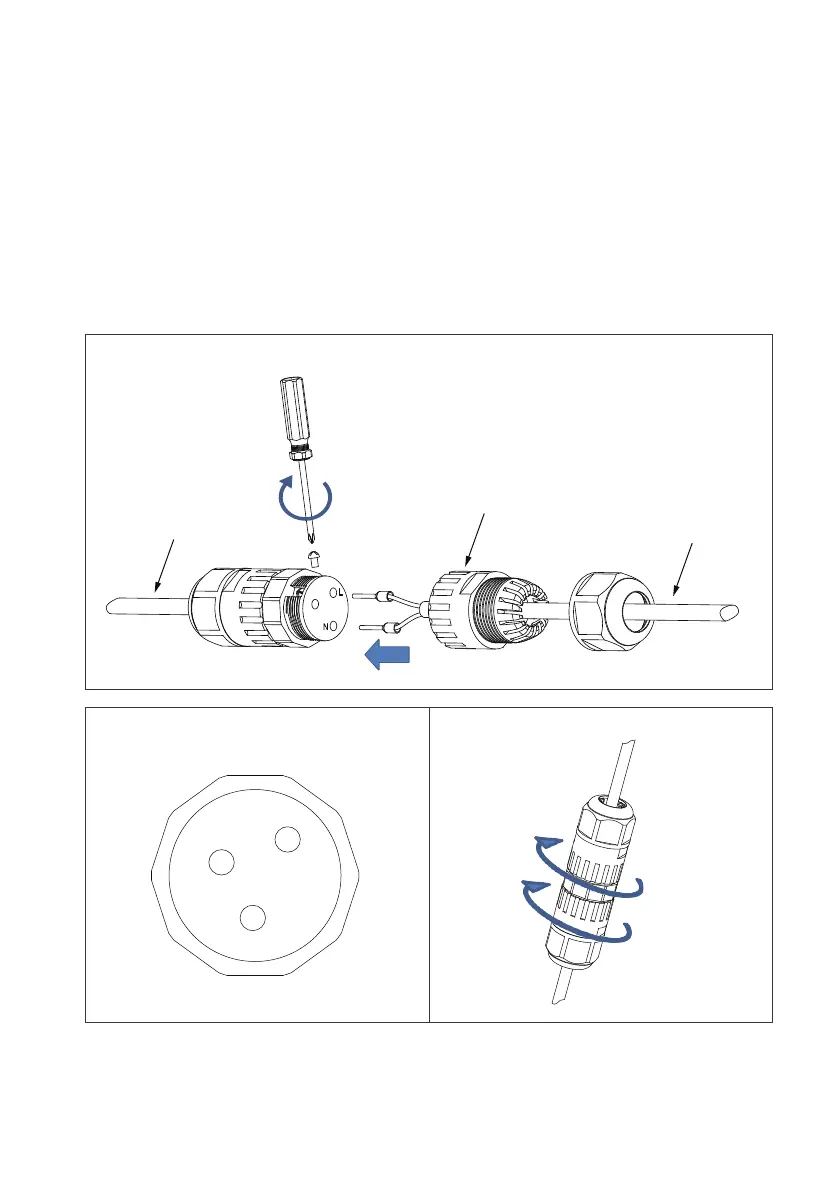
Step 1: Rotate the CT adapter cap counterclockwise and take it off, and tighten the
screws of the connector with a screwdriver.
Note: Insert the red signal cable into the L phase, and the black signal cable into the
N phase.
Step 2: Make sure the cables are secured until they can’t be pulled out.
Step 3: Tighten the adapter cap and nut clockwise.
CT cable
Tighten the screws
AC adapter cable
Connector adapter cap
N
L



 To Next Page