Indicating
Press the lever beyond the resistance point.
Triple turn signal
Briefly press the lever up or down.
The duration of the triple turn signal can be set.
1.
Press the button on the light switch
element.
2. "Additional settings"
3. "One-touch indicator"
4. Select the desired setting.
Indicating a turn briefly
Press the lever as far as the resistance point and
hold it there for as long as you wish to indicate a
turn.
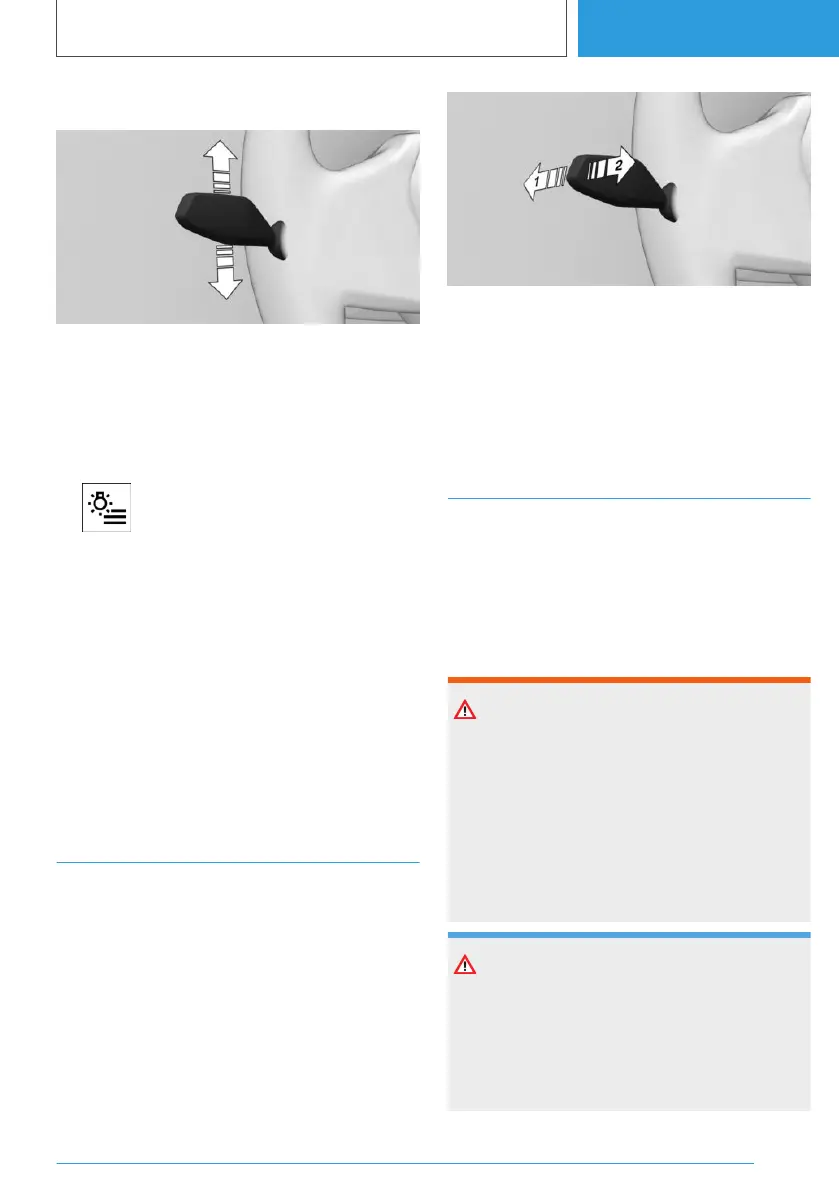
High-beam headlights,
headlight flasher
Push the lever forwards or pull it back.
▷ High-beam headlights on, arrow 1.
The high-beam headlights are illuminated
when the low-beam headlight is switched on.
▷ High-beam headlights off/headlight flasher,
arrow 2.
Wiper system
General
Do not use the wipers on a dry windscreen, oth‐
erwise the wiper blades will wear or become
damaged more quickly.
Safety notes
WARNING
If the wipers start moving when they are folded
away from the windscreen, parts of the body
may become trapped or the vehicle may be
damaged. There is a risk of injury or material
damage. Make sure that the vehicle is switched
off when the wipers are folded away from the
windscreen, and that the wipers are in contact
with the windscreen when switching on.
NOTE
If the wipers are frozen to the windscreen,
switching them on may cause the wiper blades
to tear off and the wiper motor to overheat.
There is a risk of material damage. Defrost the
windscreen before switching on the wipers.
Seite 149
Driving
CONTROLS
149
Online Edition for Part no. 01405A38CB9 - VI/21



 To Next Page