FOCUS 1.3 Display information
Page 6 BOGE FOCUS compressor control for piston compressors
1.3 Display information
Main display
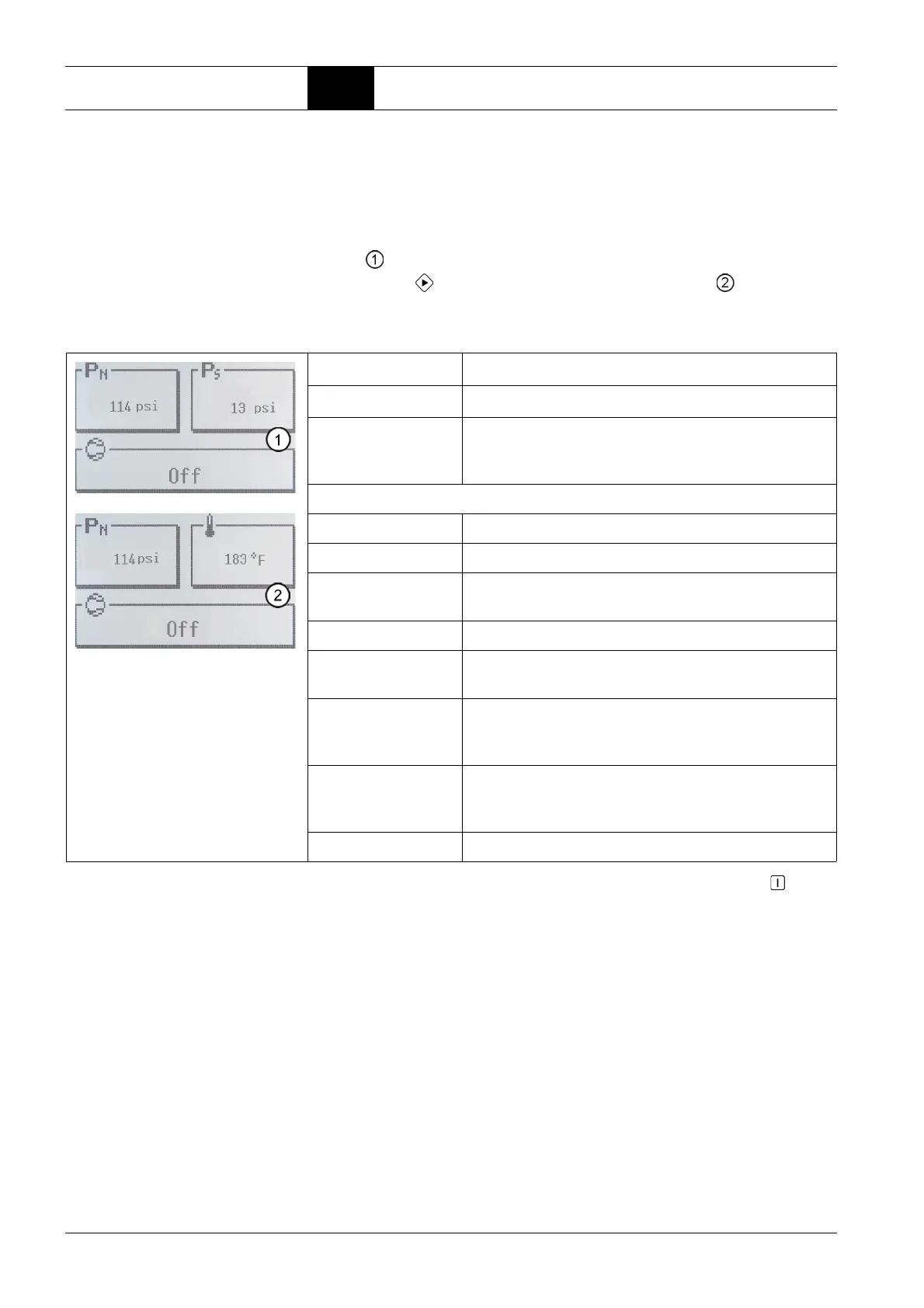
This is the main display in the control menu, net pressure, system pressure
and suction pressure together with the compressor status are displayed here
(display ).
By pressing the -key, a temperature* is displayed (display ) instead of the
system pressure.
* not for each compressor type, otherwise optional.
* If the functions auto re-start and / or remote start / stop are parameterised, the key must be
pressed after unlocking the emergency stop button to leave the emergency stop function.
Net pressure p
N
Shows the current net pressure.
System pressure p
S
Shows the current system pressure.
Possibly inner hood
or compressed air
outlet temperature °F
Shows the current temperature (within the compressor hood or
of the compressed air at the compressor output). This window
appears if a sensor is present.
Compressor status Meaning
Off Compressor is switched off.
Ready Compressor is ready and starts automatically as soon as the
conditions are fulfilled.
Run-up Compressor is in star phase.
Load operation Compressor runs in delta phase.
The solenoid valve is closed.
Idling – possible
for single-stage
compressor
Single-stage compressor runs in delta phase, solenoid valve
is open.
Fault A fault has occurred on the compressor / compressed air
purification, the compressor is switched off.
The fault has to be rectified prior to a restart.
Emergency-Stop The Emergency-Stop button has been pressed*.



 To Next Page