BOGE FOCUS compressor control for piston compressors Page 13
FOCUS 1.4 Settings
1.4 Settings
Entering of codes
in general
1. Actuating the key leads from the main display 1 to the Version display.
2. If now the ENTER key is actuated, a display is shown asking you to
enter a 5-digit code (see code list).
3. The first place value of the code is blinking. By means of the keys /
a digit can now be changed.
4. By actuating the ENTER key or key the cursor jumps to the next
value and the value can be changed accordingly.
5. Once the last digit has been set the code is acknowledged by actuating the
ENTER key . According to the entered code either windows for various
settings or a parameter list opens. When entering the second ... fifth digit
actuating the INFO key causes an erasing of the previous digit, so that
it can be entered again.
Actuating the INFO key when entering the first digit the code setting is
left and you return to the version display.
Parameter list
If the code for the parameter list is entered, parameters can be edited.
To leave the parameter list actuate INFO key and you get back to the main
display.
If you are in the adjustment range of a parameter, it can be left again by actu-
ating the INFO key . You have to actuate the INFO key once more to
close the list.
CODE Meaning
17391 User- Code / parameter list
00000 Parameter display / access previous code
00111 Setting / Resetting servicing intervals
00988 Parameter restoring
00798 Switch clock settings
00356 View input status
Note!
If the parameter editing code is entered, you may return to the parameter list
left previously within 15 min after leading it via code 00000 without having to
enter the code again.
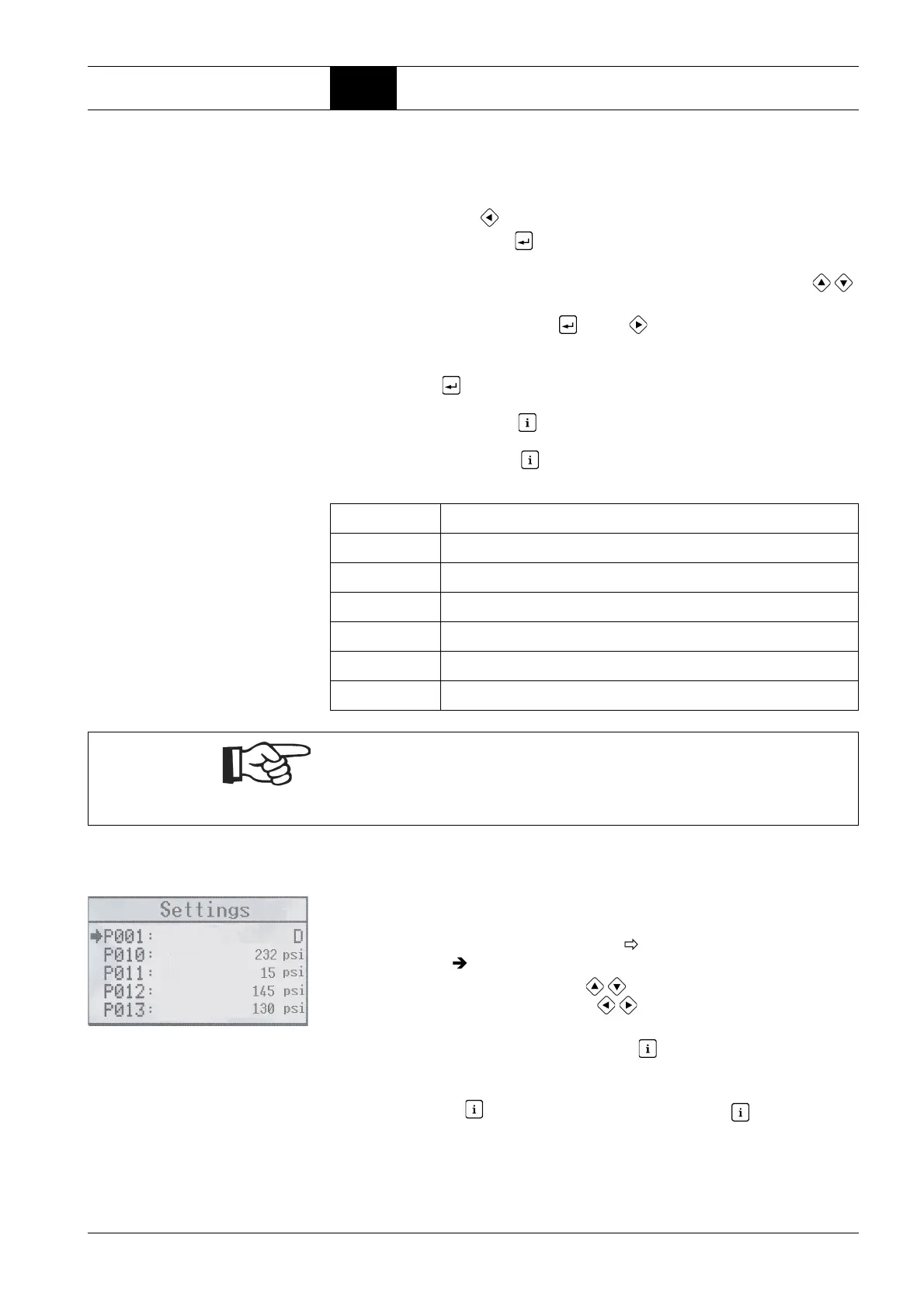
An arrow at the beginning of the line shows where the cursor currently is and
whether a value can be changed or not.
If the arrow is only displayed as an outline , it is an informational value; if
the arrow is solid , the value can be changed.
In the parameter setting actuating the / keys makes the cursor move one
parameter forwards or backwards.Use / keys to scroll to the previous /
next page.



 To Next Page