FOCUS 1.5 Grouped parameters / parameter management
Page 22 BOGE FOCUS compressor control for piston compressors
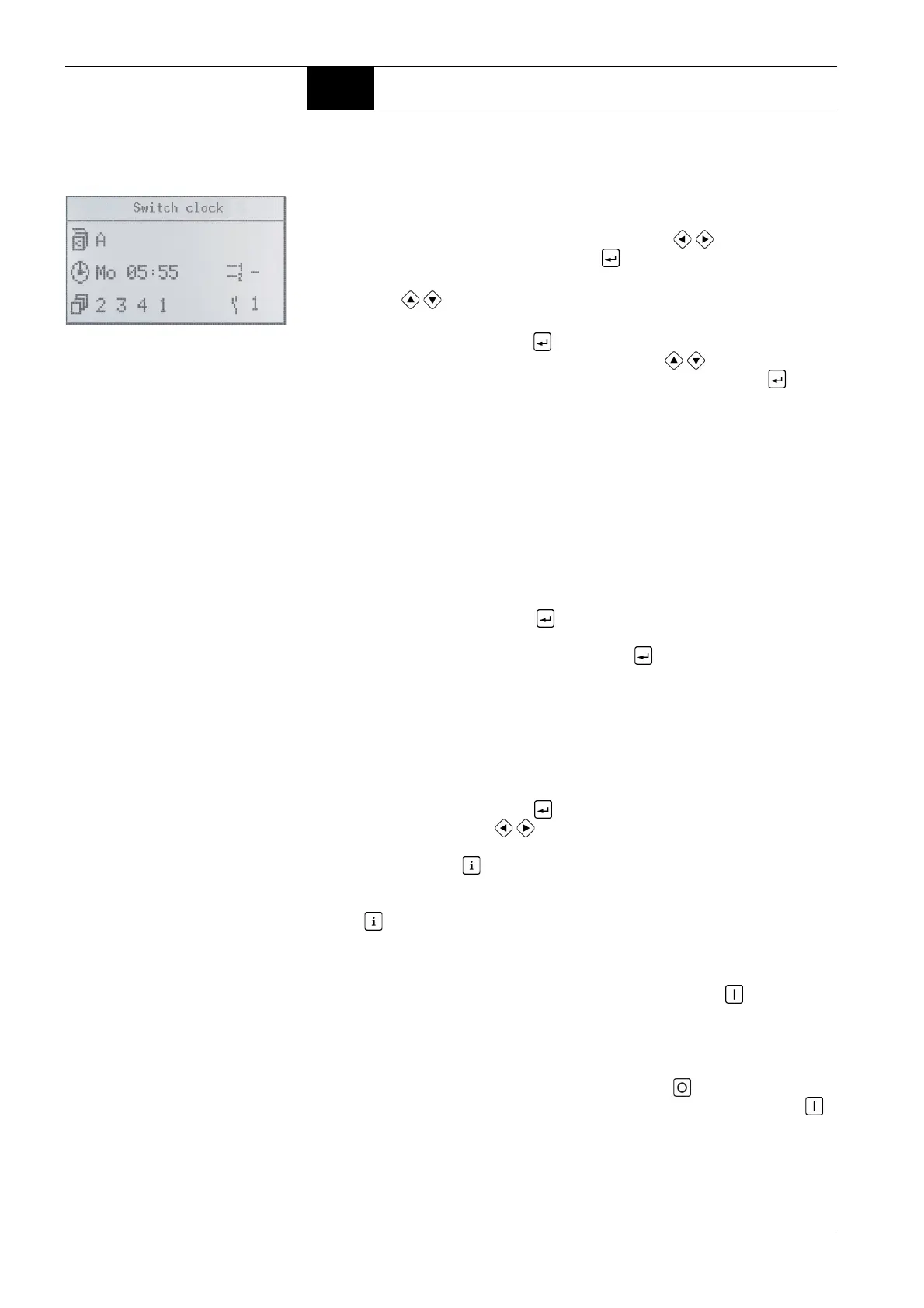
Switch clock
By entering Code 00798 the switch clock can be adjusted.
4. Next the priority sequence of the compressors (see chapter Base load
switch control with additional compressors) can be selected. Each combi-
nation of the numbers 1...4 is possible.
The priority sequence '0000' leads to the transport signal being removed
from all compressors starting at the respective time (see also Unplanned
compressed air requirement).
The display '– – –' effectuates that the timer with this channel does not
influence the priority sequence but only accomplishes other functions (see
below). Thus it can be used with other cyclic changes according to the
chapter ’Base load switch control with additional compressors‘.
5. By actuating the ENTER key the cursor now jumps to the selection of
the pressure range. 1, 2 or ‘–‘ ranges are available and the selection can
be acknowledges pressing the ENTER key .
The pressure ranges 1 and 2 can be set by means of the parameter
P012...P015, ‘–‘ means that the pressure band is not changed by this
switch clock channel. Either the pressure range of the previously active
channel is kept or a new channel is selected via an external contact or
by a serial interface.
6. Last the potential-free contact of the basic module terminals '14/15' can be
switched. Available are: 1 (contact closed) or 0 (contact open).
By actuating the ENTER key the display for the channel starts blinking
again and by using the / keys another channel can be selected and
adjusted as described above.
If the INFO button is pressed during processing a channel function, the
current change is not stored.
In the mode 'Selection of the switching channel' the actuation of the INFO
key brings you back to the main display.
Unplanned compressed
air requirement
If compressed air is needed when the priority sequence 0000 is active:
1. The compressor can be started by actuating the ON key – in case of
multiple systems the complete plant at the Master control (Parameter
P070 must be set to more than one compressor). The control accesses
the priority sequence of channel A and pressure range 1. For this reason,
the priority orders 0000 and - - - - must not be stored in channel A. This
status will be canceled by actuating the OFF key or the next switch
clock channel by means of an active priority sequence. Pressing the
key once causes the operating readiness of the master to be restored.
The green LED is illuminated.
1. Having entered the code you get to the selection of the switch channels.
This is shown by the blinking of the first letter in the top line.
26 channels from A-Z are available. Use the keys / kto select a chan-
nel and confirm it with the ENTER key .
2. First the weekday starts blinking. The desired weekday can be selected
using the / keys. One switch clock channel is deactivated, if two
dashes (– –) are set instead a weekday.
3. By actuating the ENTER key the input is acknowledged and the cursor
jumps to the display of the hours. Using the keys / this value can now
be set as well and acknowledged by means of the ENTER key . The
same applies to the minutes.



 To Next Page