-- 16 --
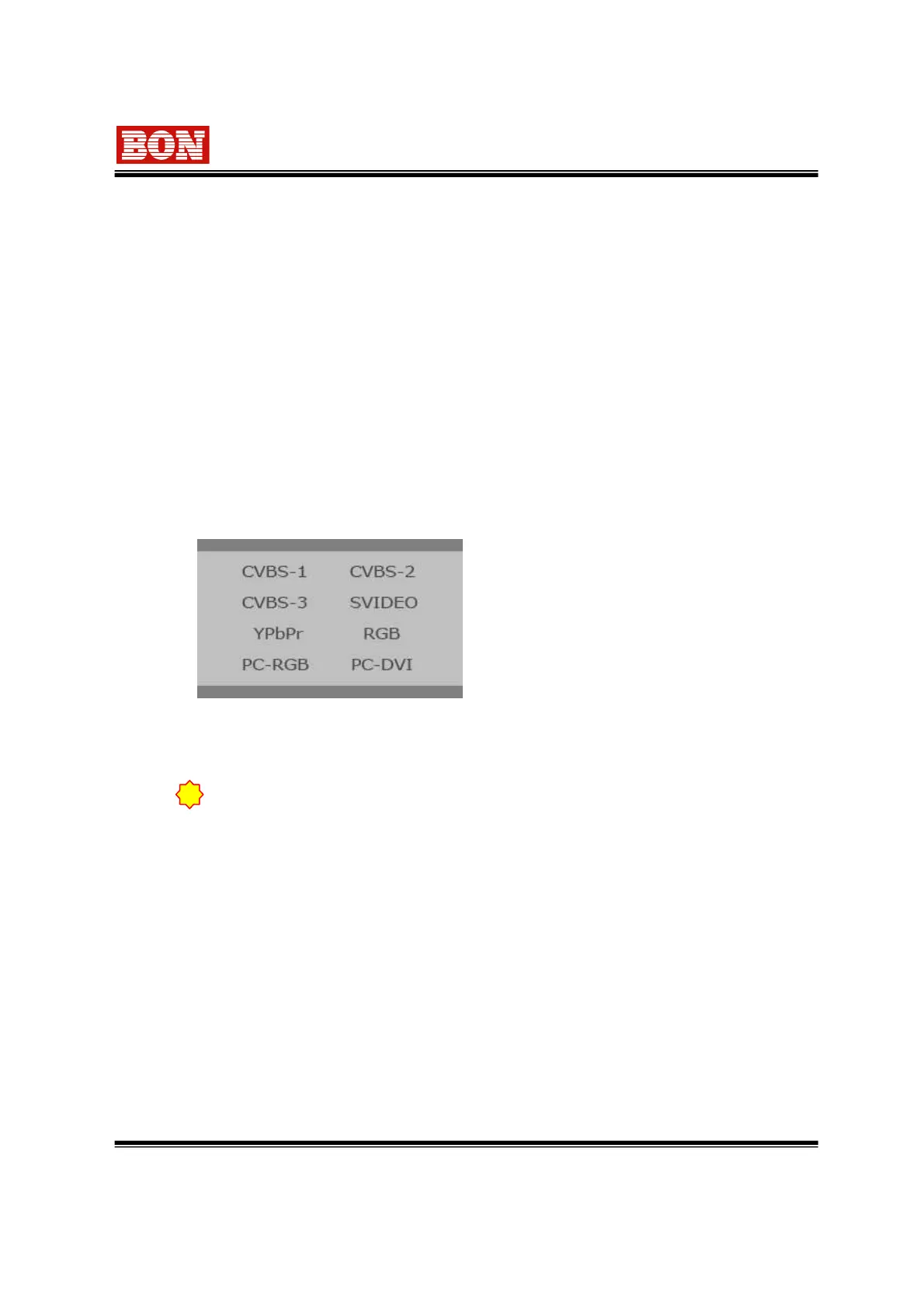
OSD window as selecting INPUT Select
Button.
Move the menu position by using UP (▲),
DOWN (▼) and INPUT button. Convert to
another menu or mode by pressing ENTER
button.
5. Input Select Menu
•YPbPr input signal is common with Composite signal(CVBS1,2,3).
•Composite and YC(S-VIDEO) signal are not recognized in YPbPr mode.
1) Audio Level Display Mode (BLM-084/170/190/240/260/320/420/470/550)
Used Audio Level Display Mode from Audio Setup Menu as selecting On/Off.
On : Left (even channel), Right (odd channel) OFF : Make Off of Level Bar.
Display Position : Possible to display at the top/bottom of the screen.
2) Waveform Monitor Display (BLM-084/170/190/240/260/320/420/470/550)
Use on/off and position on the setting of the Waveform Display Menu.
Display Position : Display at the top/bottom of the screen.
3) Time Code Display (BLM-084/170/190/240/260/320/420/470/550)
Use on/off and position on the setting of the Display Menu.
Display Position : Display at the middle of the screen.
!
when changing input signal, there is possibility not to be detected signal or
mode indication and screen size are displayed wrong.


 To Next Page