-- 17 --
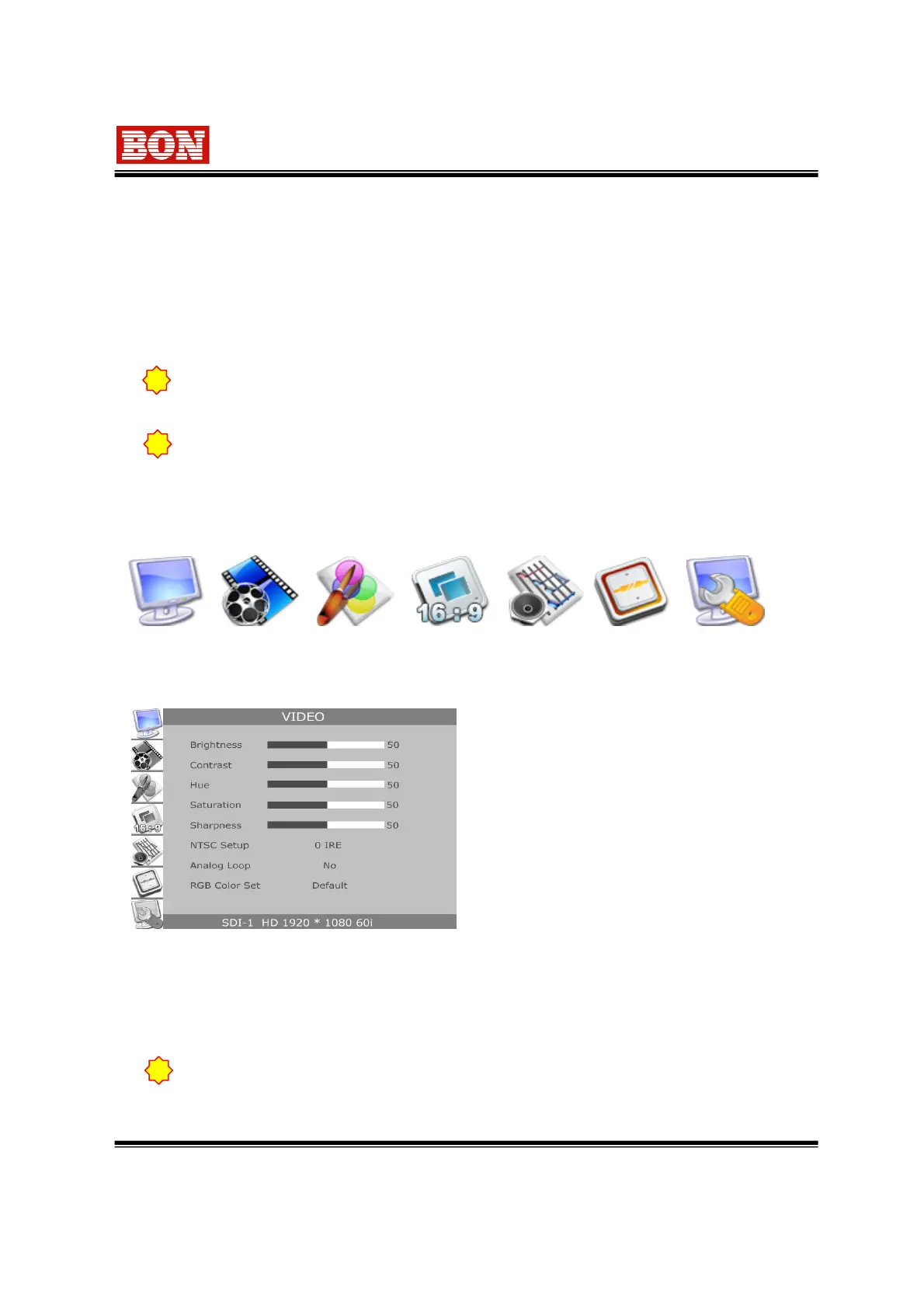
6-1. VIDEO
▪ Brightness
▪ Contrast : Adjust contrast.
▪ Hue
▪ Saturation
▪ Sharpness
▪ RGB Color Set : Control RGB each Level
in YPbPr,RGB and PC-RGB input mode.
There are Default and User Adjust.
6. Control and Use of OSD Menu
1. Press “MENU” button for OSD Display .
2. Press “ENTER” button after menu selection by using UP (▲) / DOWN (▼) button.
3. Adjust status on the selected item with ENTER and UP (▲) / DOWN (▼) button.
4. Move to previous menu by using MENU button and OSD screen is finished as pressing menu
continuously.
OSD Menu ICON
VIDEO DISPLAY COLOR MARKER AUDIO GPI CONTROL SYSTEM
!
When user does not use Loop terminal, select Analog Loop ‘No’.
!
In case there is no input signal or no detected signal, the menu can be erased.
When you set menu in inaccurate signal status, it may cause disorder.
MENU setting value is according to input signal mode. Therefore, please check the
input mode from the bottom of menu when changing condition which is set.
!
▪ NTSC Setup : Select 0 IRE,7.5 IRE. It operates in 7.5IRE -> NTSC or YUV mode.
▪ Analog Loop : It only works with the product which has loop terminal.
Set up On/Off impedance of Analog Loop output terminals.
Yes ->using Loop output. No -> Not using Loop output.


 To Next Page