-- 19 --
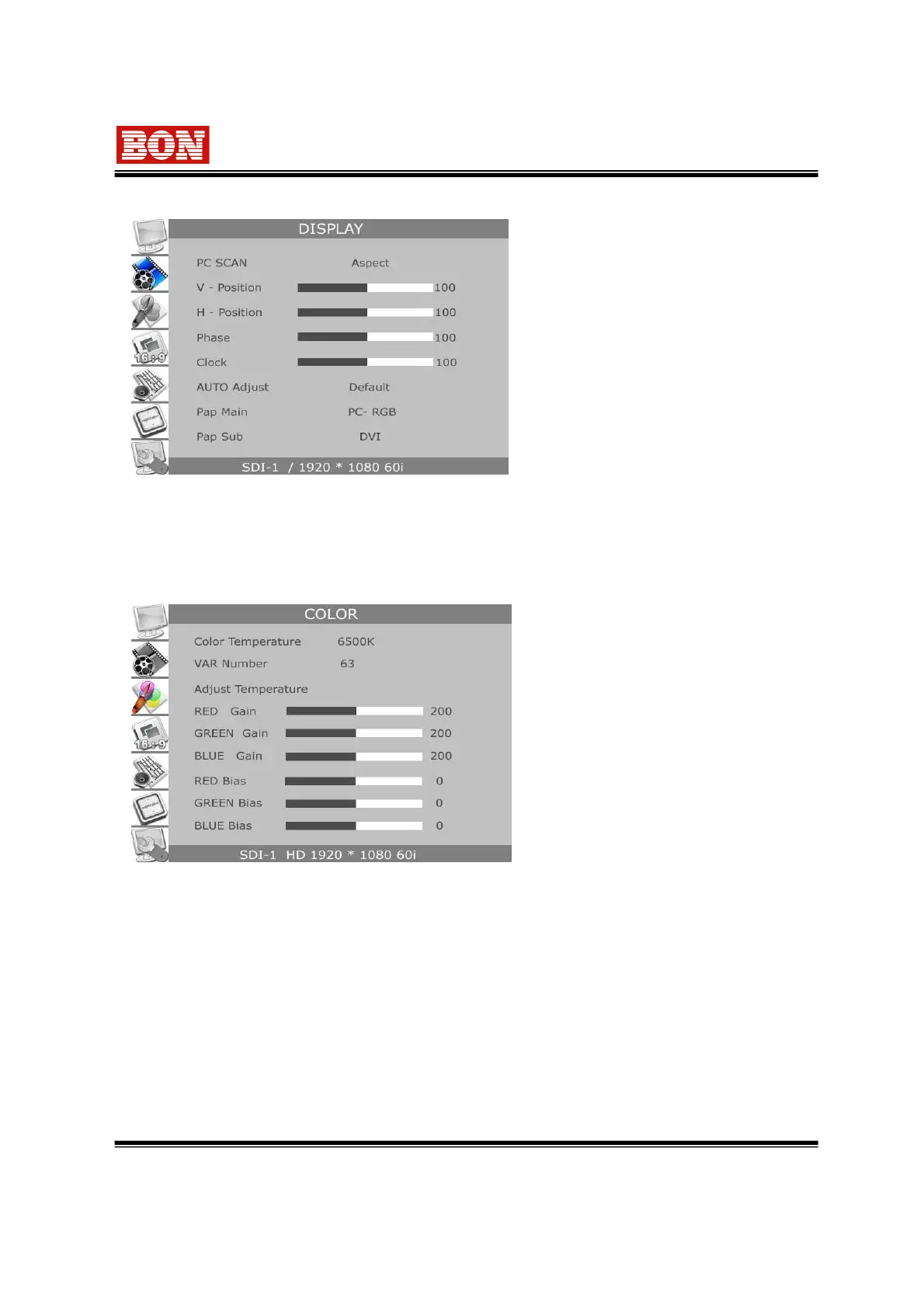
6-2-1. DISPLAY (PC-RGB)
This is displayed when PC-RGB signal is
selected.
▪ PC SCAN : Set output status as
Fill or Aspect mode.
▪ V. Position : Adjust position of screen in
PC mode input.
▪ H. Position : Adjust horizontal position of
screen.
▪ Phase : Adjust digital converting of SC of
input signal.(VGA)
▪ Clock : Used to adjust digital converting clock in PC-RGB mode.(VGA)
▪ AUTO Adjust : Used to adjust the best display position automatically in PC-RGB mode.(VGA)
▪ PaP Main, PaP Sub (Option) : Select input of right (Main) /left (Sub) screen in PaP mode.
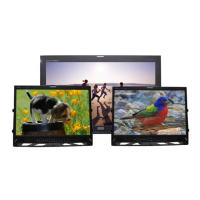
6-3. COLOR
▪ Color Temperature
Set the white balance or color
temperature on screen among
USER,3200°K,5400°K,6500°K,9300°K, and VAR.
▪ VAR Number-> Selectable from 1 to 63 step and
from 3000°K to 9300°K.
▪ USER-> Adjust RGB Level and color temperature.
▪ R,G,B Gain : Control each R, G, B Gain in USER
mode.
▪ R,G,B Bias : Control each R, G, B Bias in USER
mode.
* Use professional measure to adjust Color Temperature (White Balance) for precise adjustment.
Color Temperature is adjusted by specializing measurement machine to set precisely.
* Color matrix Parameters take ITU Standard color.
In addition EBU color is set considering the feature of LCD panel and the realization of best color is
made on the basis of the standard of SDTV(ITU-RBT.601) & HDTV(ITU-RBT.709)


 To Next Page