Get Started 1
Get Started
The following topics give you all the information you need to set up your phone and Boost
Mobile service the first time.
Your Phone at a Glance
Set Up Your Phone
Set Up Connections Optimizer
Set Up Voicemail
Support Services
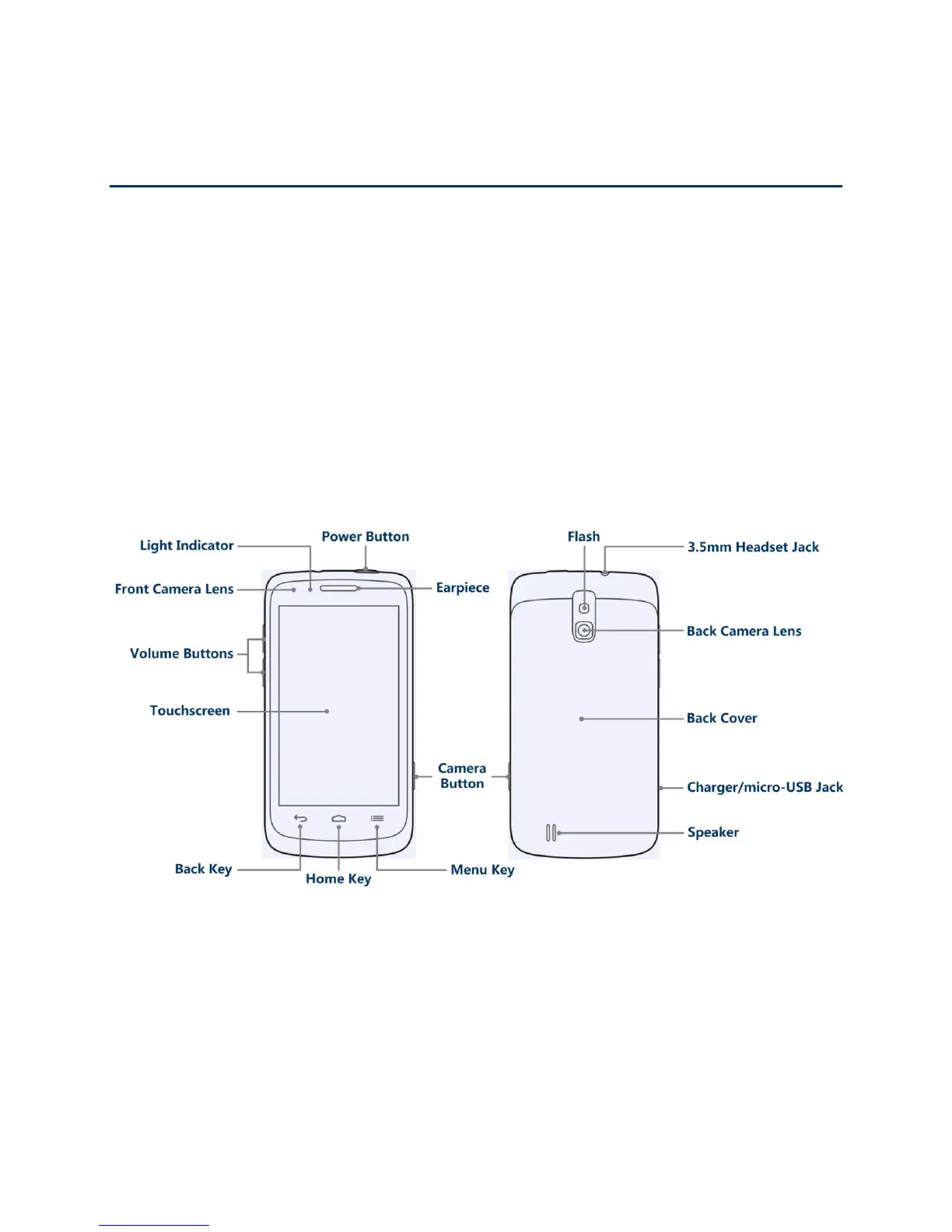
Your Phone at a Glance
The following illustration outlines your phone‟s primary external features and buttons.
Set Up Your Phone
You must first install and charge the battery to begin setting up your phone.
1. Install the battery.
Insert a coin or other flat object into the slot at the bottom of the battery compartment
cover and lift the cover up gently.



 To Next Page