Phone Basics 5
Phone Basics
Your phone is packed with features that simplify your life and expand your ability to stay
connected to the people and information that are important to you. The following topics will
introduce the basic functions and features of your phone.
Your Phone‟s Layout
Turn Your Phone On and Off
Turn Your Screen On and Off
Touchscreen Navigation
Your Home Screen
Status Bar
Enter Text
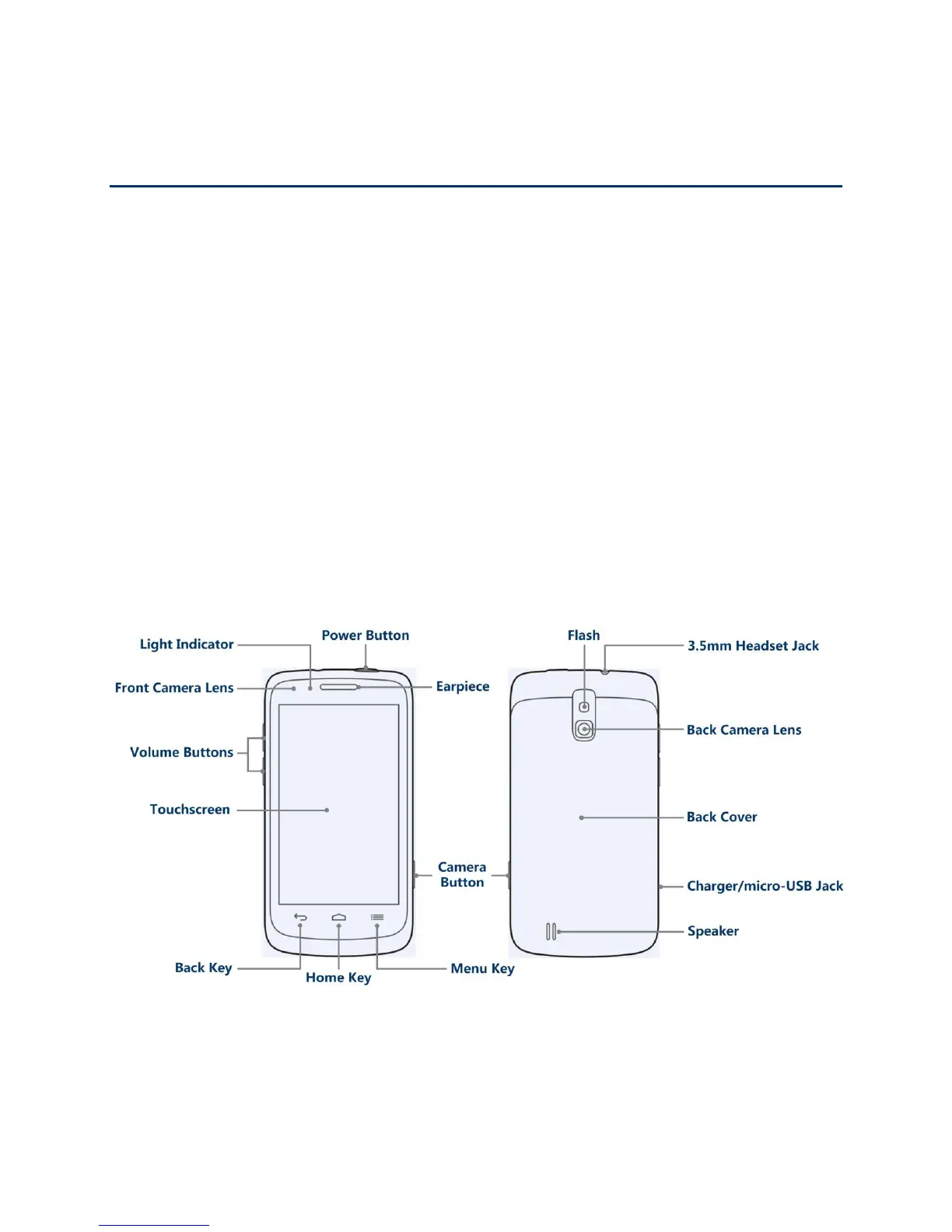
Your Phone’s Layout
The illustrations and descriptions below outline your phone‟s basic layout.
Key Functions
● Power Button lets you turn the phone on or off or turn the screen on or off, restart the
phone, or switch your phone to silent mode, vibration mode, or airplane mode.



 To Next Page