Tools and Calendar 147
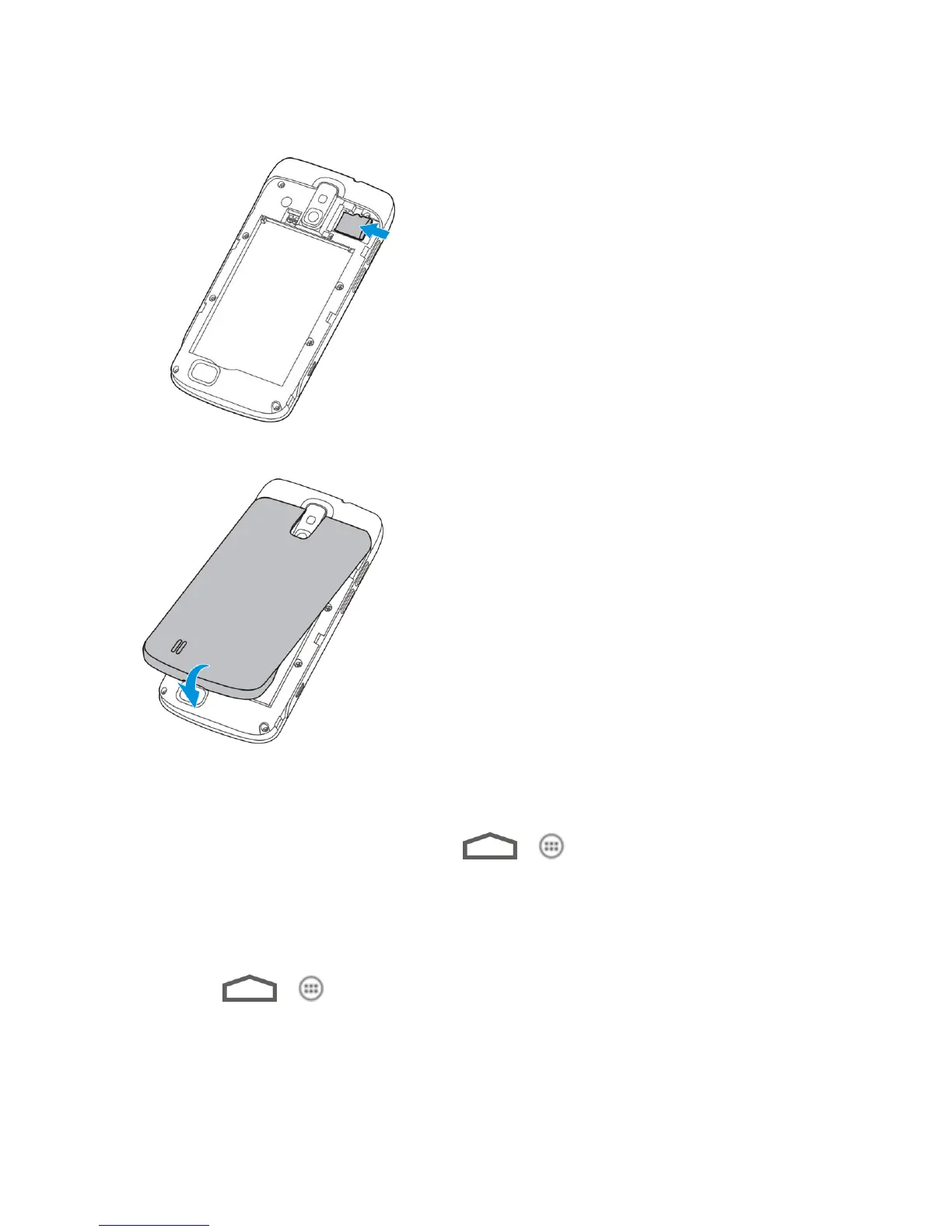
2. Carefully insert the microSD card into the slot with the metal contacts facing downwards.
3. Re-install the battery and the back cover.
View the microSD Card Memory
The Storage settings menu gives you access to your microSD card memory information.
► With the microSD card inserted, touch > > Settings > Storage. (The total
and available memory space will be displayed.)
Format the microSD Card
Formatting a microSD card permanently removes all files stored on the card.
1. Touch > > Settings > Storage.
2. Scroll down the screen, touch Erase SD card > Erase SD card > Erase everything.



 To Next Page