Phone Basics 16
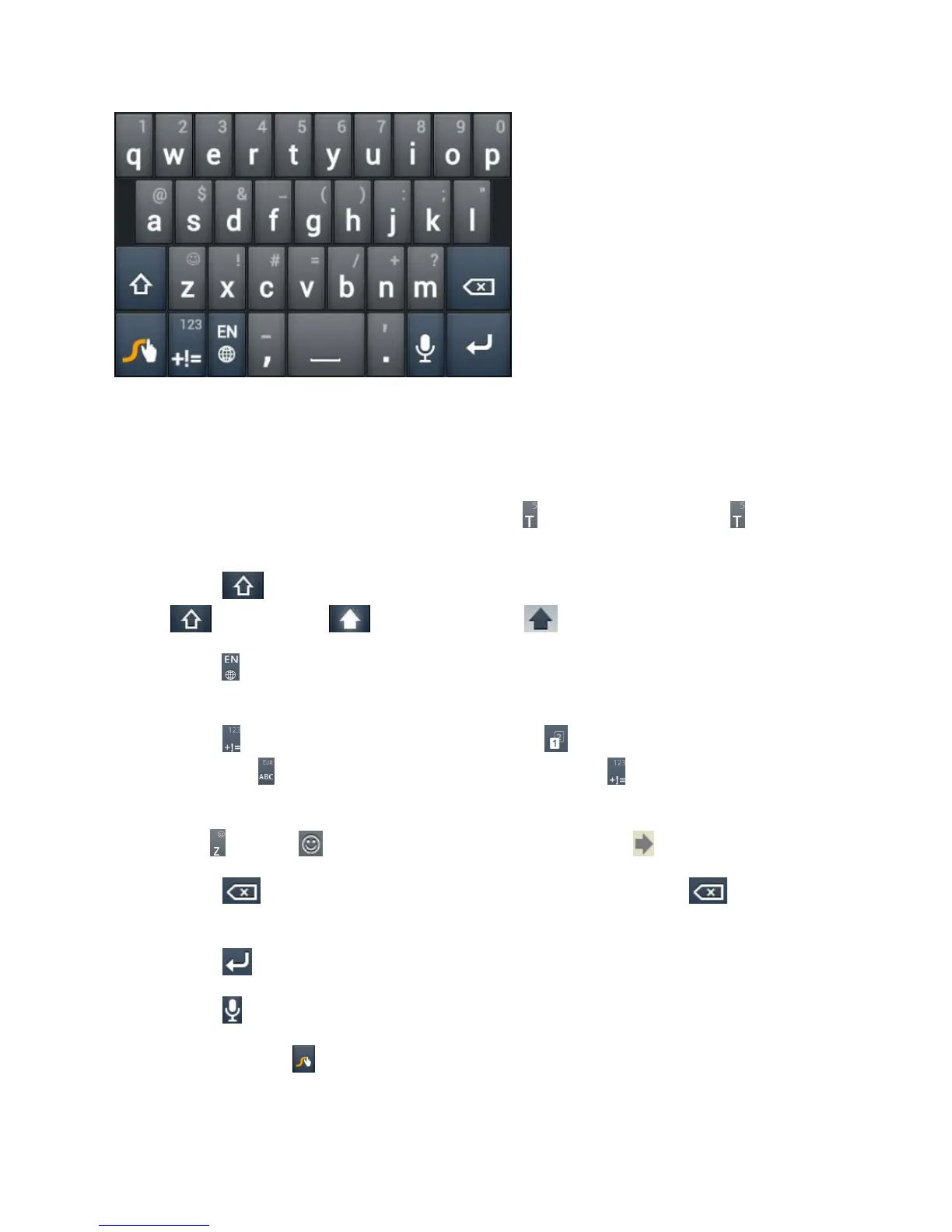
● Touch the alphabetic keys to enter letters. Touch and hold a key to enter the number or
symbol located on the top of the key. Keep holding the key to bring up a series of
characters available on that key, including associated accented letters, symbols or
numbers.
For example, in English mode, touch and hold to enter 5. Keep holding to open a
character and number list. You can select to enter T, þ, ^, or 5.
● Touch to use uppercase or lowercase. This key also indicates the current case:
for lowercase, for uppercase, and when locked in uppercase.
● Touch to change the text input language. Touch and hold this key to open a pop-up
menu for language selection.
● Touch to select numbers and symbols. Touch to enter the alternate symbol on a
key. Touch to go back to enter letters. Touch and hold to open a simple keyboard
and you can enter numbers and certain symbols.
● Hold or touch to open an emoticon list. You can touch to find more emoticons.
● Touch to delete a character before the cursor. Touch and hold to delete an
entire word.
● Touch to start a new line.
● Touch to use voice input.
● Touch and hold to open the Swype settings.
To enter text via Swype:



 To Next Page