Phone Basics 19
● Touch to use voice input.
● Touch to hide the onscreen keyboard. You can touch the text field again to show
the keyboard.
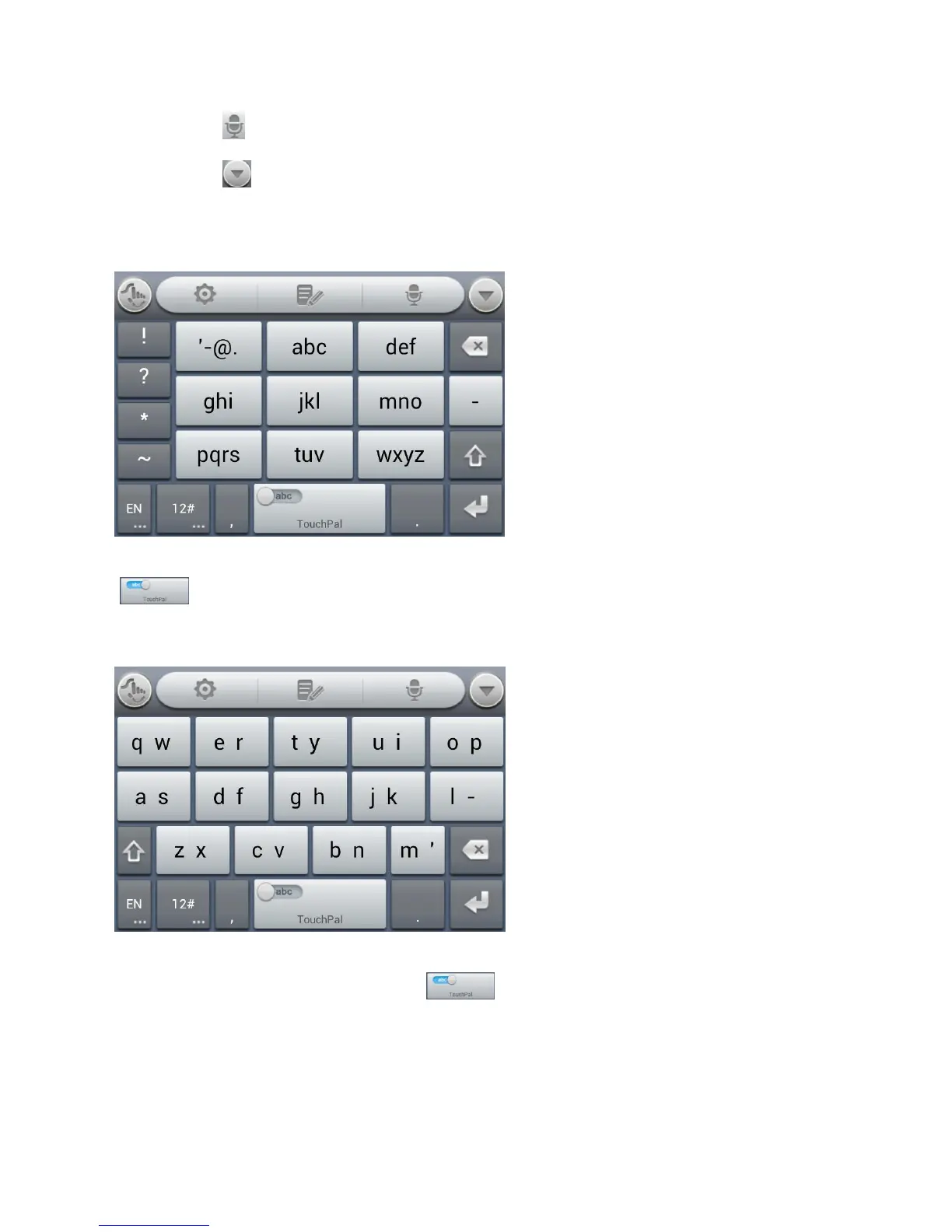
12-Key PhonePad
Touch a key repeatedly until the desired letter or symbol appears. If word prediction is enabled
( ), just touch the keys once and choose the right word.
CooTek T+
Touch to enter the left letter on the key; Double-tap or flick right to enter the right letter/symbol
on the key. If word prediction is enabled ( ), just touch the keys and choose the right
word.
TouchPal Curve
You can use TouchPal Curve to trace words on the Full QWERTY TouchPal keyboard.



 To Next Page