Contacts 55
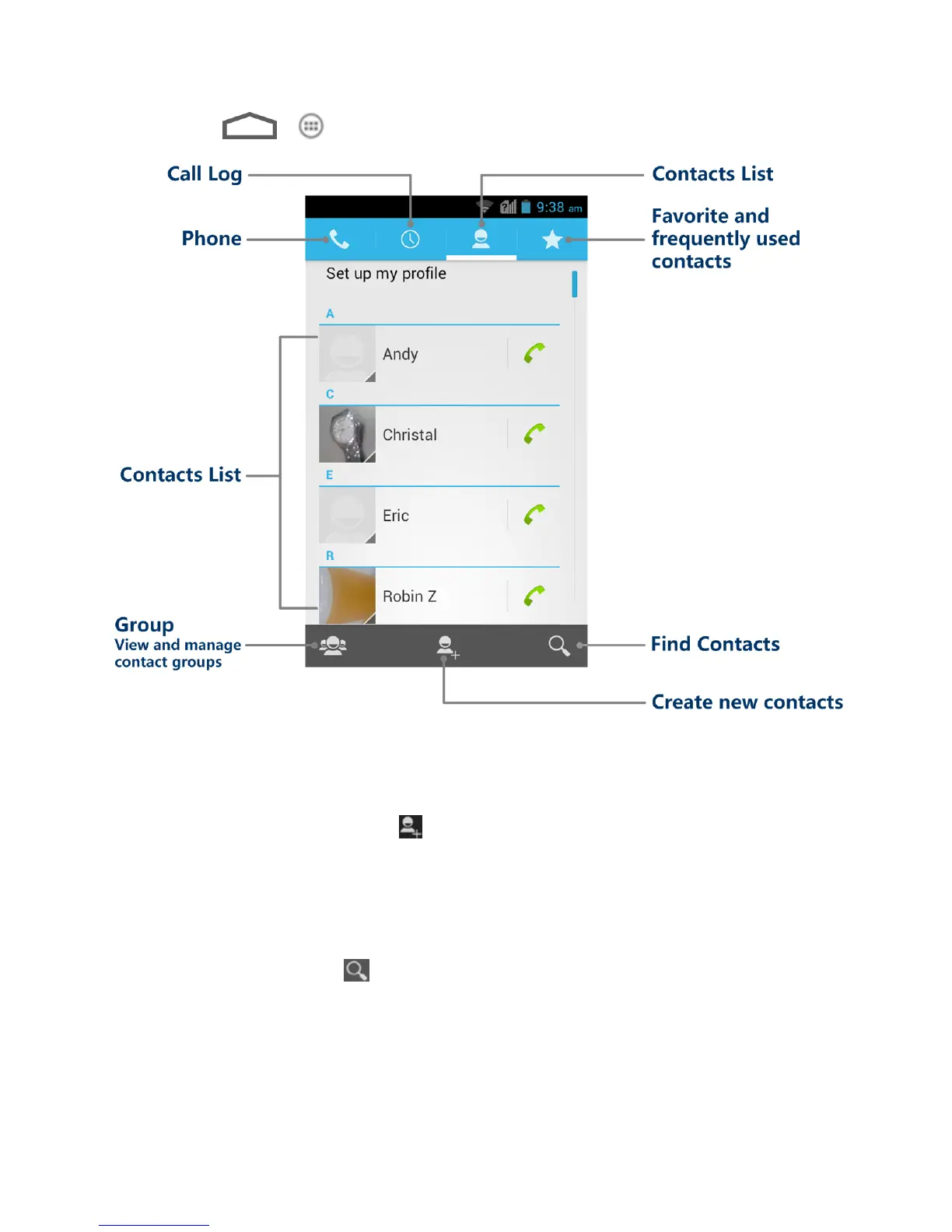
► Touch > > People. You will see the contacts list.
● Contacts list: The contacts list displays all contacts currently stored in your phone,
including Google contacts, Exchange ActiveSync contacts, Phone contacts, and
contacts from other web accounts.
● Create new contacts: Touch to add a contact.
● Group: Create groups of contacts, such as friends, family, or coworkers.
● Favorite and frequently used contacts: This tab contains a list of often used contacts
selected by the phone automatically, and favorite contacts that you manually add.
● Find contacts: Touch and search for contacts with name, number, organization, or
other information.
● Phone: Open the phone dialer.
● Call log: Open the list of recent calls.



 To Next Page