EasyManua.ls Logo

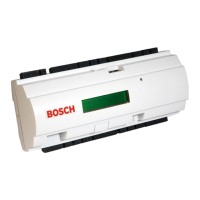
Bosch ADS?AMC2?2WCF - User Manual

Bosch ADS?AMC2?2WCF
48 pages
Print Icon
To Next Page IconTo Next Page
Loading...
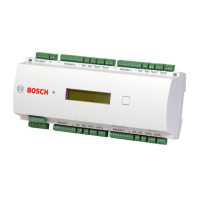
Access Modular Controller 2
ADS‑AMC2‑2WCF | APC‑AMC2‑2WCF
en Installation manual

Questions and Answers

  • N
    Nancy AguirreAug 4, 2025
    How to troubleshoot a Bosch Controller that does not work as expected?
    • E
      edwardsandrewAug 4, 2025
      If your Bosch Controller is not working as expected, try these steps: 1. Switch the power of the controller off and on again. 2. Check the configuration of the controller. 3. If necessary, delete all configuration data by resetting the device to factory default.
  • M
    Michelle JohnstonAug 14, 2025
    What to do if my Bosch Controller is not online?
    • D
      Daniel FosterAug 14, 2025
      If your Bosch Controller is not online, it could be due to a missing network connection or the DIL switch 5 being set to OFF (BPA protocol selected). Ensure the Ethernet cable is properly plugged into the controller. Also, verify that the Ethernet interface is correctly configured.
  • J
    James DavisAug 23, 2025
    Why is the display not working on my Bosch ADS?AMC2?2WCF?
    • J
      Janet HarrisAug 23, 2025
      If the display on your Bosch Controller is not working, it might be because the voltage is too low or the power is off. Ensure the power supply provides enough voltage to power the controller and that the controller is powered on.

Summary

Safety

Installing

Mounting the device on a mounting rail

Instructions for attaching the controller to a 35 mm mounting rail using a snap-in mechanism.

Unmounting the device from a mounting rail

Steps to safely remove the controller from a mounting rail, requiring removal of pluggable connectors first.

Grounding and shielding

Explains the main grounding point and how to create a central ground or shielding point using jumpers.

Connecting the power supply to the controller

Instructions for connecting an external power supply (10-30 Vdc) to the controller's power connector and UPS signal pins.

Ethernet Host Interface

Information on connecting the controller to a network or host computer via a 10/100 Mbit/s Ethernet auto-sensing interface.

Operating

Configuring Ethernet Interface

Steps to configure the controller in a TCP/IP network using the AmclpConfig tool and network naming rules.

Troubleshooting

Resetting the software

Procedure to reset the controller's application program and network settings using the reset button.

Resetting the device to factory default

Steps to restore factory defaults, including software reset, opening case, setting DIL switches, and pressing reset button.

Technical Specifications

Bosch ADS?AMC2?2WCF Specifications

General IconGeneral
Product TypeController
SeriesADS
Input voltage24 VDC
Output current2 A
Number of outputs2
Protection classIP20
Storage temperature-40°C to +85°C
Weight0.2 kg

Related product manuals