Bosch Security Systems | 2007-11 | 9922 141 70691 en
DCN Wireless | Installation and User Instructions | Central Devices en | 32
10 DCN-WCCU Wireless
Central Control Unit
10.1 Introduction
The DCN-WCCU Wireless Central Control Unit
controls the system. The central control unit can operate
with or without a control PC.
10.2 Controls, connectors and
indicators
10.2.1 Front view
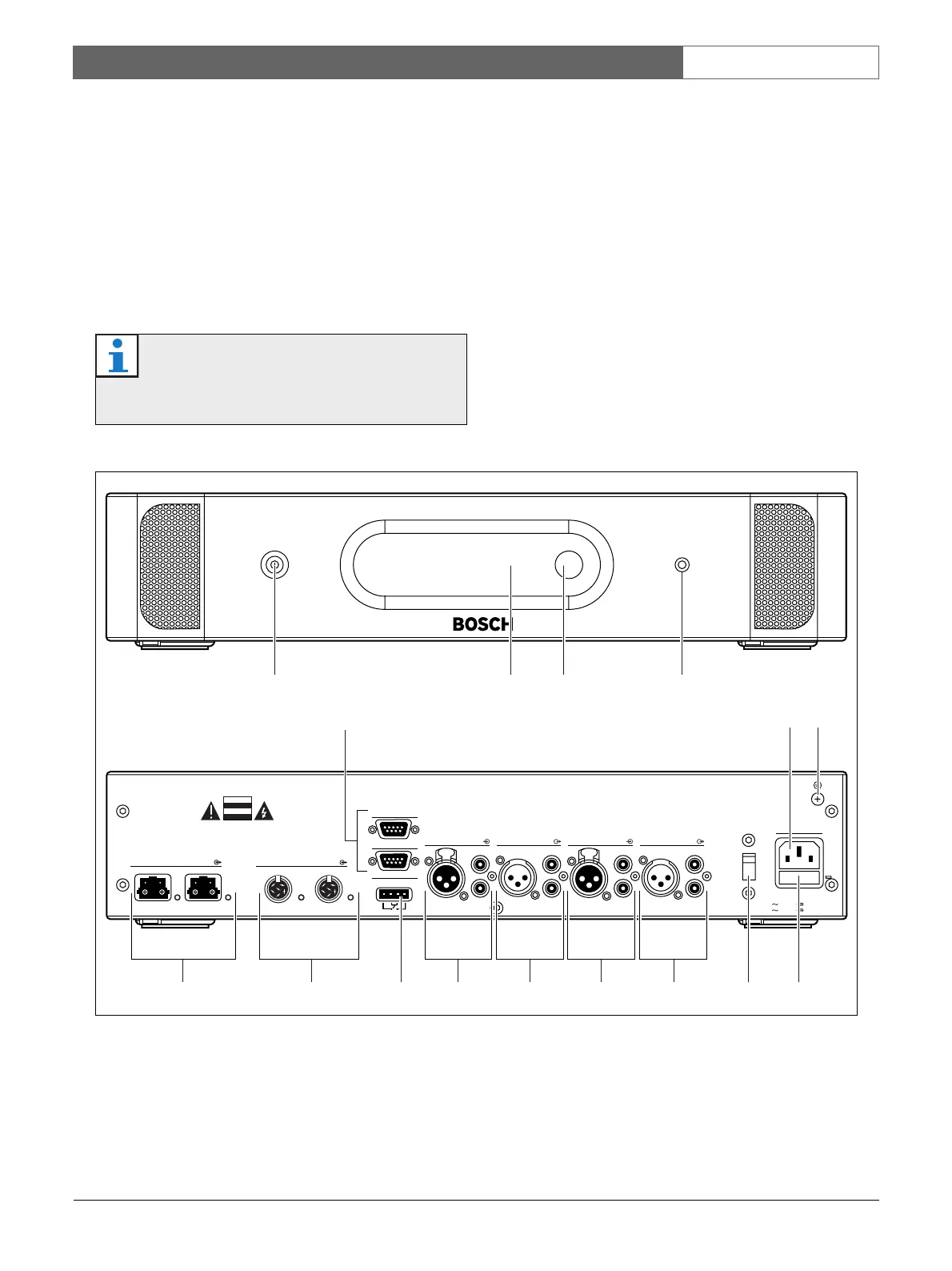
The front of the central control unit (refer to figure 10.1)
contains:
1 On/off switch - Starts and stops the central control
unit.
2 Display - Shows the configuration menu (refer to
10.6).
3 Knob - Operates the configuration menu (refer to
10.6). You can also change the volume level of the
system with the knob.
4 Headphones socket - Connects headphones to
the central control unit (refer to 10.5.4).
Note
The DCN-WCCU-UL is the CSA/UL approved
version of the DCN-WCCU.
figure 10.1: Front and rear views
23 41
OK Fail
Fault
RS 232
Network
12
Audio In 1 Audio Out 1 Audio In 2 Audio Out 2
Mains
Port 2
115:100-120V 50-60Hz T2.5A 250V
230: 220-240V 50-60Hz
T2A H 250V
RS 232 Port 1
Trunk
12
Avis
Caution
Riskof electric shock.
Do not open.
Riskof electric shock.
Do not open.
230
6 7
8 9
5
10 13 1411 12 11 12













 To Next Page