Analog and Frequency Inputs | 12
Bosch Motorsport DDU 9 81/148
12.2.2 Configuring a generic linear sensor
Example: Acceleration sensor 5 g
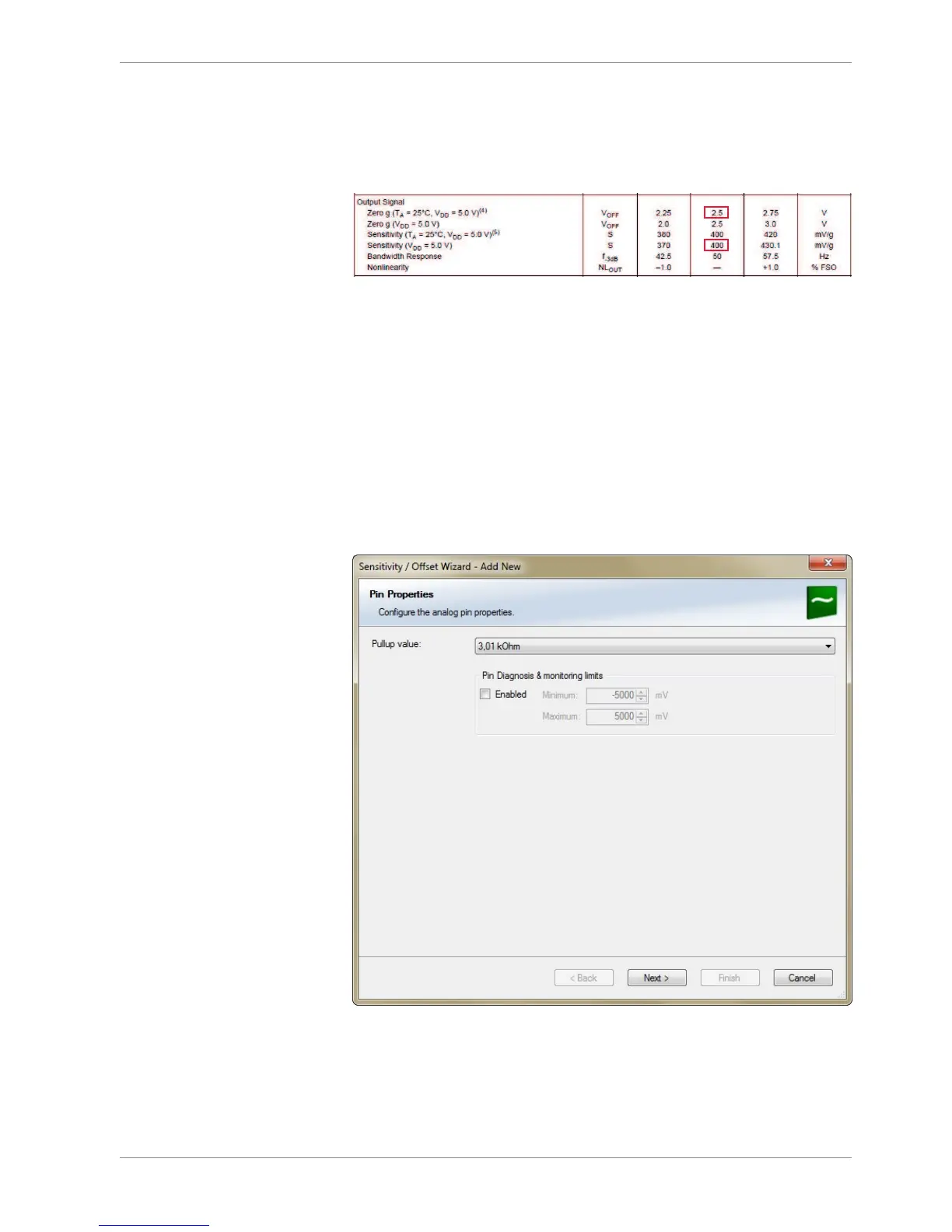
– From sensor data sheet - operating characteristics:
– Sensitivity 400 mV/g, Offset 2,500 mV
– The sensor has a linear output signal with sensitivity and offset
1. Click on ‘Measurement Sources’ in the Toolbox.
2. To expand the list of ‘I/O Channels’, click on ‘+’ in the DDU 9 Project Tree.
3. Drag the “Sensitivity/Offset” analog signal source from the Toolbox and drop it on the
desired analog input channel in the DDU 9 Project Tree. A “Sensitivity/Offset Wizard”
opens.
4. To activate the internal pullup-resistor, check the box. The internal pullup-resistor is
used to get a 5 V signal at the analog channel of the DDU 9. It allows you to use a
push-button. The fixed value of the internal pullup-resistor is 3,010 Ohm. If using an
additional external pullup-resistor, set up the overall resistance.
5. Click ‘Next’ when done.
The second part of the “Sensitivity/Offset Wizard” opens.













 To Next Page