DINION capture 5000/7000 Configuration | en 31
Bosch Security Systems, Inc. Installation Manual | 1.0 | 2012.01
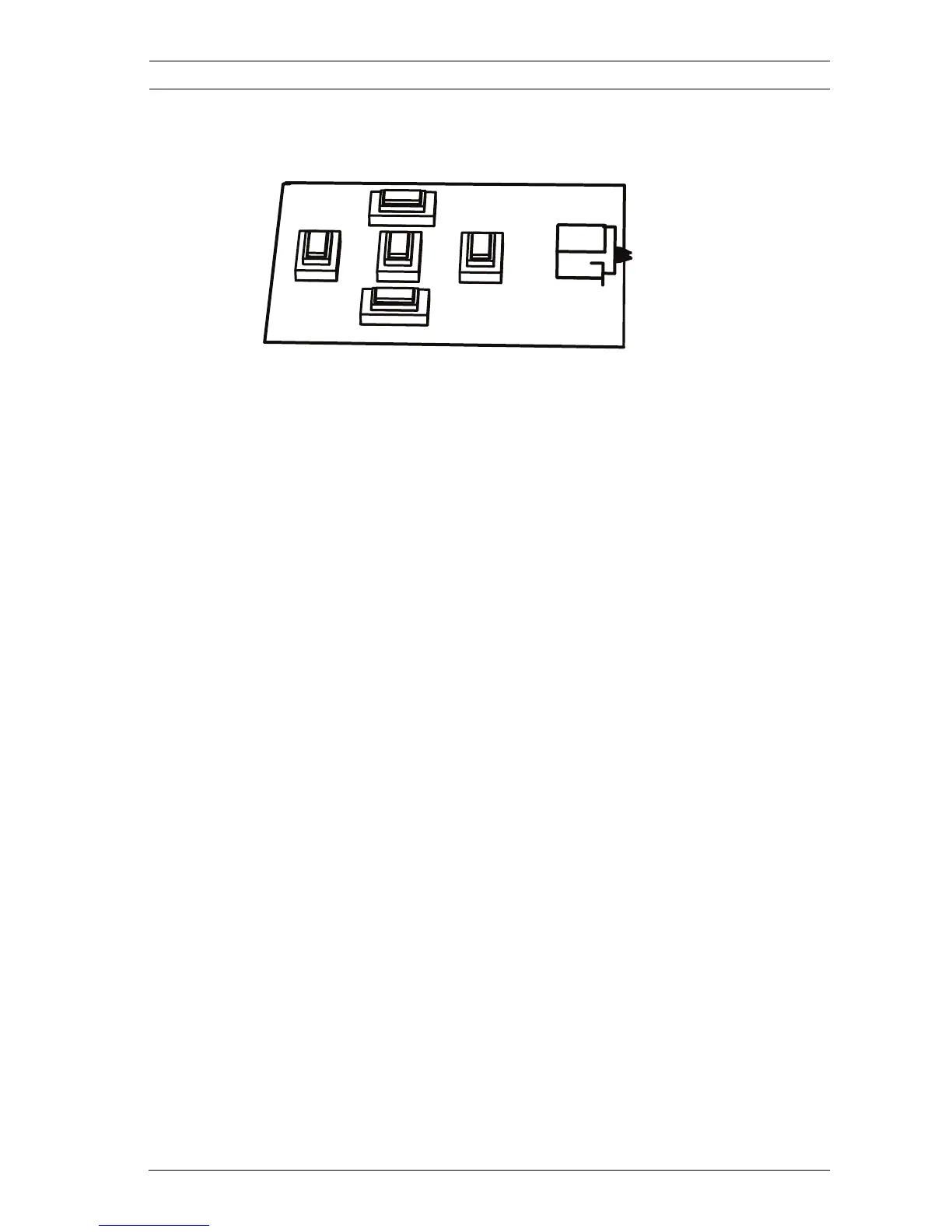
4.1.3 Menu Navigation Keys
Five keys are used for navigating through menu system.
– Use the up or down keys to scroll through a menu.
– Use the left or right keys to move through options or to set
parameters.
– When in a menu, quickly double-press the menu/select key
to restore the selected item to its factory default.
– To close all menus at once hold down the menu/select key
until the menu display disappears or continually select the
Exit item.
Some menus automatically close after about two minutes; other
menus have to be closed manually.
4.2 Pre-Defined Modes
There are six operating modes settings to make configuration
easier. In the license plate camera, Normal and FullSun modes
are pre-programmed to work with Automatic Mode Switching.
Any one of the six modes can be selected as the "switch-to"
mode in Automatic Mode Switching, refer to Section 4.6.3 Alarm
I/O submenu, page 47. The modes are defined as follows;
1. Normal (Mode 1)
Default installation mode to provide stable pictures over a
24-hour period. These settings are optimized for out-of-
the-box installation.
2. FullSun (Mode 2)
Reduced gain to provide properly exposed image during
bright conditions.
3. Mode 3
Default settings.





 To Next Page