6 | Project Configuration
50/76 Engine_Control_Unit_MS_6.x_Manual Bosch Motorsport
6 Project Configuration
6.1 Math Channels
– Arithmetic and logical operations on up to 4 measurement channels
– Numerical results
– Result can be used as input source for various calculations in the whole project
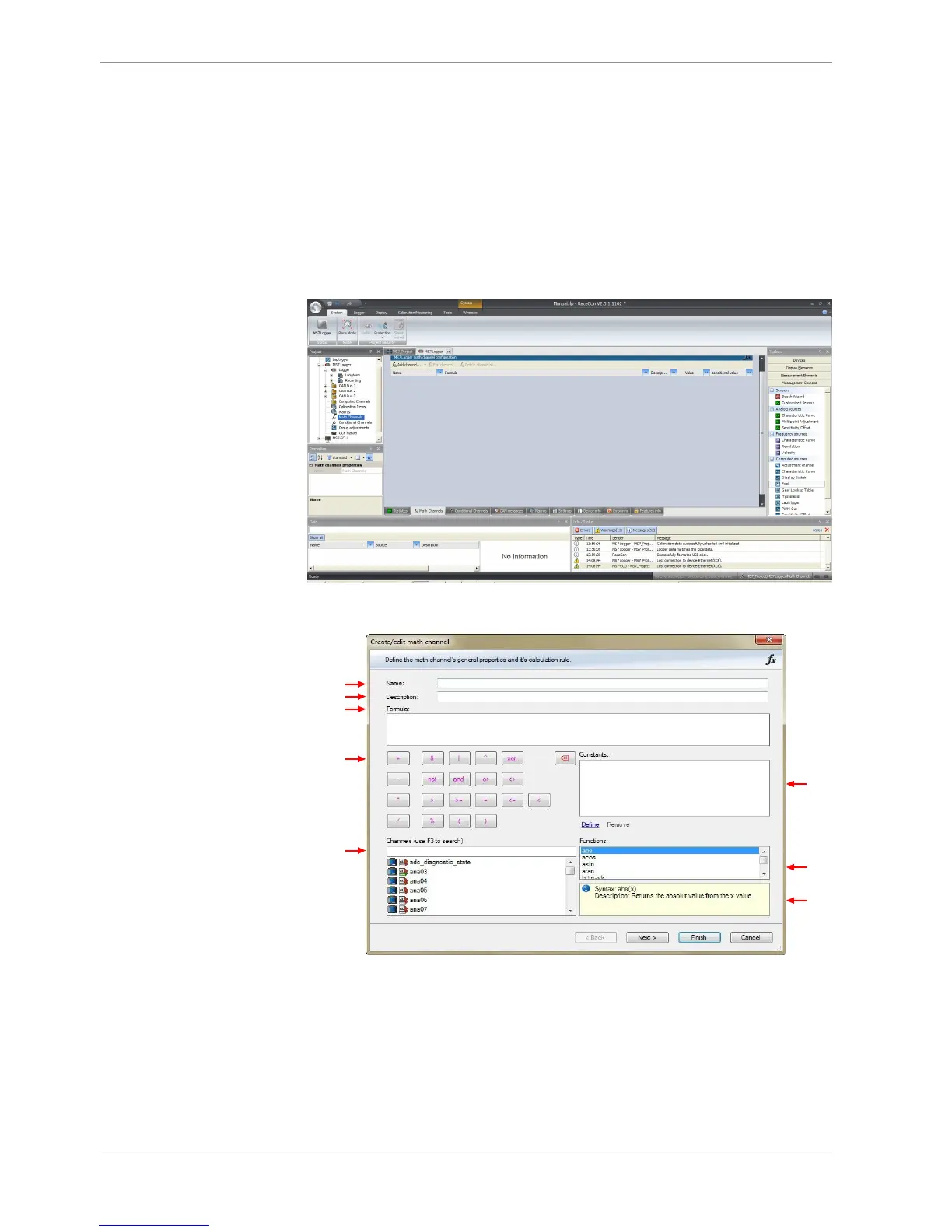
Double click “Math Channels” in MS 6 logger and display project tree.
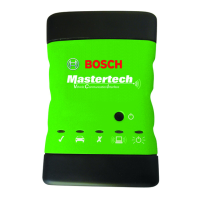
The ‘Create/edit math channel’ window appears. Define the math channel using the fol-
lowing configuration possibilities:
a) Enter the name of the math channel.
b) Enter a description of the math channel.
c) Enter the formula.
d) Select the logical operator.
e) Choose a measurement channel.
a)
b)
c)
d)
e)
f)
g)
h)
f) Define a value that can be used as a constant in the formula.
g) Choose a function.
h) Describes the function selected above.



 To Next Page