Online Measurement and Calibration | 8
Bosch Motorsport Engine_Control_Unit_MS_6.x_Manual 69/76
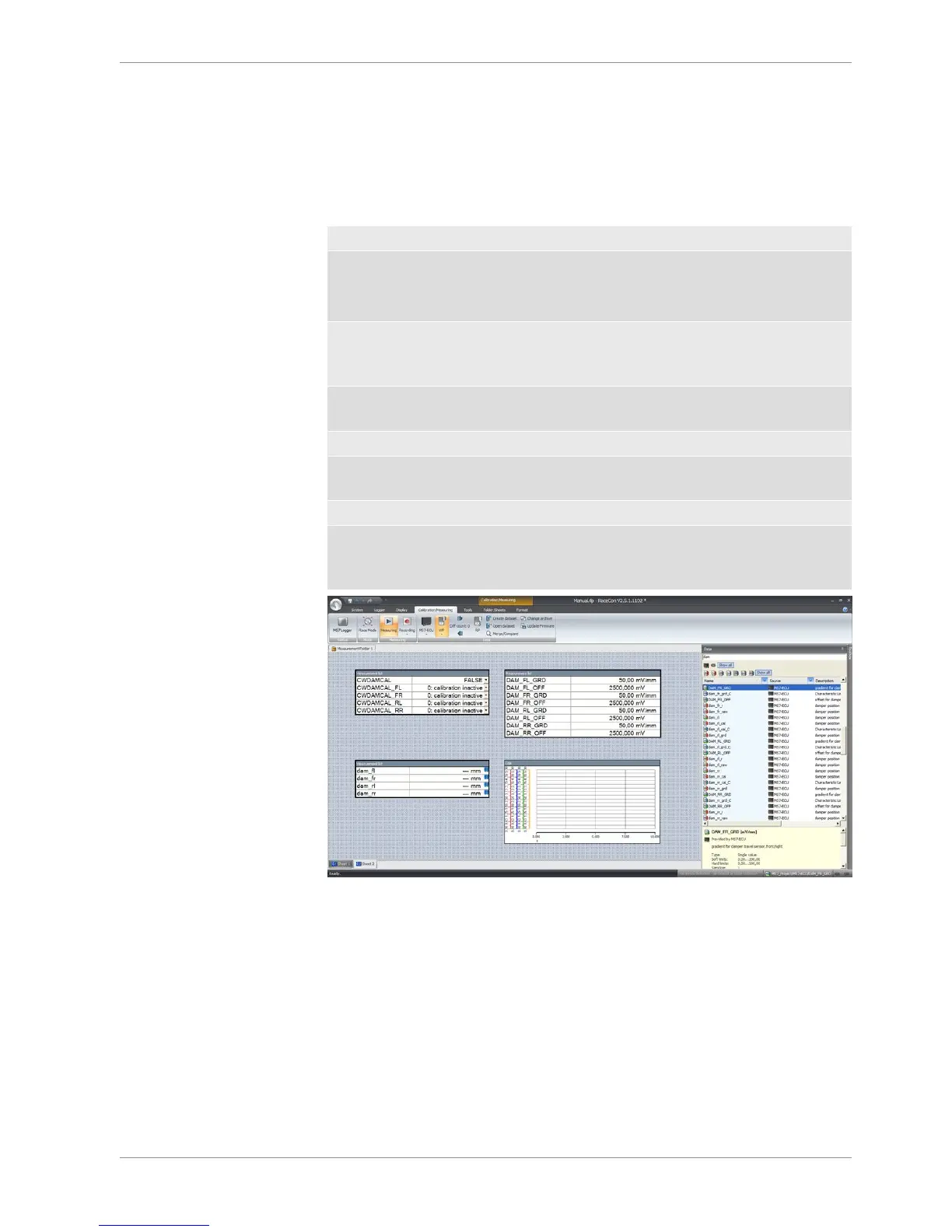
Base of the data list are the function- and measure labels, described in details in the func-
tion description.
– To assist the discovery of relevant labels, data list may be graduated.
– Description and label symbol explain the task of the data label.
– Structure of Bosch Motorsport Labels shall communicate recognition values.
CWxxx Code-Word starts an action for the function
CWDAMCAL Code-Word damper travel adjustment
“True” sets the actual measure values of all
dampers to 0
CWDAMCAL_FL Code-Word damper front left adjustment,2-
point sensor calibration added by offset ad-
justment for each single damper
dam_xx measure values are always typed in small
letters
dam_fl damper position front left
udam_xx voltage values starts always with “u”, the
value represents the sensor signal
DAM_XX_YY Data Label are always typed in big letters
DAM_FL_GRD Gradient for damper travel sensor, front left,
values are available from sensor manufac-
turer
8.2 Using the Measurement Sheets
– When RaceCon is online, press “F11” key to switch from Design Mode into Race
Mode.
– The measurement sheet is extended to full screen.
– Switch between different sheets using the tabs at the bottom of the page or the key-
board shortcuts associated with the sheets.
– Press ESC key to return to Design Mode.



 To Next Page