7 | CAN Configuration
54/76 Engine_Control_Unit_MS_6.x_Manual Bosch Motorsport
7 CAN Configuration
MS 6 has 3 fully configurable CAN buses
– Baudrate (125 kbit … 1 Mbit)
– Input configuration: read messages from CAN bus and convert to MS 6 measurement
variables
– CAN bus supports row counter configuration
– Output configuration: write MS 6 measure variables to CAN messages
– Configurable output frequency and row counter
– CAN gateway functionality (transfer from one bus to another)
– Verify errors on the CAN bus and configurable default values
7.1 CAN Bus Trivia
CAN message
– 11 Bit (standard) or 29 Bit (extended) identifier
– Up to 8 bytes of data payload
CAN bus
– Needs termination resistors (120 Ohm) in wiring harness
– All devices connected to the bus must use identical data rate
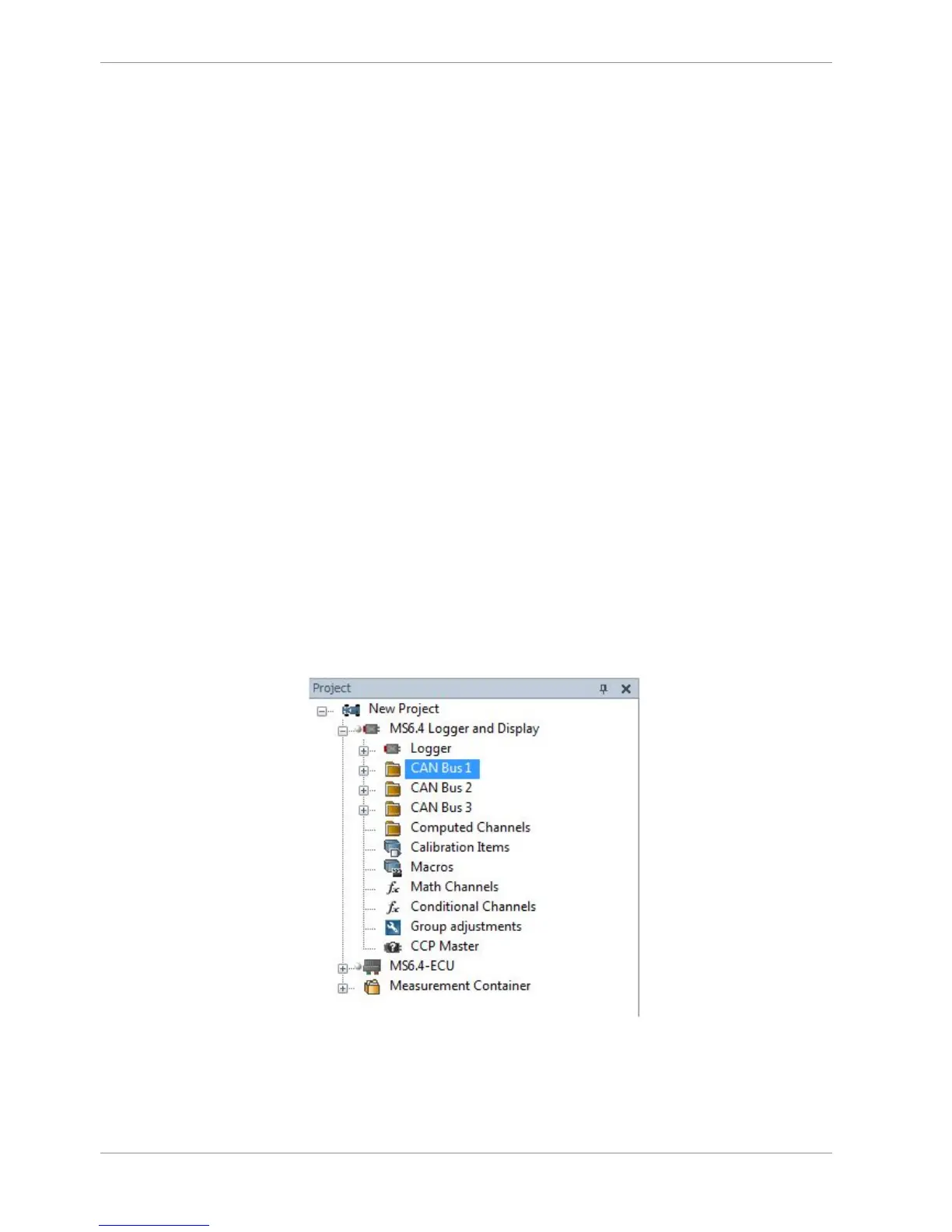
Configuration of MS 6 data rate in ‘Properties’ menu
by double click on the CAN bus in project tree (1 MBaud, 500 kBit, 250 kBit, 125 kBit)



 To Next Page