ECU plus Data Logger | 5
Bosch Motorsport Engine_Control_Unit_MS_6.x_Manual 47/76
5 ECU plus Data Logger
The MS 6 combines ECU and data logger in one common housing for a cost efficient and
weight optimized all-in-one solution.
5.1 Software Tools
RaceCon Create and configure a project
Configuration & management of recordings
Create a new recording
Add channels to a recording
Create user-defined conditions for the re-
cording
Download recording configuration
WinDARAB Upload recorded data
Display and analyze the data
5.2 First Recording (Quick Start)
Starting up the data logging
The following chapters demonstrate how to set up data logging and how to analyze the
recorded data. It shows the most important functions and features of RaceCon and Win-
Darab. For this tutorial we assume, that you have a MS 6 connected to your computer via
an Ethernet line.
The MS 6 data recording is separated in two partitions. Both are completely independent.
The free of license storable channels have to be selected into the >Recording< folder.
Data logging extensions for more than 100 channels or the 2
nd
partitioning have to be ac-
tivated in front of the configuration.
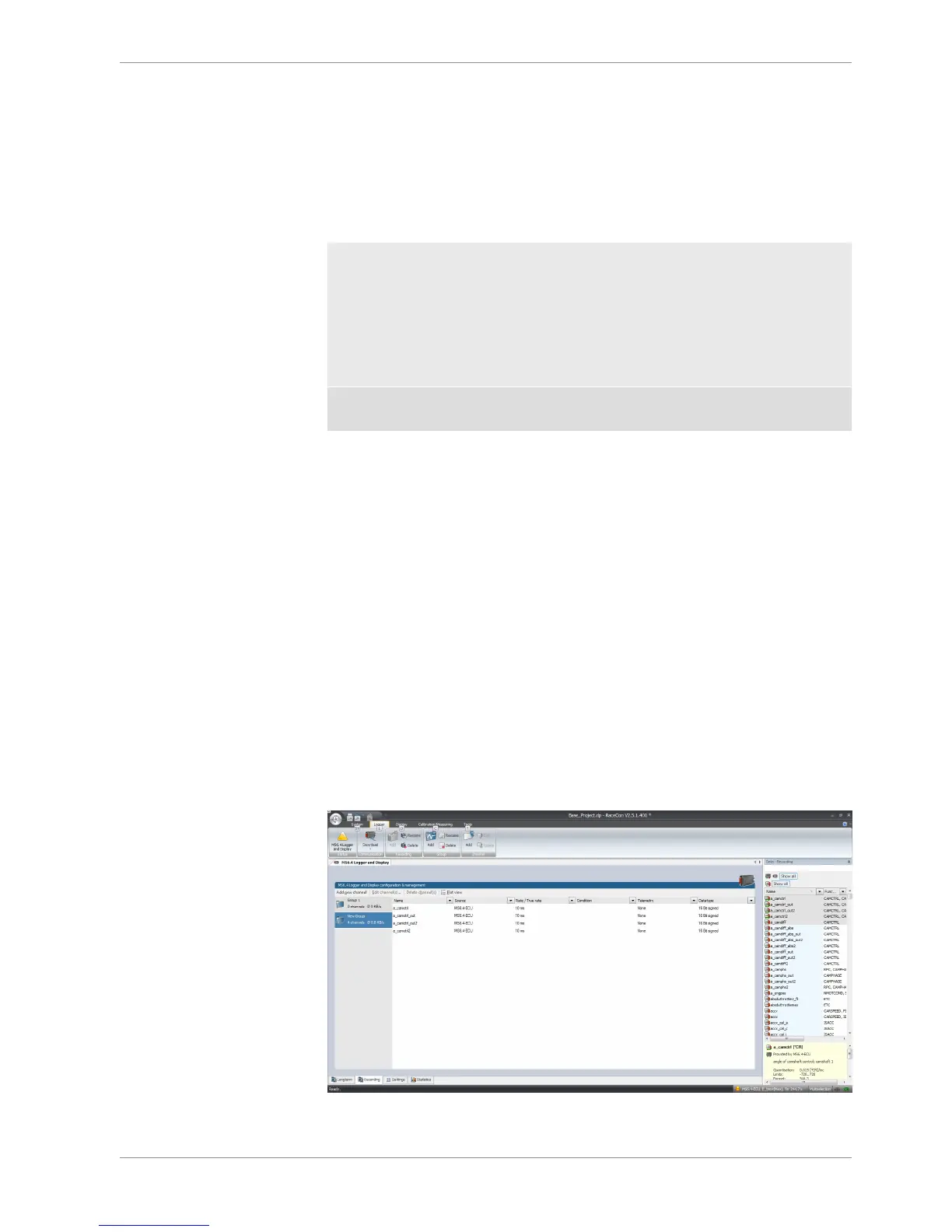
Select topic >Logger< in the menu bar
>Recording< selects data logging package I or the free area for data logging
>Longterm< selects data logging package II
Drag and Drop the channels of your selection.
>settings< For limited recording, please follow the wizard



 To Next Page