8 | Online Measurement and Calibration
68/76 Engine_Control_Unit_MS_6.x_Manual Bosch Motorsport
8 Online Measurement and Calibration
– Verify system status and diagnosis.
– Check and calibrate sensors of the system.
– Data application in online mode.
– PC and device are connected.
– Local PC data match to MS 6 configuration (devices are indicated as green).
– From the context menu of the project, new measurement pages can be created.
8.1 Setting up an Online Measurement
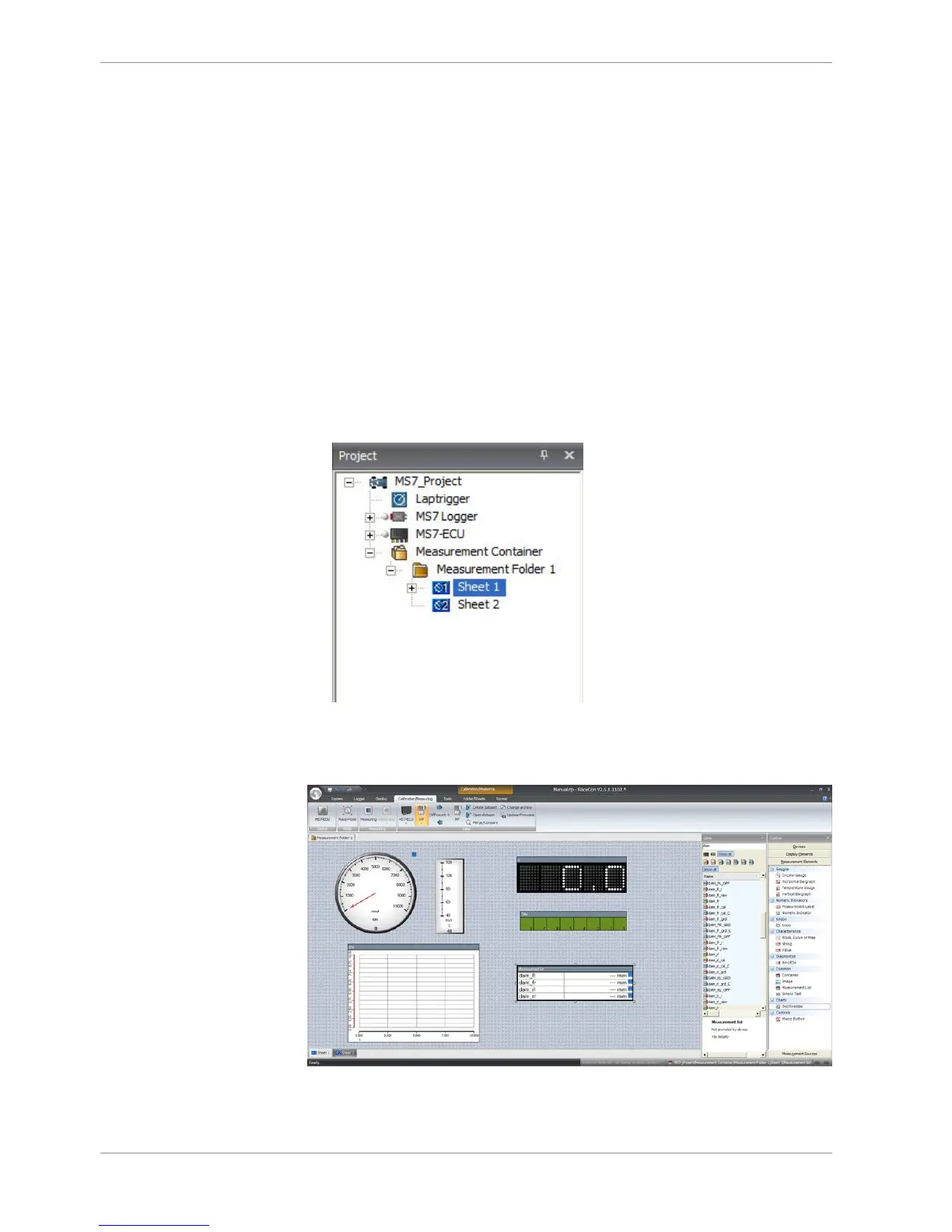
– Expand measurement container and measurement folder in the project tree.
– Double click on Sheet 1 opens the main area.
– The context menus offer a lot of options, like add, delete and rename folder or sheets,
also import and export functionalities for data storage are available.
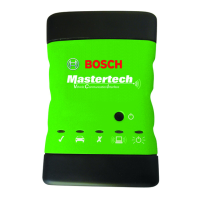
– The main area opens additional window data sheet and toolbox.
– Drag and drop the measure channels and select the graphic rendition or select first
toolbox offers and place the channel to the element.
Measure and calibration:
(Example: damper position measurement)



 To Next Page