110 en | Operation via the browser FlexiDome IP Camera
AR18-10-B006 | v1.1 | 2010.06 Installation and Operation Manual Bosch Security Systems
10.2 Recordings page
Access the Recordings page for playing back recorded video
sequences from the Livepage as well as from the Settings
menu. The Recordings link is only visible if a storage medium
has been selected.
1. Click Recordings in the navigation bar in the upper section
of the window. The playback page appears and playback
begins immediately.
2. Select Recording 1 or 2 in the drop-down menu. (The
contents for 1 and 2 are identical, only the quality and
locaction may be different.)
10.2.1 Controlling playback
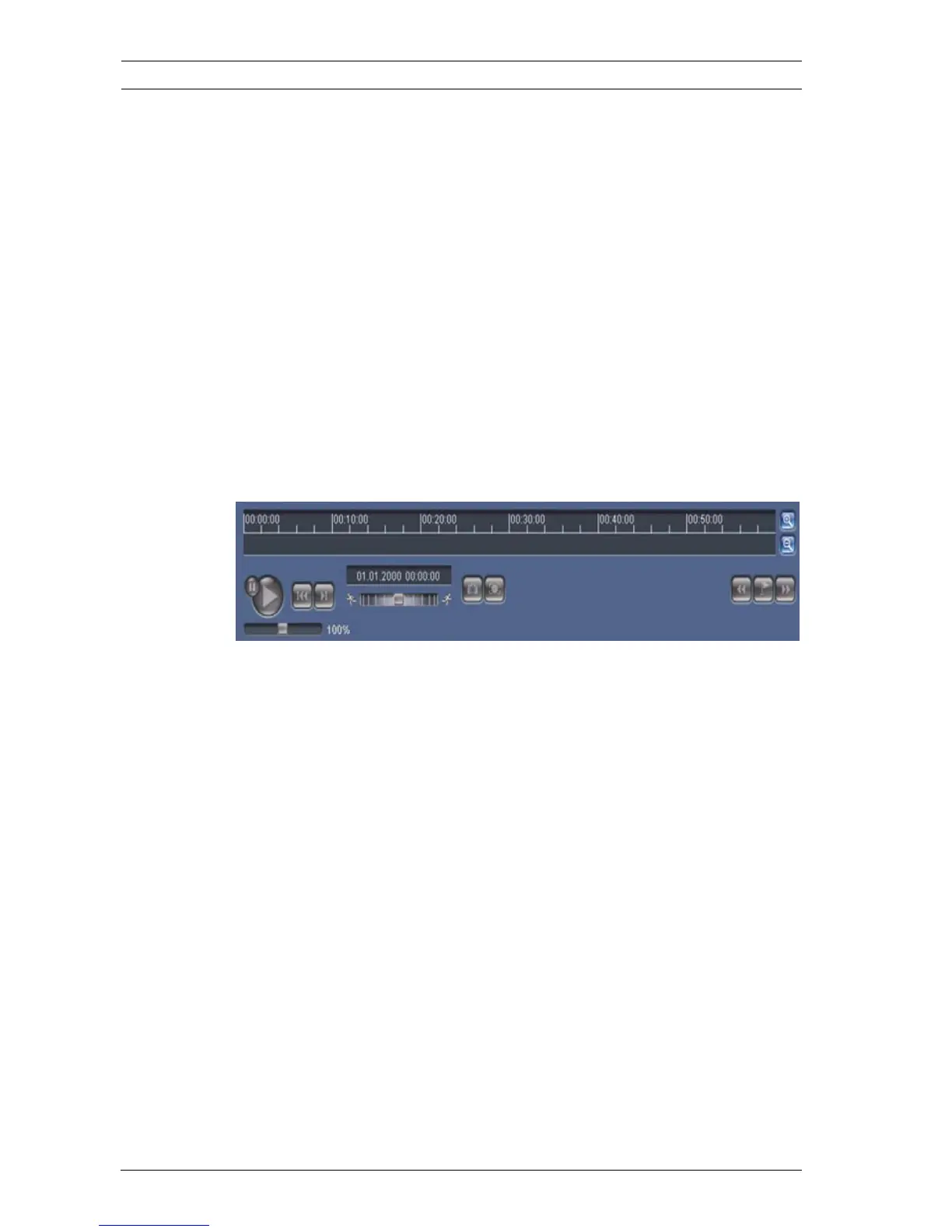
A time bar below the video image allows quick orientation. The
time interval associated with the sequence is displayed in the
bar in gray. A green arrow above the bar indicates the position
of the image currently being played back within the sequence.
The time bar offers various options for navigation in and
between sequences.
– Change the time interval displayed by clicking the plus or
minus icons. The display can span a range from two
months to a few seconds.
– If required, drag the green arrow to the point in time at
which the playback should begin.
– Red bars indicate the points in time where alarms were
triggered. Drag the green arrow to navigate to these points
quickly.









 To Next Page