34 en | Installation FlexiDome IP Camera
AR18-10-B006 | v1.1 | 2010.06 Installation and Operation Manual Bosch Security Systems
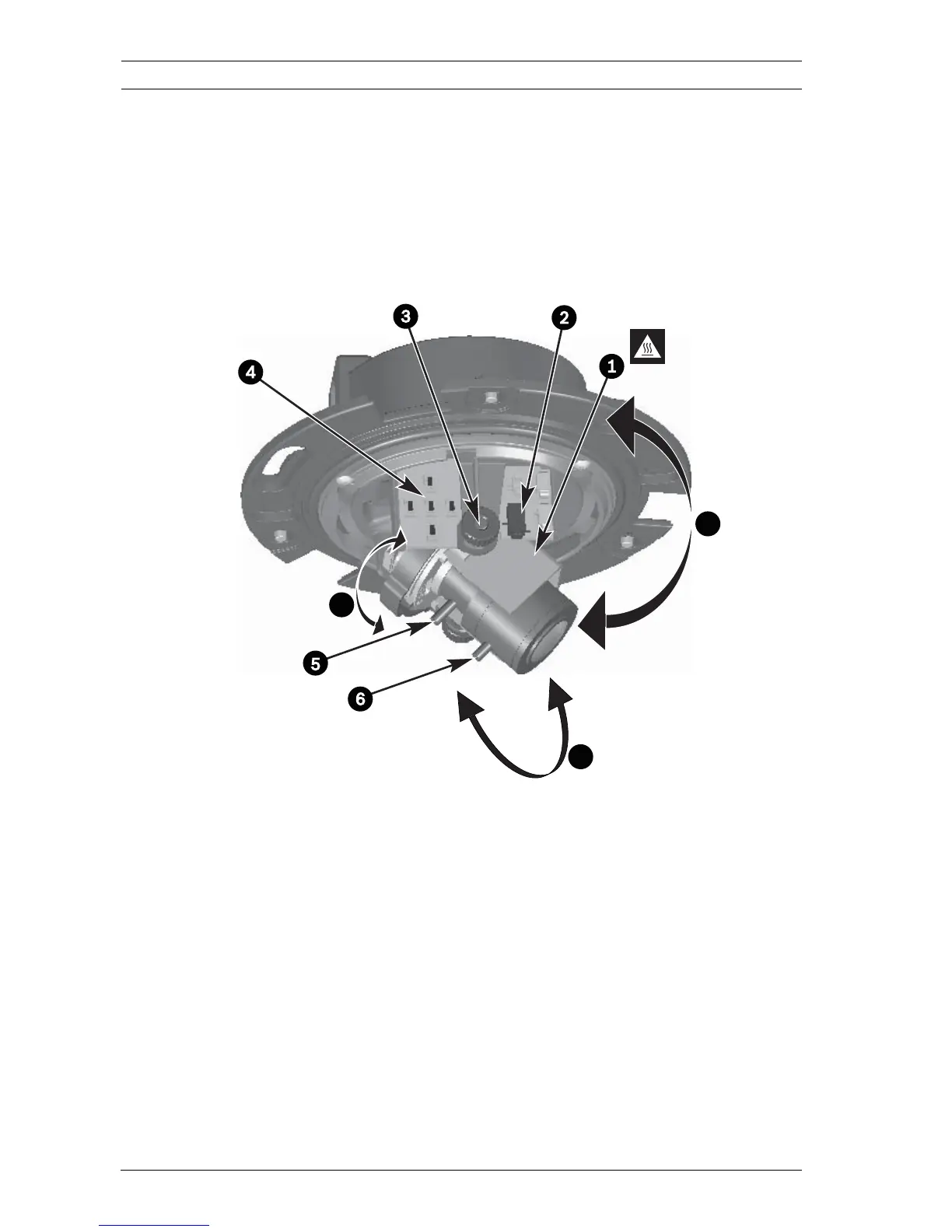
5.3 Camera positioning
To help set up the camera, connect a monitor to the miniature
2.5 mm jack socket on the printed circuit board using the
optional monitor cable (S1460). This monitor jack socket
provides a composite video signal (with sync) for installation
purposes only.
1. Heater
2. Monitor jack socket
3. Thumbwheels
4. Navigation buttons (5), indication LED and reset button
5. Focal length
6. Focus
A. Pan-axis rotation
B. Tilt-axis rotation
C. Twist-axis rotation
A
B
C









 To Next Page