Pack201 | Operator Interface | Section 4
EN | 6
© Bosch Packaging Technology, Inc.
All rights reserved 2012
4.3.1 Status bar
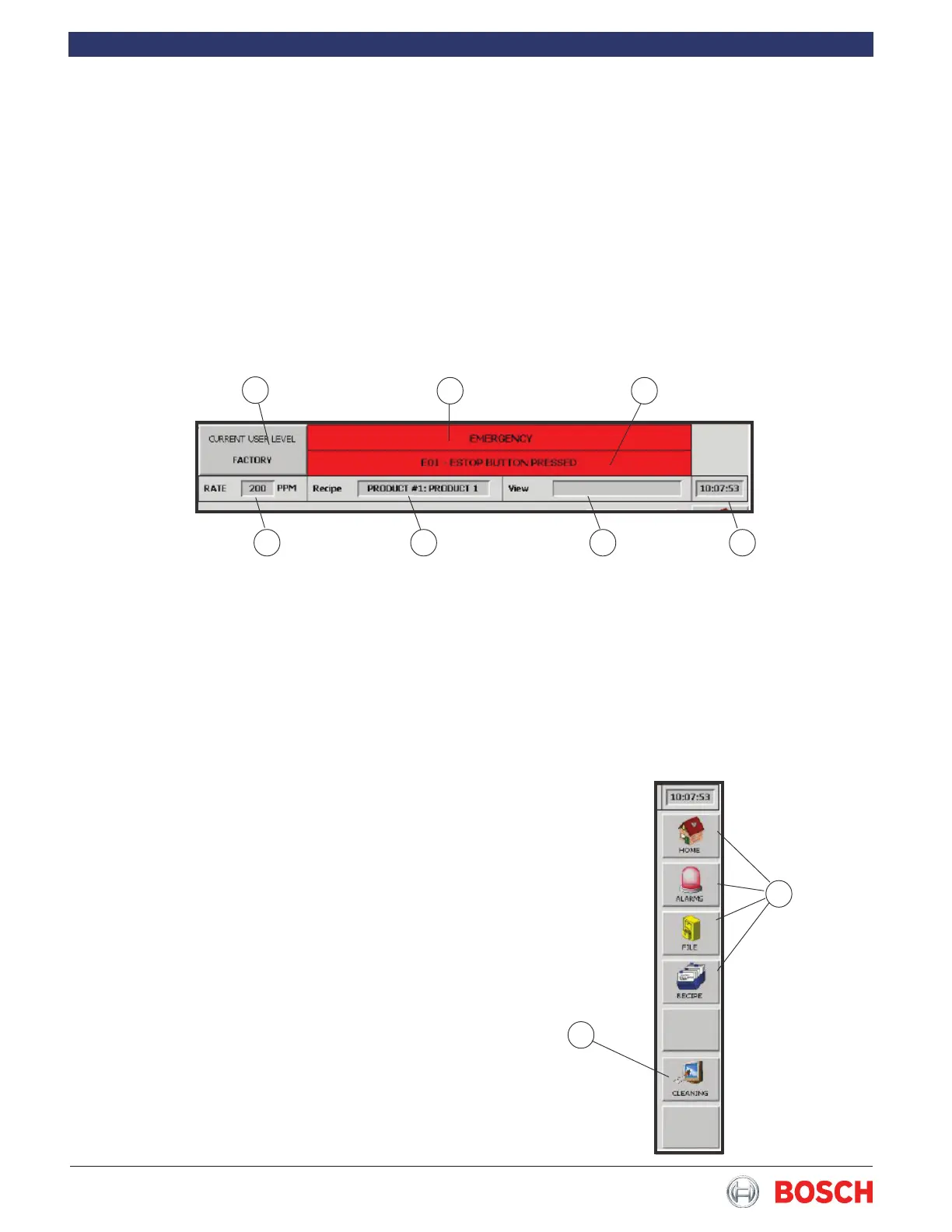
The status bar is always visible in the HMI and con-
tains important information for the user:
• The access level in use is shown on the upper left
(1 in Fig� 2)�
• The machine status is shown in the top center
of the screen (2 in Fig� 2)� The machine status is
described elsewhere in the documentation�
• The current alarm is shown in the center of the
screen (3 in Fig� 2)�
1
3 2
4 5 6 7
1
2
• The machine speed is shown on the left (4 in Fig�
2)�
• The next panel displays the name of the recipe
loaded (5 in Fig� 2)�
• Next (6 in Fig� 2) comes the panel showing the
view used for the recipe�
• The time is shown on the right (7 in Fig� 2)�
4.3.2 Global Bar
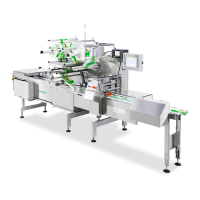
The user can go directly to the relevant screen by
pressing the keys (1 in Fig� 3) in the global bar� The
number of available keys depends on the access level�
When a button is pressed, the selected screen will
appear� The associated function buttons also appear at
the bottom of the screen�
When the bottom button (2 in Fig� 3) is pressed, the
screen can be cleaned without activating the other
buttons�
Figure 2
Figure 3


 To Next Page