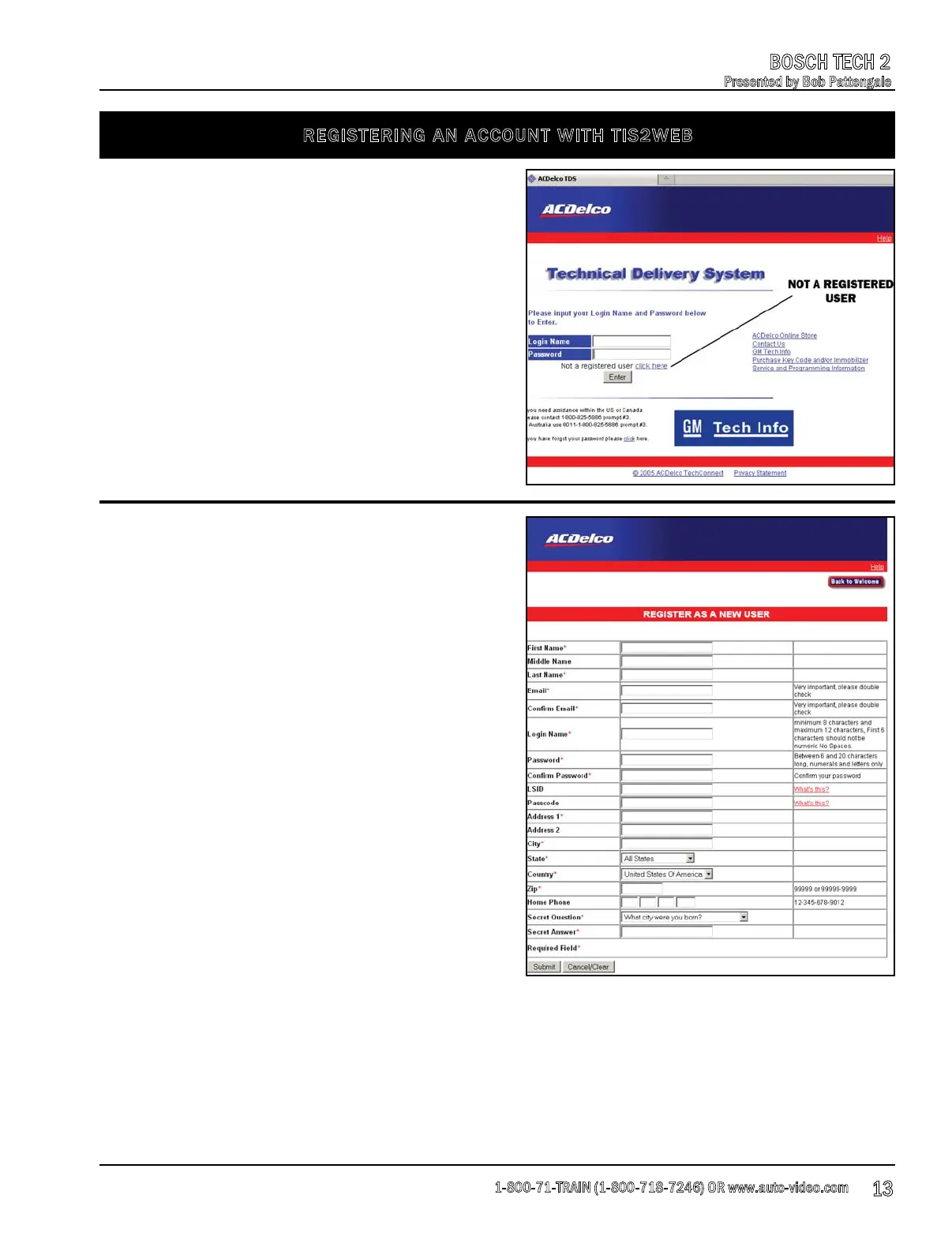
REGISTERING AN ACCOUNT WITH TIS2WEB
To register for a TIS2 Web account, go to:
www.acdelcotds.com/acdelco/action/home and
click on “Not A Registered User”.
Fill out the form completely making sure you have
filled out all of the fields indicated by the red “*”
symbol on the form, then click on the “Submit”
button.
Make sure that you write down your user name
and password and put it in a safe place just in
case you forget it. Also, you need to remember
that GM will automatically reset your password
every 30 days as a security precaution.
1-800-71-TRAIN (1-800-718-7246) OR www.auto-video.com
BOSCH TECH 2
Presented by Bob Pattengale
13











 To Next Page