Power Up And Display
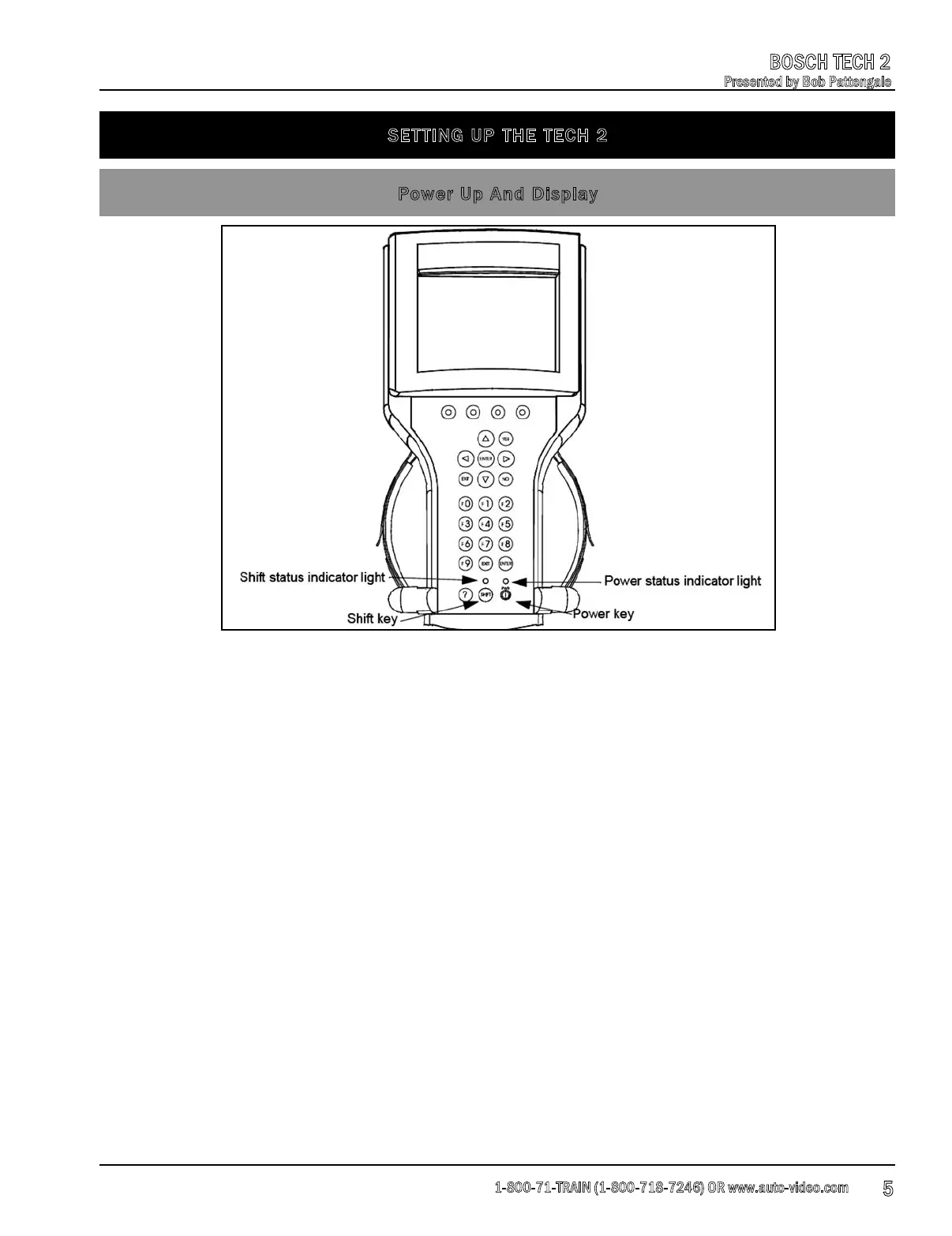
The [PWR] key is used to turn the Tech 2 on or off. The status indicator light above this key is
illuminated green when the Tech 2 is operational.
The [SHIFT] key is used with the up and down arrow keys to change screen brightness and
contrast.
To adjust screen brightness and contrast, perform the following:
1. Press the [SHIFT] key once (amber status indicator light above [SHIFT] lights up).
2. Use up a
nd down arrows to adjust screen brightness and contrast.
3. Press [SHIFT] key again when desired brightness is reached (status indicator light above
[SHIFT] is off).
The Tech 2 should return to normal operation after following the above steps.
SETTING UP THE TECH 2
1-800-71-TRAIN (1-800-718-7246) OR www.auto-video.com
BOSCH TECH 2
Presented by Bob Pattengale
5











 To Next Page