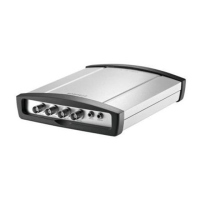
VideoJet XF E Operation | en 91
Bosch Sicherheitssysteme GmbH Installation and Operating Manual DOC | V5.51 | 2012.03
6 Operation
6.1 Operation with Microsoft Internet Explorer
A computer with Microsoft Internet Explorer (version 7.0 or higher) can receive live images
from the VideoJet XF E, control cameras or other peripherals and replay stored video
sequences.
System requirements
– Computer with Windows XP or Windows 7 operating system
– Network access (Intranet or Internet)
– Microsoft Internet Explorer (version 7.0 or higher)
– Screen resolution at least 1,024 × 768 pixels
– 16- or 32-bit color depth
– Installed Sun JVM
– For playing back recordings: connection to storage medium
Establishing the connection
Before you can operate the VideoJet XF E within your network, it must have a valid IP address
for your network and a compatible subnet mask.
The following default address is preset at the factory: 192.168.0.1
1. Start the Web browser.
2. Enter the IP address of the VideoJet XF E as the URL.
3. During initial installation, confirm the security questions that appear. The connection is
established and after a short time you will see the LIVEPAGE with the video image.
NOTICE!
Also note the information in the Releaseletter document for the respective firmware. For the
latest version of the firmware, required programs and controls, access your Bosch product
catalog on the Internet.
The Web browser must be configured to enable Cookies to be set from the IP address of the
unit.
In Windows 7, deactivate protected mode on the Security tab under Internet Options.
You can find notes on using Microsoft Internet Explorer in the online Help in Internet Explorer.
NOTICE!
As a default DHCP is enabled in the VideoJet XF E settings.
With an active DHCP server in the network you must know the IP address assigned by the
DHCP server to operate the VideoJet XF E.


 To Next Page
 Loading...