VideoJet XF E Configuration using a Web browser | en 71
Bosch Sicherheitssysteme GmbH Installation and Operating Manual DOC | V5.51 | 2012.03
Threshold
Set up the threshold on the basis of the signal visible in the graphic. You can set the threshold
using the slide control or, alternatively, you can move the white line directly in the graphic
using the mouse.
Sensitivity
You can use this setting to adapt the sensitivity to the sound environment and its variations. A
high value represents a high level of sensitivity, so that even little variations in the sound level
cause an alarm.
Signal ranges
You can exclude particular signal ranges in order to avoid false alarms. For this reason the
total signal is divided into 13 tonal ranges (mel scale). Check or uncheck the boxes below the
graphic to include or exclude individual ranges.
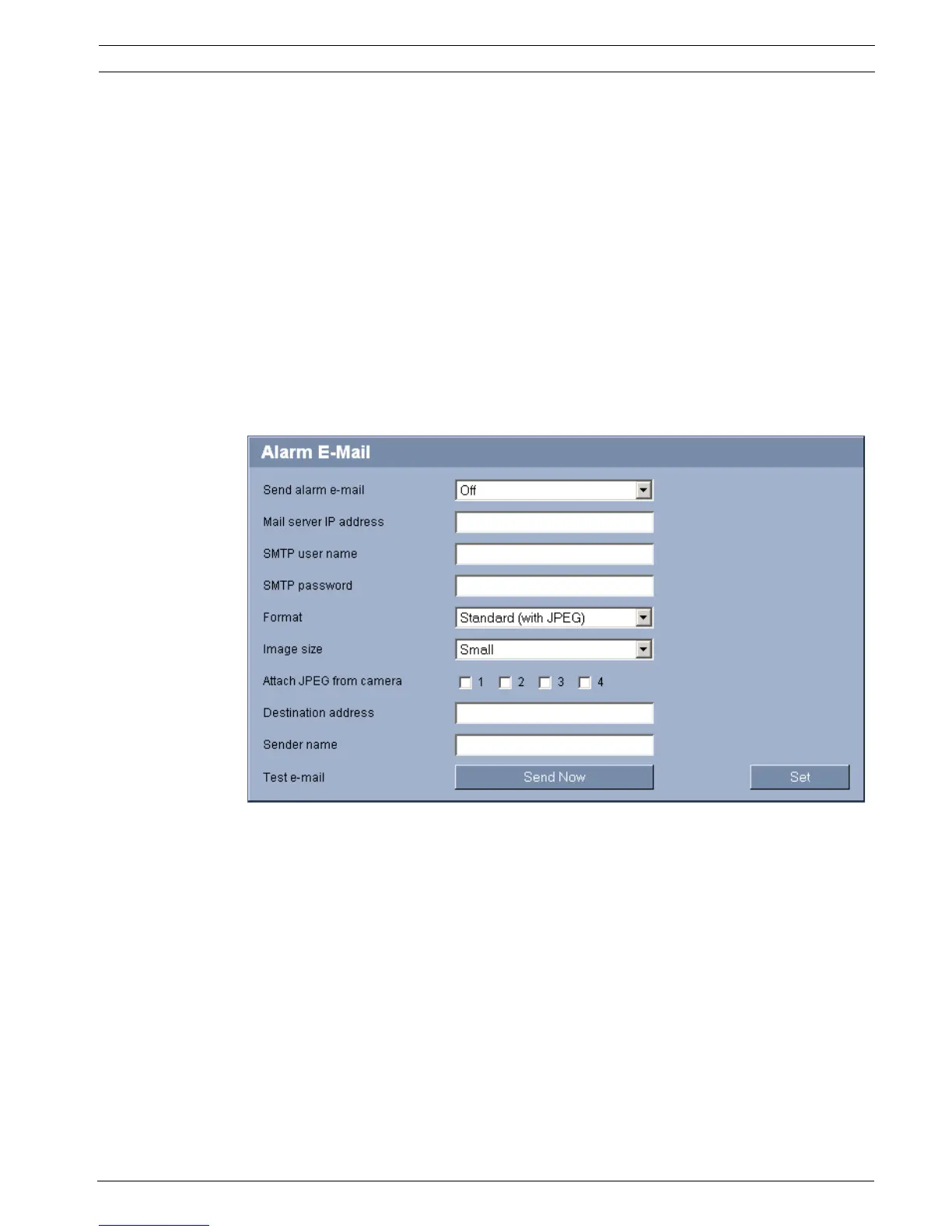
5.36 Advanced Mode: Alarm E-Mail
As an alternative to automatic connecting, alarm states can also be documented by e-mail. In
this way it is possible to notify a recipient who does not have a video receiver. In this case, the
VideoJet XF E automatically sends an e-mail to a previously defined e-mail address.
Send alarm e-mail
Select On if you want the unit to automatically send an alarm e-mail in the event of an alarm.
Mail server IP address
Enter the IP address of a mail server that operates on the SMTP standard (Simple Mail
Transfer Protocol). Outgoing e-mails are sent to the mail server via the address you entered.
Otherwise leave the box blank (0.0.0.0).
SMTP user name
Enter a registered user name for the chosen mailserver here.
SMTP password
Enter the required password for the registered user name here.



 To Next Page