22
Listening to the Demo Songs
The SD card included with the BR-800 contains demo songs. Here’s how to play back the demo songs.
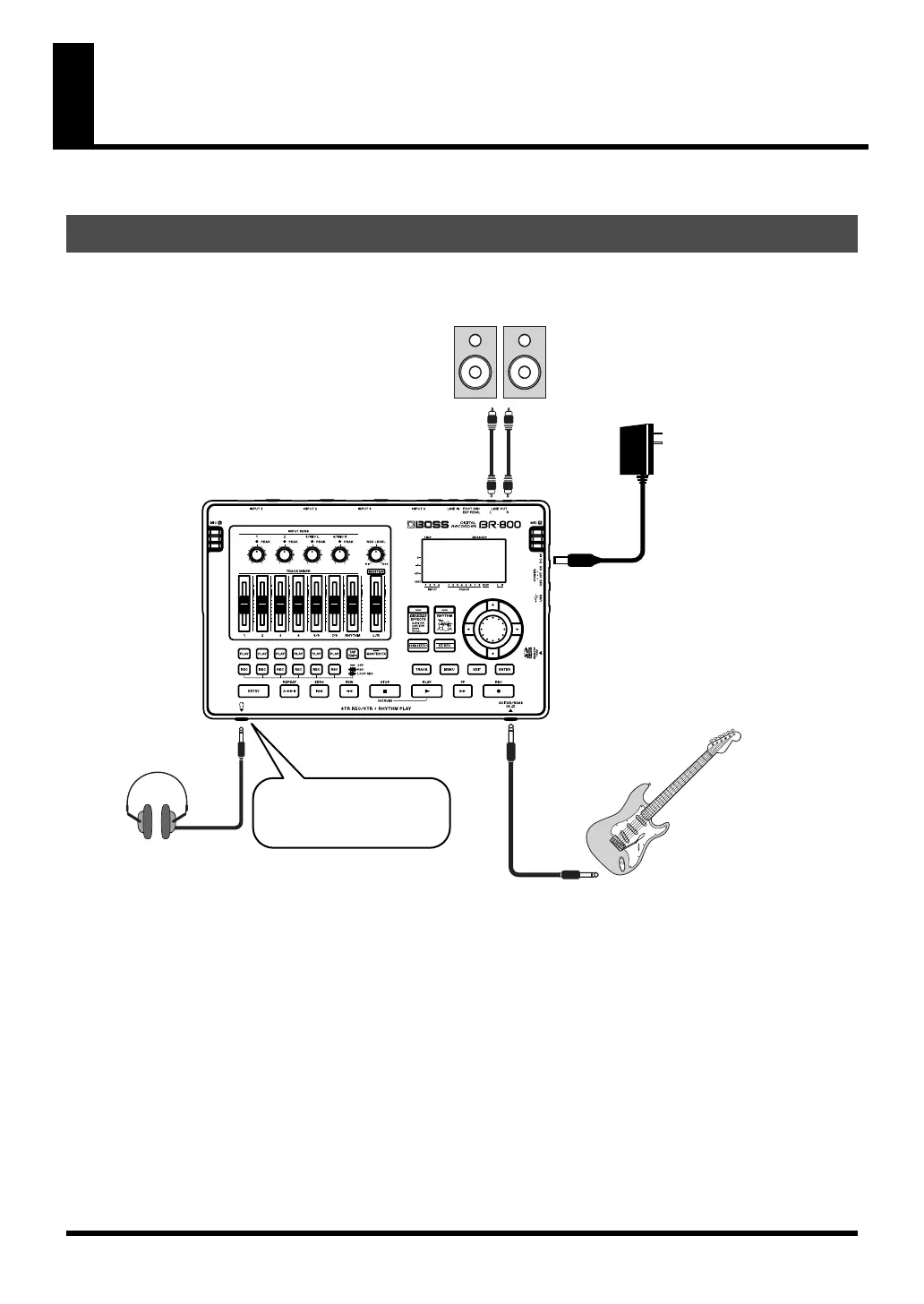
With the power switched off on both the BR-800 and your monitor speakers, make connections as shown below.
fig.Quick_EZ1-e.eps
1. Make Connections
Monitor speakers
AC adaptor
To the LINE OUT jacks
Stereo headphones
If you’re using headphones,
connect them to the
PHONES jack.
Electric guitar
To the GUITAR/BASS jack
BR800_e.book 22 ページ 2011年6月6日 月曜日 午後2時14分



 To Next Page