EditingMasteringUsing USBConvenient
Functions
Appendixes Quick StartGetting Ready
to Record
Recording/
Playback
Using
Effects
Using
Rhythm
27
Recording with the EZ Recording Function
2. Recording
4
Press the [ENTER] button.
The EZ REC-3 screen will appear.
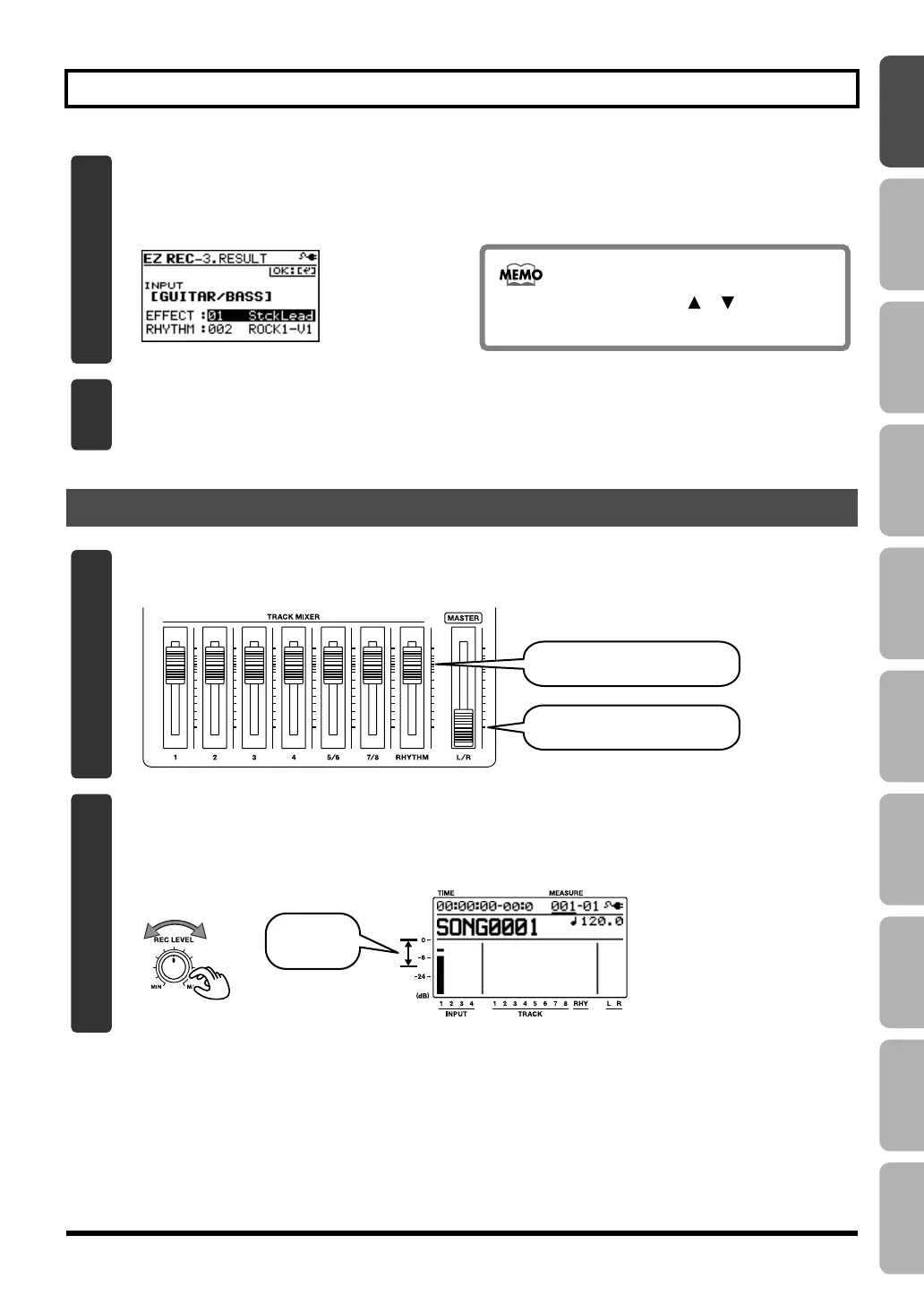
The effect and rhythm for the selected SOURCE and CATEGORY are shown.
D_EZ_Rec_Result_Guitar.eps
You can use the CURSOR [ ] [ ] buttons
and the dial to change the effect or rhythm.
5
Press the [ENTER] button.
This completes the recording settings.
1
Set the faders to the positions shown below.
fig.Quick_DemoSong3-5-e.eps
[MASTER] fader at minimum.
Track faders to nominal position.
2
Turn the [REC LEVEL] knob to adjust the recording level.
Adjust the level so that the INPUT level meter moves within the range of -12 (between -24 and -6)–0
dB.
fig.Quick_EZ2-2.eps
Adjust
to -12–0 dB
BR800_e.book 27 ページ 2011年6月6日 月曜日 午後2時14分



 To Next Page