EditingMasteringUsing USBConvenient
Functions
Appendixes Quick StartGetting Ready
to Record
Recording/
Playback
Using
Effects
Using
Rhythm
59
Using Insert Effects
The user patches for an insert effect can be copied to song
patches in the same bank, or song patches can be copied to
user patches in the same bank.
Since user patches stored in this unit can be copied to songs
on an SD card, you can conveniently use this for a variety of
purposes, including making backups.
1
Press the [EFFECTS] button.
2
Use the CURSOR [ ] [ ] buttons to move the cursor
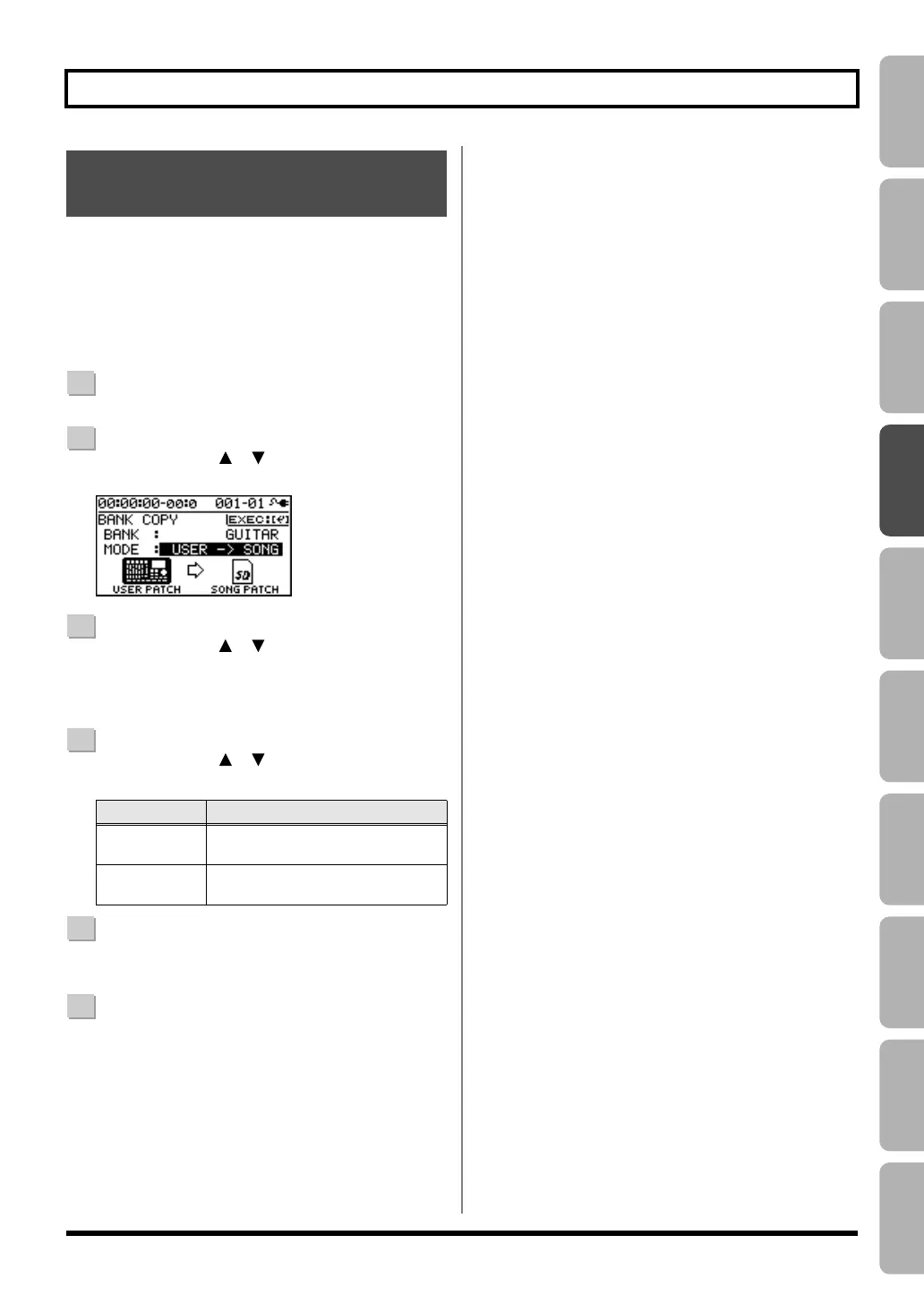
to “BANK COPY,” and press the [ENTER] button.
3
Use the CURSOR [ ] [ ] buttons to move the cursor
to “BANK ,” and use the dial to select the desired bank.
If you select “ALL,” copy of all the user (song) patches
in all the banks will be carried out.
4
Use the CURSOR [ ] [ ] buttons to move the cursor
to “MODE ,” and use the dial to select the copy mode.
5
To copy the data, press the [ENTER] button.
A message will ask “Are you sure?”
6
If you’re sure you want to copy the data, press the
[ENTER] button. If you decide to cancel without
copying, press the [EXIT] button.
When the data has been written, you will return to the
EFFECT screen.
* The display will indicate “Keep power on!” while the data is
being updated. Do not turn off the power while this message
is shown.
Copying Insert Effects
(EFFECT BANK COPY)
Mode
Explanation
USER
→
SONG
All user patches in the selected bank
will be copied to song patches.
SONG
→
USER
All song patches in the selected
bank will be copied to user patches.
BR800_e.book 59 ページ 2011年6月6日 月曜日 午後2時14分



 To Next Page