EditingMasteringUsing USBConvenient
Functions
Appendixes Quick StartGetting Ready
to Record
Recording/
Playback
Using
Effects
Using
Rhythm
97
Creating an Original Arrangement
7
Use the CURSOR [ ] [ ] buttons to move the
cursor to the parameter that you want to edit, and use
the dial to edit the value.
By pressing the [PLAY] button you can audition the
pattern of the currently selected step (the current
pattern).
Starting measure
This specifies the measure at which the current pattern
will begin playing.
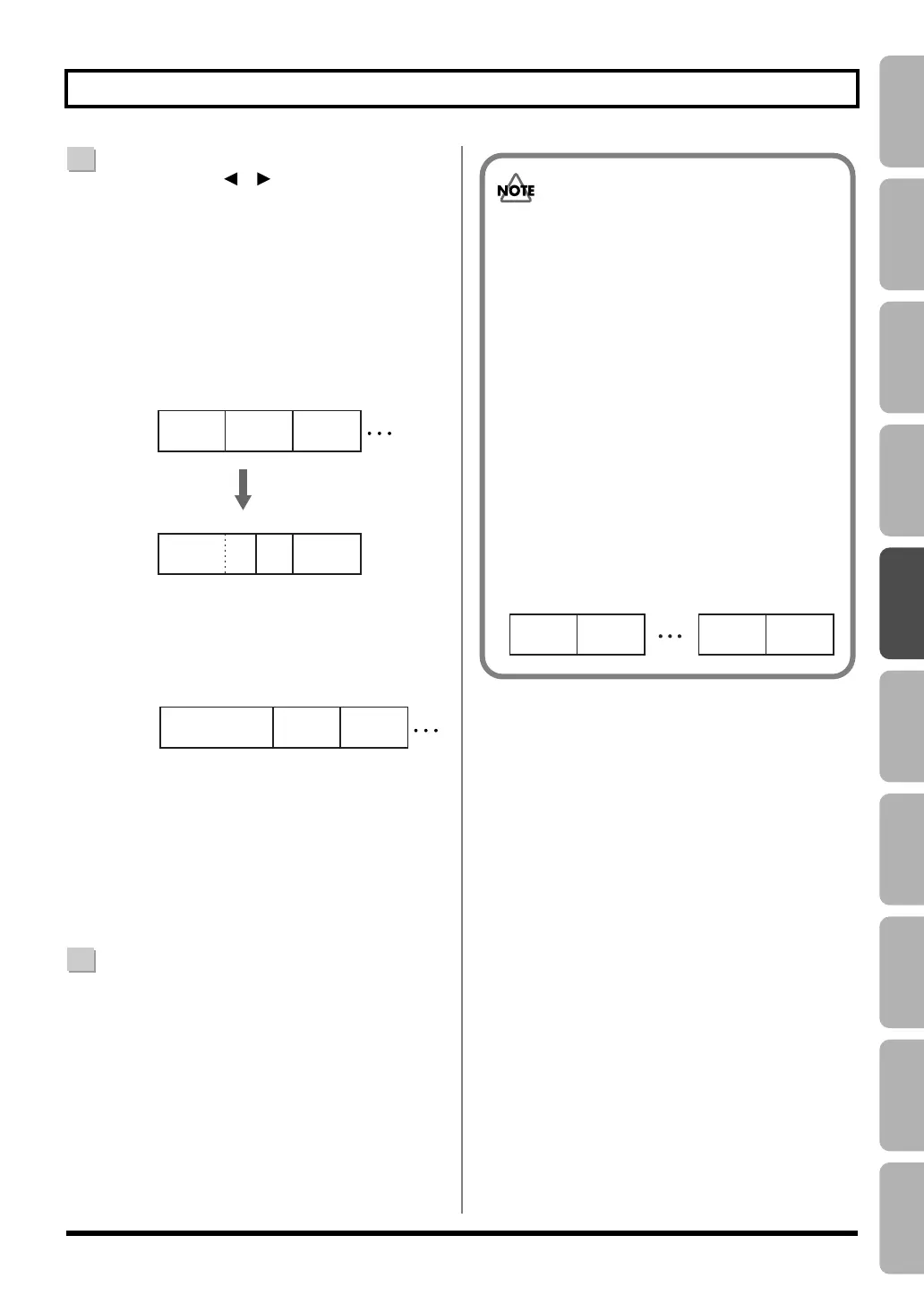
fig.04-520.eps
Pattern number
This selects the pattern. As shown in the illustration
below, it specifies the pattern for each step.
fig.04-530.eps
Time signature
This indicates the time signature of the current pattern.
Tempo
This specifies the tempo at which the current pattern
will play.
Range:
25.0–250.0
8
When you’re finished creating the arrangement, press
the [EXIT] button a number of times.
You will return to the play screen, and the
arrangement you created will be saved.
* The display will indicate “Keep power on!” while the data is
being updated. Do not turn off the power while this message
is shown.
001 005
005
009 013
009 013
Intro
(6 measures)
Verse
(2 measures)
001 007
Set the starting measure
to “007” in step 2
Intro
(4 measures)
Verse
(4 measures)
Step 1 Step 2
Starting
Measure
Starting
Measure
Step 1 Step 2
Fill
(4 measures)
Step 3
Fill
(4 measures)
Step 3
Intro
(2 measures)
Tempo: 120.0
Verse
(1 measure)
Tempo: 110.0
Fill
(1 measure)
Tempo: 110.0
Step 1 Step 2 Step 3
Starting
Measure
001 003 004
• The starting measure of step 1 will always be
“001.” You can’t change this.
• The starting measure cannot be the same as the
previous step or any earlier measure.
• You can’t make a setting that would extend
beyond the starting measure of the next step.
• When you play back an arrangement in the play
screen, and it has played all the way to the end of
the arrangement, the pattern assigned to the last
step will continue repeating.
If you want the arrangement to stop playing at the
last step, assign preset pattern “P327 BREAK
(rest)” to the last step. This will cause rests to be
played repeatedly, which is essentially the same
as stopping arrangement playback.
fig.04-540.eps
Intro Verse
Step 1 Step 2
Ending
P327
BREAK
Step 20 Last step
(Ex.)
BR800_e.book 97 ページ 2011年6月6日 月曜日 午後2時14分



 To Next Page