76
Chapter 7 Using the GT-PRO with External MIDI Devices Connected
Receiving Data from an External
MIDI Device (Bulk Load)
Making the Connections
When Receiving Data Saved on a MIDI Sequencer
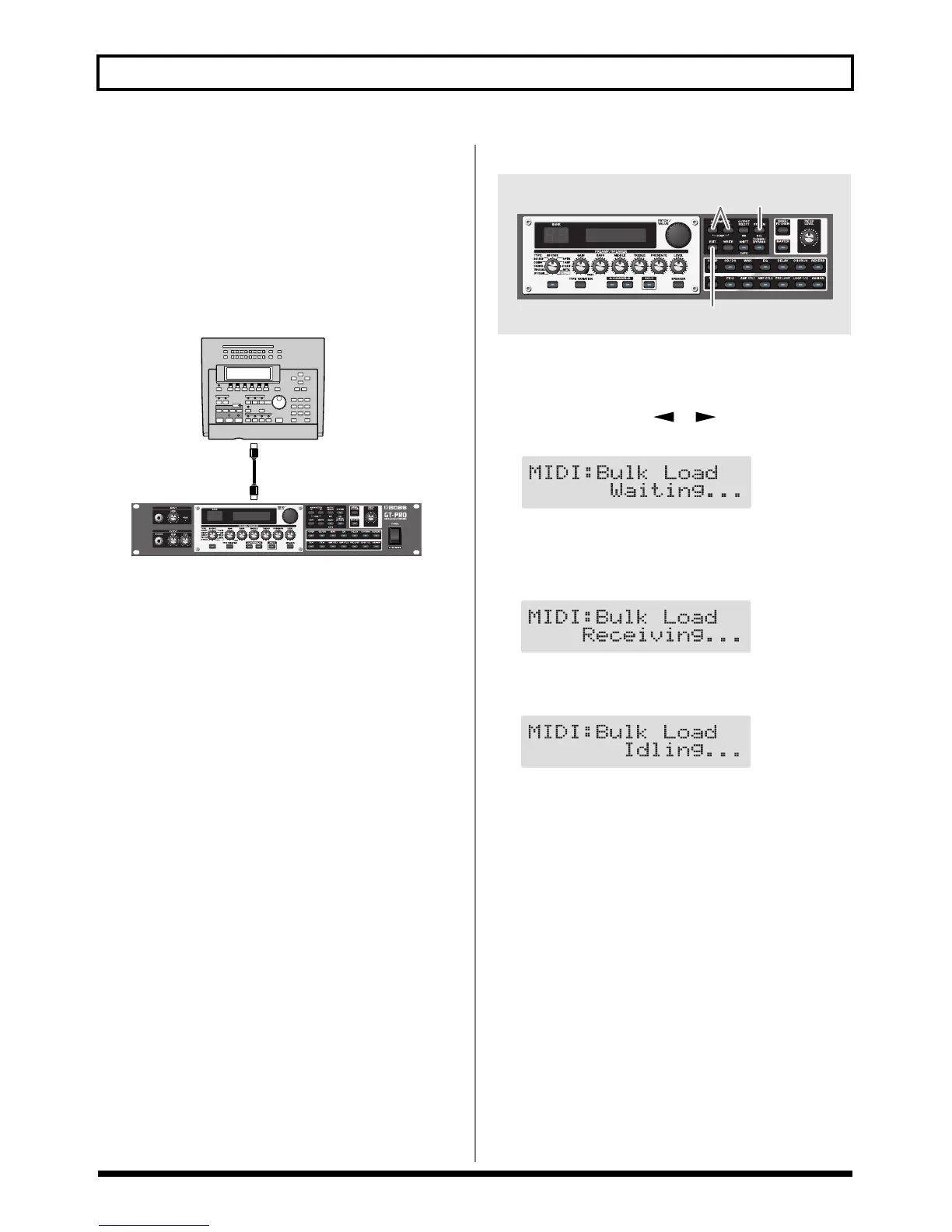
Connect as shown below. Set the GT-PRO’s Device ID to the
same number that was used when the data was transmitted
to the MIDI sequencer.
fig.07-0020
For instructions on operating the sequencer, refer to the
owner’s manual for the sequencer you are using.
Receiving
fig.07-0210
1. Press [SYSTEM] several times to display the MIDI
setting screen.
2. Press PARAMETER [ ] [ ] so that “Bulk Load”
is displayed.
fig.07-0220d
3. Transmit the data from the external MIDI device.
The following appears in the display when the GT-PRO
receives the data.
fig.07-0230d
The following appears in the display when the GT-PRO
finishes receiving the data.
fig.07-0240d
At this stage, even more data can be received.
* When data that can be received by the GT-PRO is not
included, “Waiting...” immediately appears in the display.
4. Press [EXIT] to quit Bulk Load.
After you press [EXIT], “Checking...” appears in the
display, indicating that the GT-PRO is checking the
received data. When the check is completed, the Play
screen returns to the display.
* When data that can be received by the GT-PRO is not
included, the Play screen immediately returns to the display.
MIDI IN
MIDI OUT
12
4


 To Next Page