96
Chapter 10 Other Features
Adjusting the Display
Contrast (LCD Contrast)
Depending on where the GT-PRO is placed, the display (on
the right) may become difficult to read. If this occurs, adjust
the display contrast.
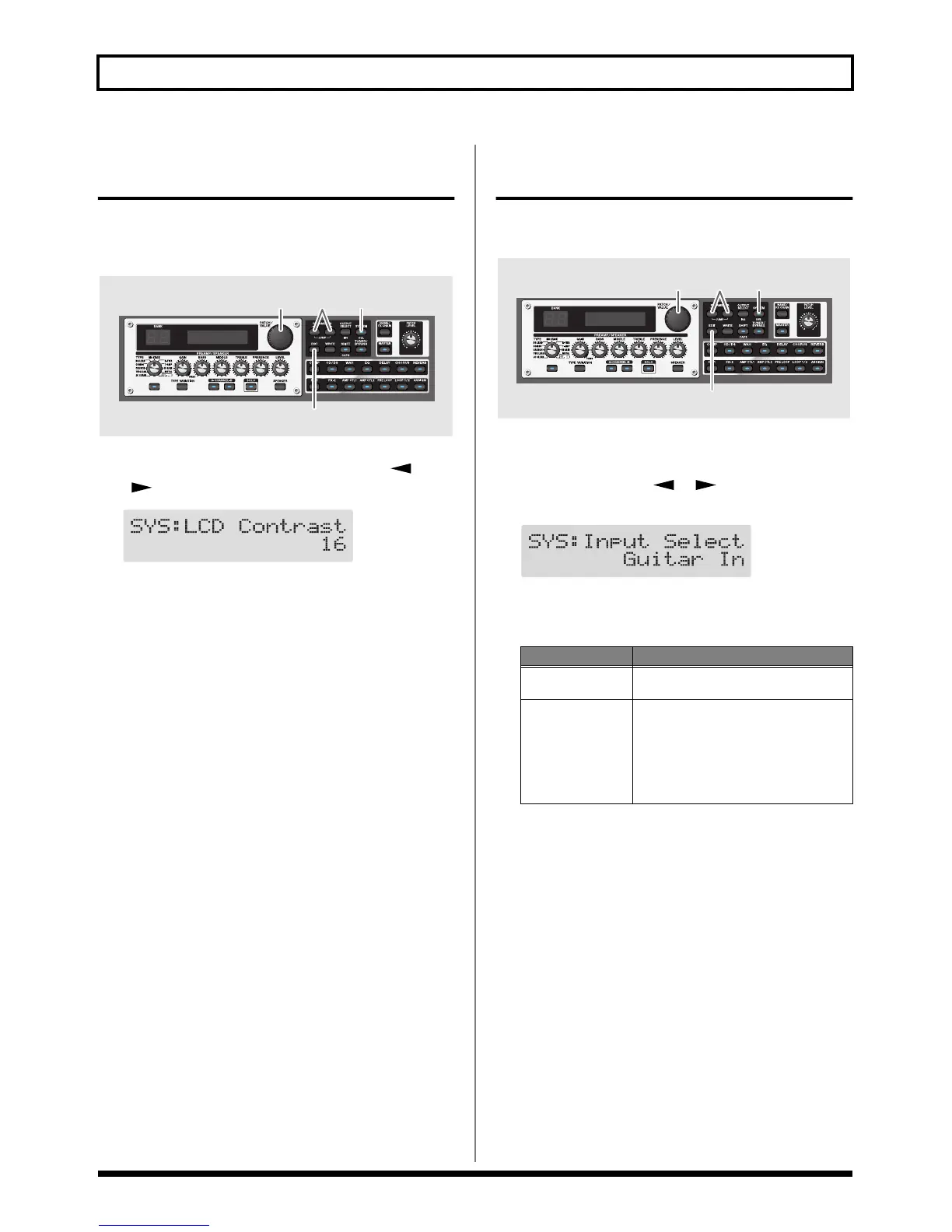
fig.10-0230
1. Press [SYSTEM], then press PARAMETER [ ]
[] so that “LCD Contrast” is displayed.
fig.10-0240d
2. Rotate the PATCH/VALUE dial to adjust the contrast.
Valid Settings: 1–16
3. Press [EXIT] to return to the Play screen.
Switching the Sounds Input
to the GT-PRO (Input Select)
This selects the input sounds, those input through the INPUT
jacks or those input via USB, to which the effects are applied.
fig.10-0250
1. Press [SYSTEM].
2. Press PARAMETER [ ] [ ] so that “Input
Select” is displayed.
fig.09-0140d
3. With the PATCH/VALUE dial, select the input to be
used for the effects.
4. Press [EXIT] to return to the Play screen.
2 11
3
Value Explanation
Guitar In
Effects are applied to the sounds input
through the INPUT jacks.
USB In
Effects are applied to the sounds played
back by the USB-connected computer.
* In this mode, set the software so that audio
is not transmitted through (not set to
Thru).
* PRE LOOP (p. 53) is unavailable.


 To Next Page