86
Chapter 8 Using the GT-PRO Connected to the FC-200
If the controller number set for the Assign (p. 66) source
is the same as that assigned to an FC-200 pedal and you
then adjust the FC-200’s pedal, both the Manual mode
setting and the Assign settings function simultaneously.
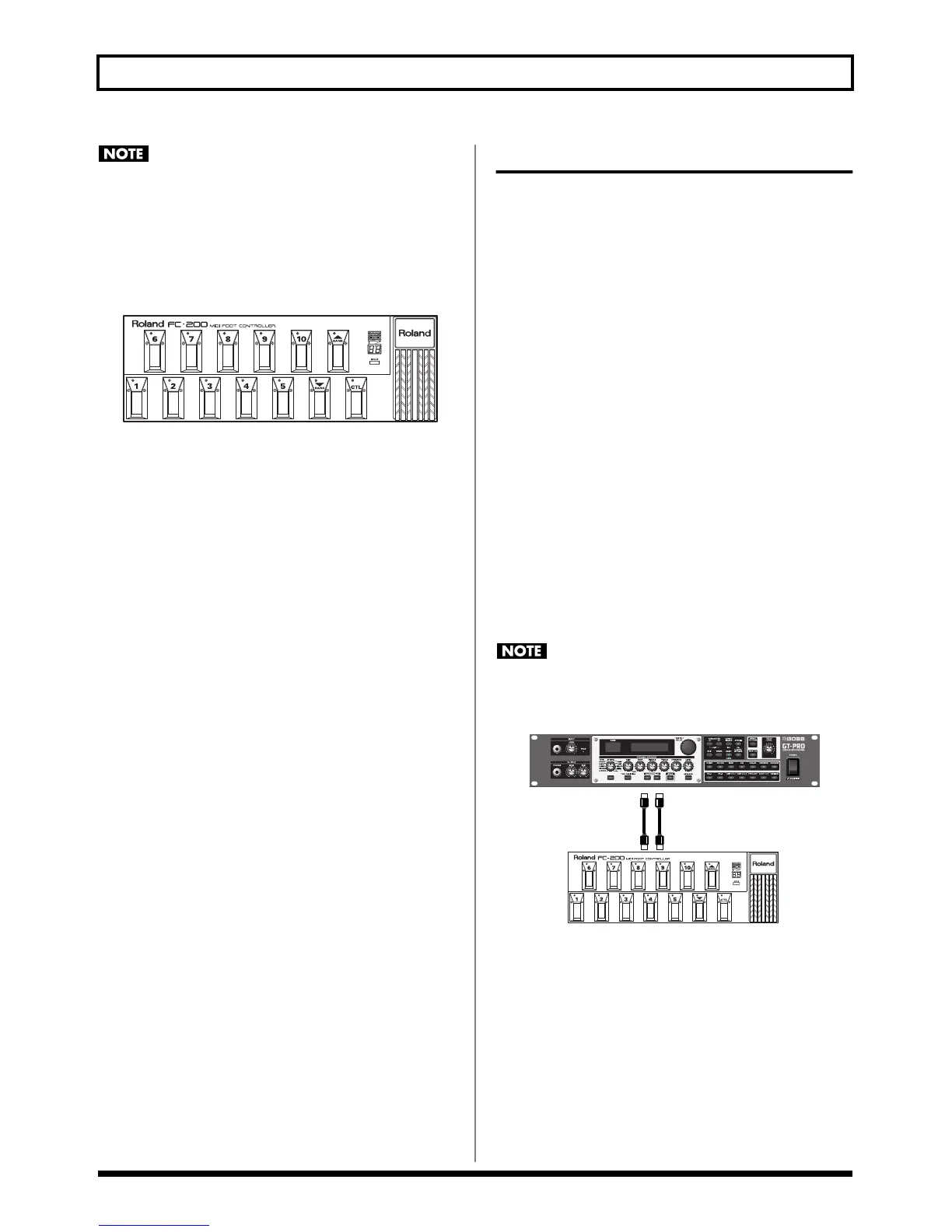
* With the factory settings, the following controller numbers are
assigned to the FC-200’s pedals.
fig.08-0161
Advanced Settings
This section describes more convenient ways to use the FC-
200. The explanations presented thus far have involved
making settings while changing the MIDI cable connections
as a method of using the GT-PRO with the FC-200 connected,
but the following is possible when you use two cables to
connect the GT-PRO and FC-200 to each other.
• You can run the GT-PRO from the FC-200 without
having to reconnect any MIDI cables.
• You can set the FC-200 from the GT-PRO without having
to reconnect any MIDI cables.
• When you turn on the power to the GT-PRO, the FC-200
is programmed with the corresponding settings for the
GT-PRO.
• When using Manual mode, the FC-200 automatically
switches to the appropriate settings for Manual mode.
* For more detailed instructions on how to make the settings for
the FC-200 and operating it, refer to the FC-200 Owner’s
Manual.
Connecting
Connect the GT-PRO’s MIDI OUT connector to the FC-200’s
MIDI IN connector and the GT-PRO’s MIDI IN connector to
the FC-200’s MIDI OUT connector as shown below.
Whenever the FC-200 and GT-PRO are connected as
shown below, be sure to set FC-200 Mode (p. 81) to On.
Malfunction may result if this is left at Off.
fig.08-0170
* Set the GT-PRO and FC-200 to the same MIDI channel. Both
the GT-PRO and FC-200 are set at the factory to MIDI
Channel 1.
With the devices connected as shown above, when you
change the FC-200’s settings (“Setting the Functions Related
to the FC-200” (p. 81)) with the GT-PRO, the changes are
immediately reflected by the corresponding change in the
FC-200, meaning there is no need for a separate procedure to
transmit these changes to the FC-200 (“Transmitting Settings
for the GT-PRO to the FC-200” (p. 82)).
#72 #73 #74#71#70
#65 #66 #67 #68 #69 #76 #80
#75
#07


 To Next Page