12
Creating a Loop Phrase
Record While Listening to the Rhythm Sound
In addition to the track, the RC-600 can also play a “Rhythm.”
You can record while sounding a rhythm at the tempo you specify.
Sounding a Rhythm
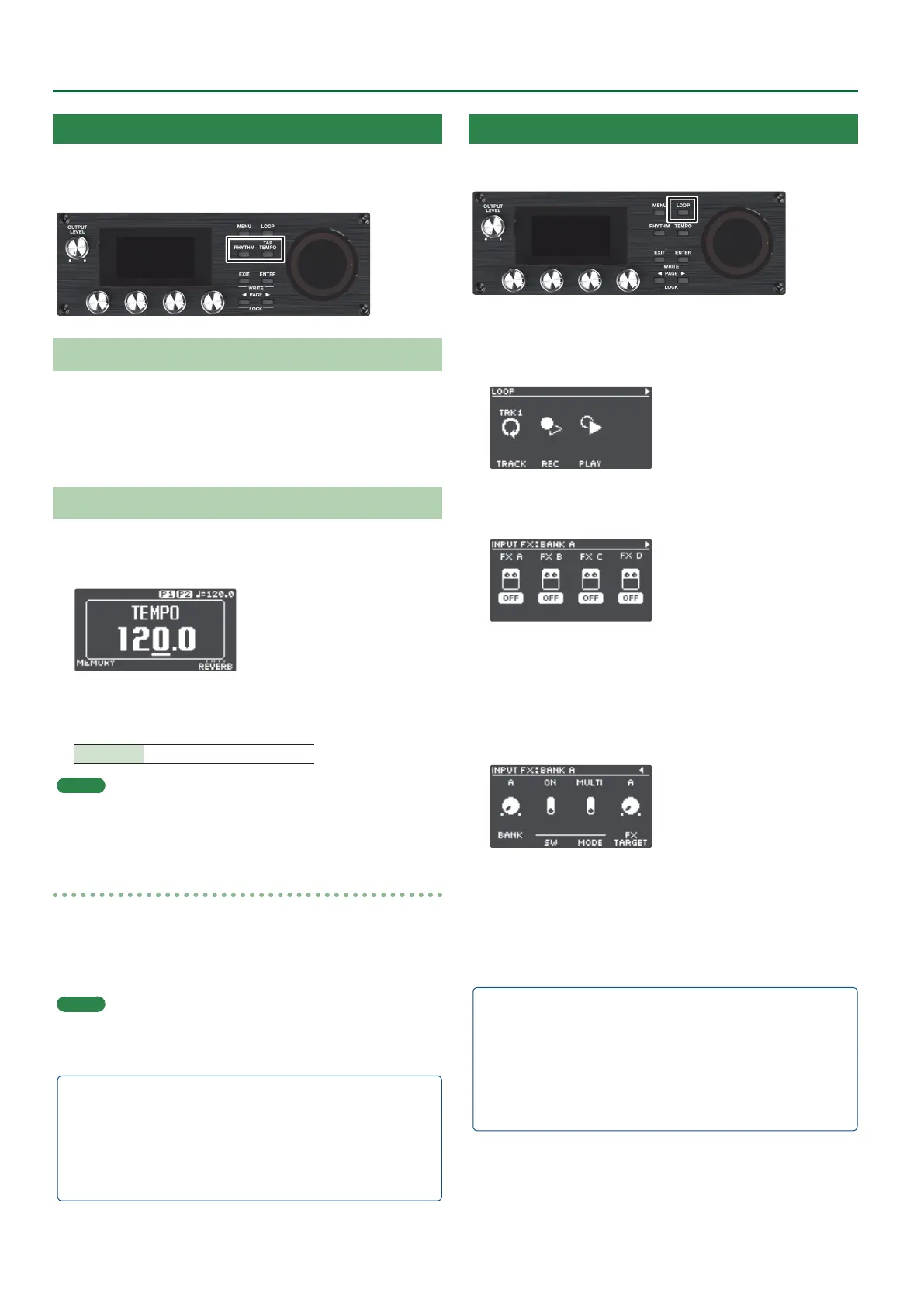
1. Press the [RHYTHM] button.
The rhythm switches on (lit)/o (unlit)/ready to play rhythm
(blink) each time you press the button.
Setting the Tempo of Rhythm
1. Press the [TAP TEMPO] button.
The tempo setting screen appears.
2. While the tempo setting screen is shown, turn the [4]
knob to set the tempo.
Value 40.0–300.0
MEMO
Press and then turn the [4] knob to set a value in decimal
points.
Tap tempo
You can set the tempo by pressing a button at the desired interval.
1. Press the [TAP TEMPO] button several times in time
with the desired tempo.
MEMO
If you long-press the [TAP TEMPO] button until it begins
blinking red, the tempo returns to the default value.
5 The specied tempo can be saved as a setting in memory.
& “Saving a Memory (WRITE)” (p. 13)
5 You can specify the volume and type (variation) of rhythm,
and how the rhythm plays.
& “Editing the Rhythm Settings” (p. 16)
Using the Input FX
You can apply input FX to the input sound.
1. Press the [LOOP] button.
The LOOP screen appears.
2. Use the PAGE [J] button to switch the page, and then
press the [1] (INPUT FX) knob.
3. Turn the [1]–[4] knobs to switch the eects (FX A–D)
on/o.
Switching between banks
4. Use the PAGE [J] button to switch the page, and then
turn the [1] (BANK) knob to select the bank.
Using the Track FX
5. To apply track FX to a track that’s already recorded, use
the same operation as with the input FX after pressing
the [2] (TRACK FX) knob mentioned in step 2.
5 You can save the eects you congured as settings in
memory.
& “Saving a Memory (WRITE)” (p. 13)
5 You can switch between eect types that are assigned to the
[A]–[D] buttons, and change how the eects sound.
& “Editing the Input FX/Track FX Settings” (p. 17)


 To Next Page