17
Editing a Memory
Editing the Input FX/Track FX Settings
For details on the parameters, refer to “Parameter Guide” (PDF).
1. Select the memory for which you want to edit the
input FX/track FX settings.
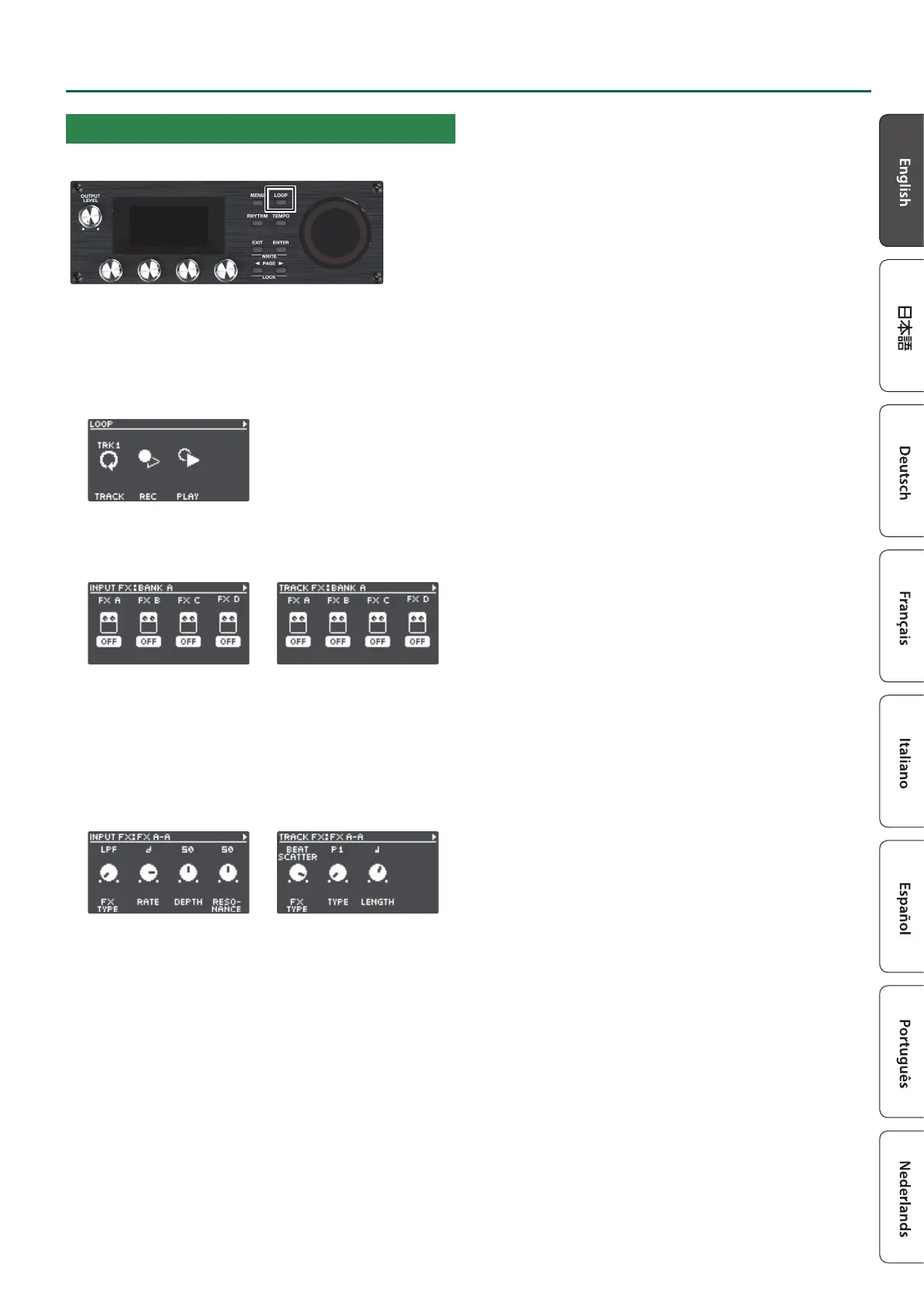
2. Press the [LOOP] button.
The LOOP screen appears.
3. Use the PAGE [J] button to switch the page, and then
press the [1] (INPUT FX) or [2] (TRACK FX) knob.
The INPUT FX screen/TRACK FX screen appears.
4. Select the bank of the eect you wish to edit.
1. Use the PAGE [J] button to switch the page, and then turn
the [1] (BANK) knob to select the bank.
2. Press the PAGE [K] button to return to the previous page.
5. Press the [1]–[4] knobs to select the eect to edit.
6. Use the [K] [J] buttons to switch to the page
containing the parameter you want to edit.
* The available parameters depend on the type of eect you
select.
7. Turn the [1]–[4] knobs to edit the values.
8. Press the [EXIT] button a number of times to return to
the play screen.
9. If you want to save the edited settings, execute the
Write operation (p. 13).


 To Next Page