Getting Started
Setting English or Metric Measurement Units (TC3000 and TCS000)
You can configure the TC5000 and TC3000 Consoles to display in Miles or Kilometers:
1. Turn the Main Power Switch on the Bowflex _ TreadClimber _ base to 'On'.
2. Remove the Safety Key.
3. Press and hold the START/STOP button.
4. Insert the Safety Key while holding down the START/STOP button.
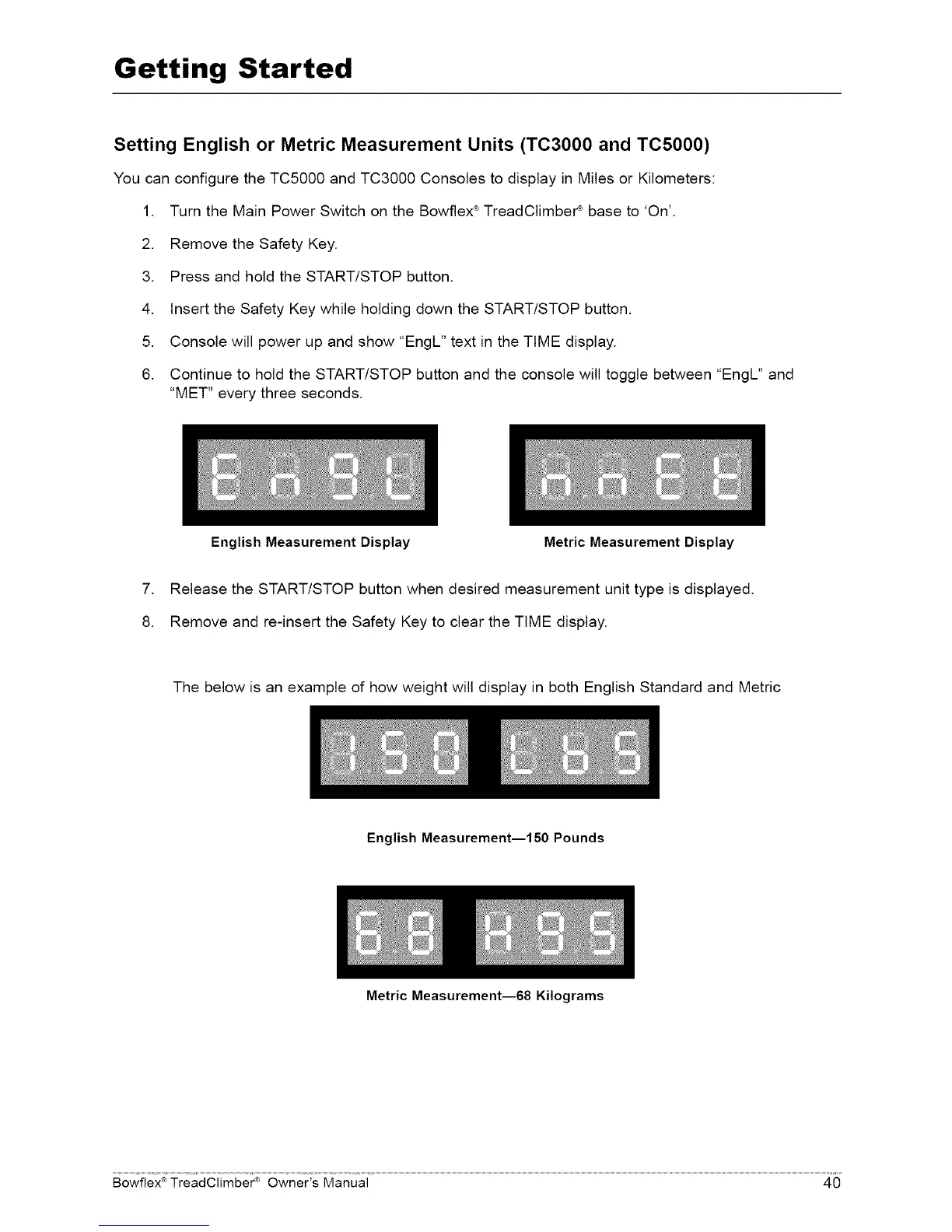
5. Console will power up and show "EngL" text in the TIME display.
6. Continue to hold the START/STOP button and the console will toggle between "EngL" and
"MET" every three seconds.
English Measurement Display Metric Measurement Display
7. Release the START/STOP button when desired measurement unit type is displayed.
8. Remove and re-insert the Safety Key to clear the TIME display.
The below is an example of how weight will display in both English Standard and Metric
English Measurement--150 Pounds
Metric Measurement--68 Kilograms
®
Bowflex' TreadClimbe¢ _ Owner's Manual 40














 To Next Page