13
3.2.3 Digit Mask
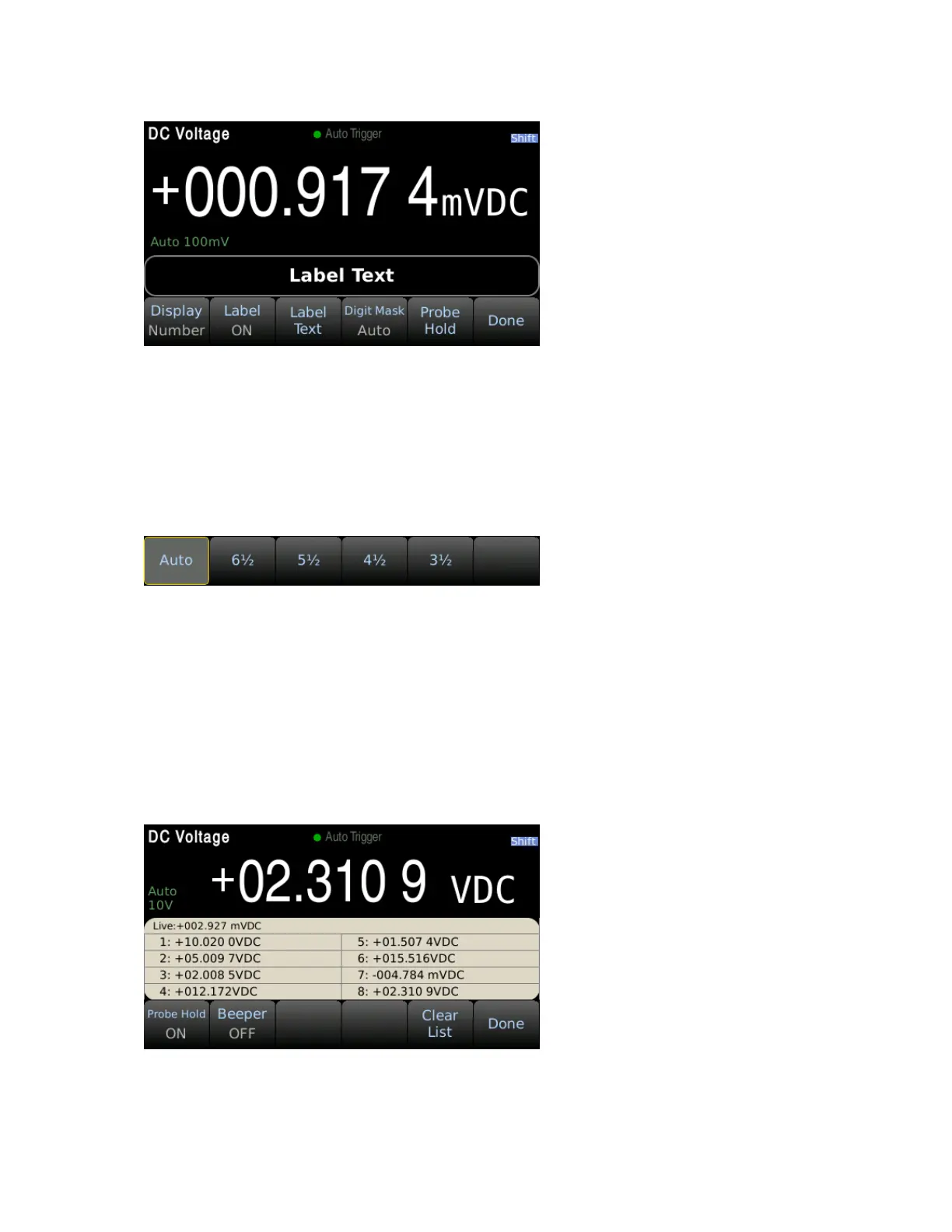
The number of display digits can be changed manually. By default, the digit mask will change
automatically based on other function settings and PLC settings.
To change the digit mask press Menu → Display → Digit Mask.
3.2.4 Probe Hold Function
The probe hold function records and displays up to 8 stable measurements adding them to an on-
screen list. To enable this function, press Menu → Display → Probe Hold → Probe Hold OFF/ON. In the
probe hold settings, the beeper can be enabled to output an audible beep when a stable reading is
recorded and added to the list. Note: the screen capture function can be used to save the displayed
list of measurements as an image.


 To Next Page