27
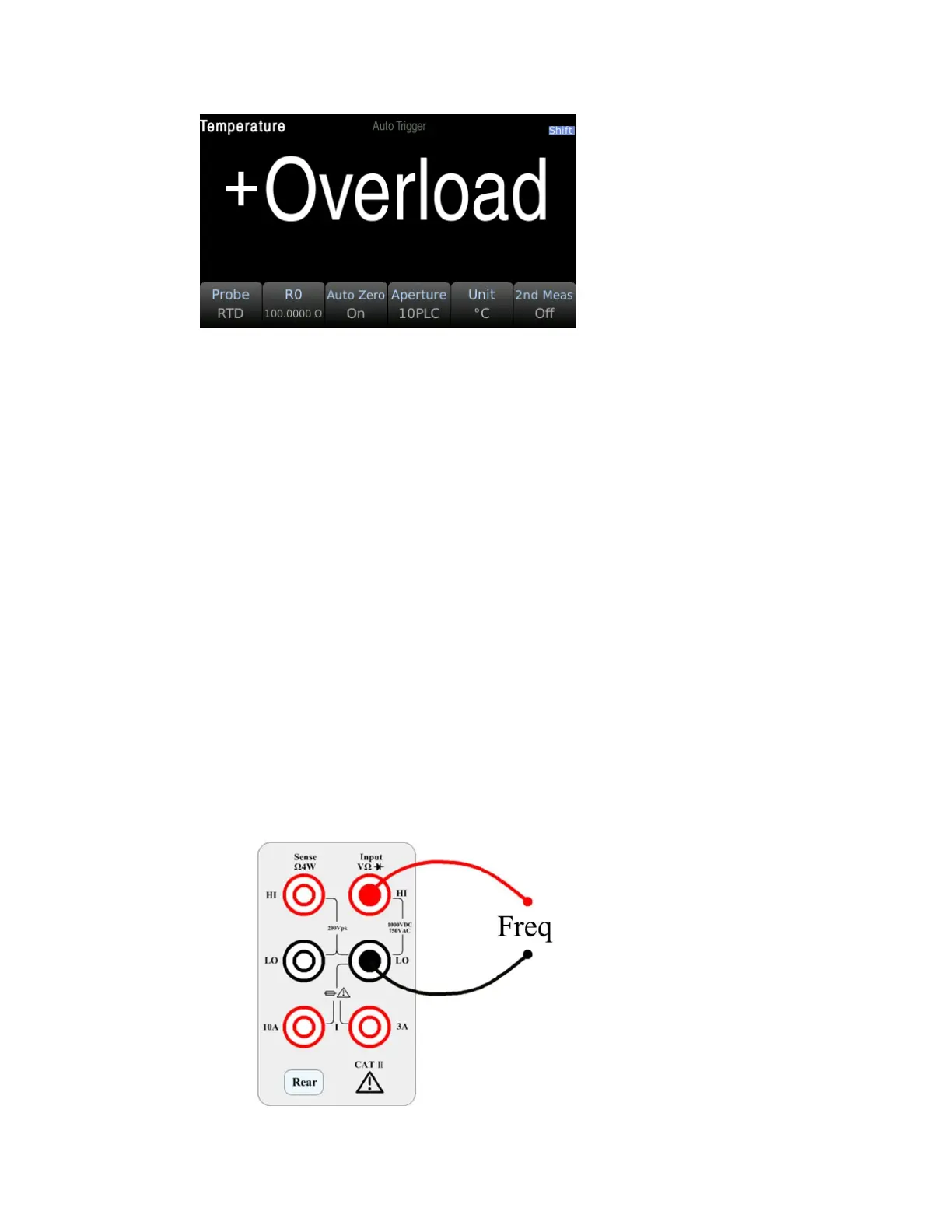
Step 3: Press Probe to select the probe type. If you choose to use RTD, this menu will have a softkey to
specify the resistance of the RTD at 0 degrees Celsius (R0).
Step 4: Specify if you want to use Auto Zero. Auto-zeroing provides the most accurate measurements
but takes more time to perform a zero measurement.
With auto zero enabled, the digital multimeter internally measures the offset after each
measurement. This prevents the offset voltage on the digital multimeter (DMM) input circuit from
affecting the measurement accuracy. With auto zero disabled, the digital multimeter measures the
offset once and subtracts the offset from all subsequently measured parameters. The DMM makes a
new offset measurement each time you change the function, range, or integration time.
Step 5: Press Aperture and select the number of power line cycles (PLC) to measure. Normal mode
(line frequency noise) suppression is only available for 1, 10, and 100 PLCs. Selecting 100 PLCs
provides the best noise rejection and resolution, but the measurement is the slowest.
Step 6: Use the Unit softkey to display Celsius, Fahrenheit, or Kelvin.
3.3.12 Frequency measurement
This section describes how to configure frequency and period measurements from the front panel.
Step 1: Configure the test leads as shown below.


 To Next Page