32
6.4 Power On
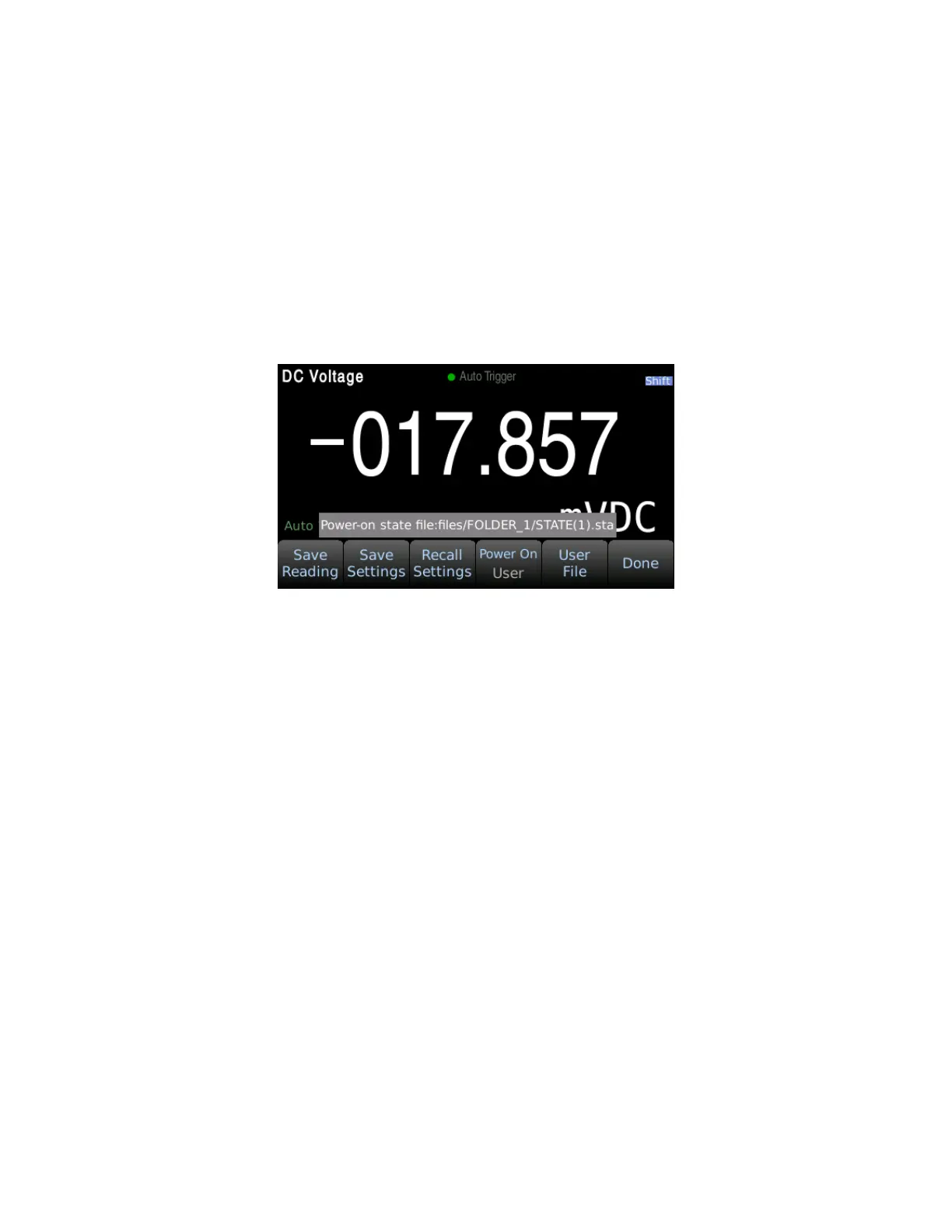
This function sets the instrument power on state which can be set to last, factory default, or a user
defined state. Press Menu → Utility → Save / Recall to access the Power On settings. By default the
power on state will be set to ‘Last’. To set a user defined power on state, an instrument state file saved
as .sta must first be saved to the instruments internal memory or on a USB flash drive. See section 6.2
Save Settings above for details on how to save an instrument state file. After a state file is created set
the ‘Power On’ settings to ‘User Defined’ using the softkeys. Select an instrument state file using the
‘User File’ softkey which will be enabled when the power on state is set to user defined as shown:


 To Next Page