14
3.2.5 Screen Capture and File Transfer
Press then press to save a screen capture to the multimeters internal memory as a .png
file. Screen captures can be transferred from internal memory to a USB flash drive using the built-in
file management system. Press Menu → Utility → Manage Files to access stored files. Use the
directional keypad to highlight the file to be transferred then press Copy. Highlight the USB resource
then press Paste to save a copy of the file.
3.3 Basic Measurements
3.3.1 DC Voltage
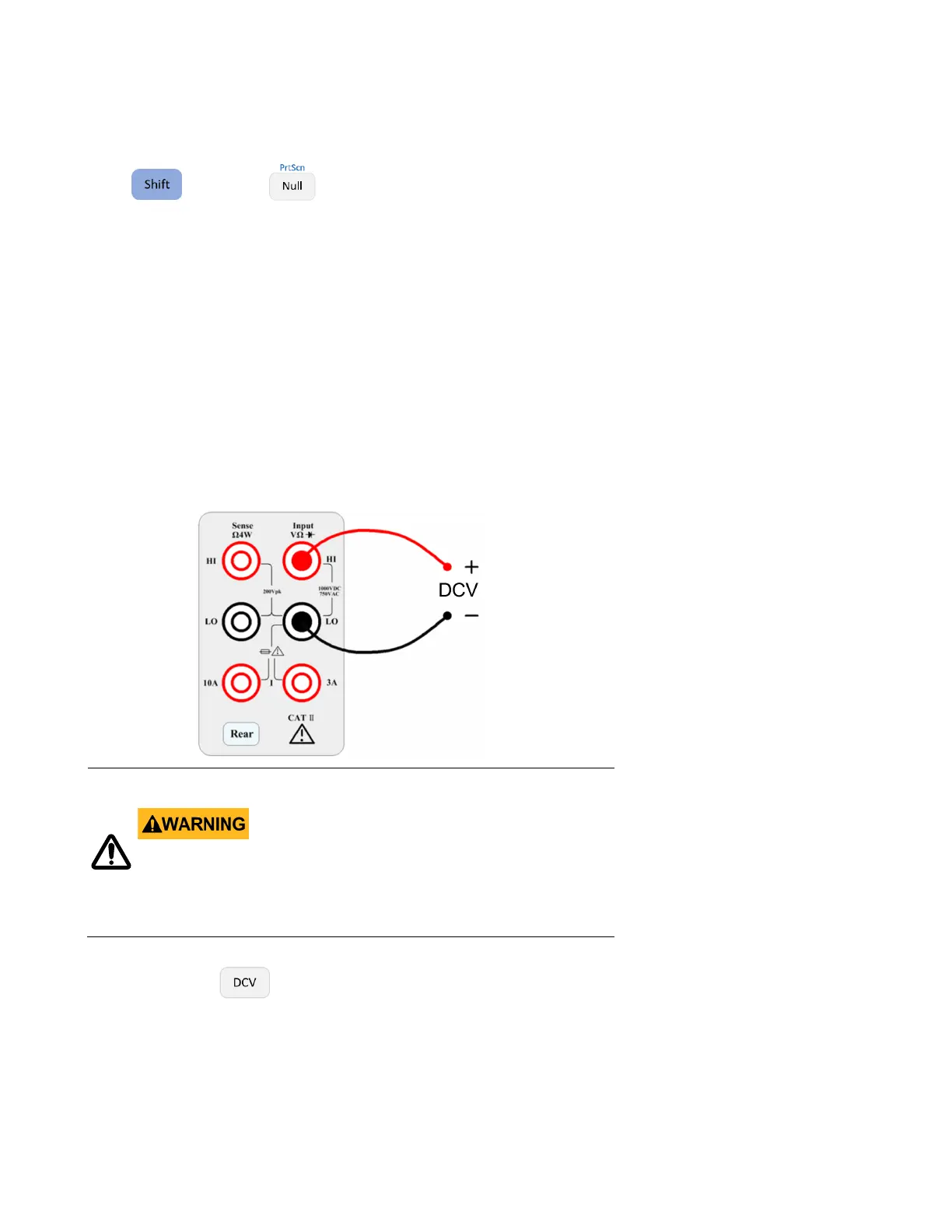
Step 1: Connect the input terminals as shown below.
Do not apply more than 1000 V peak to the input or it will
damage the instrument.
Step 2: Press the button on the front panel to enter the DCV measurement function.


 To Next Page