28
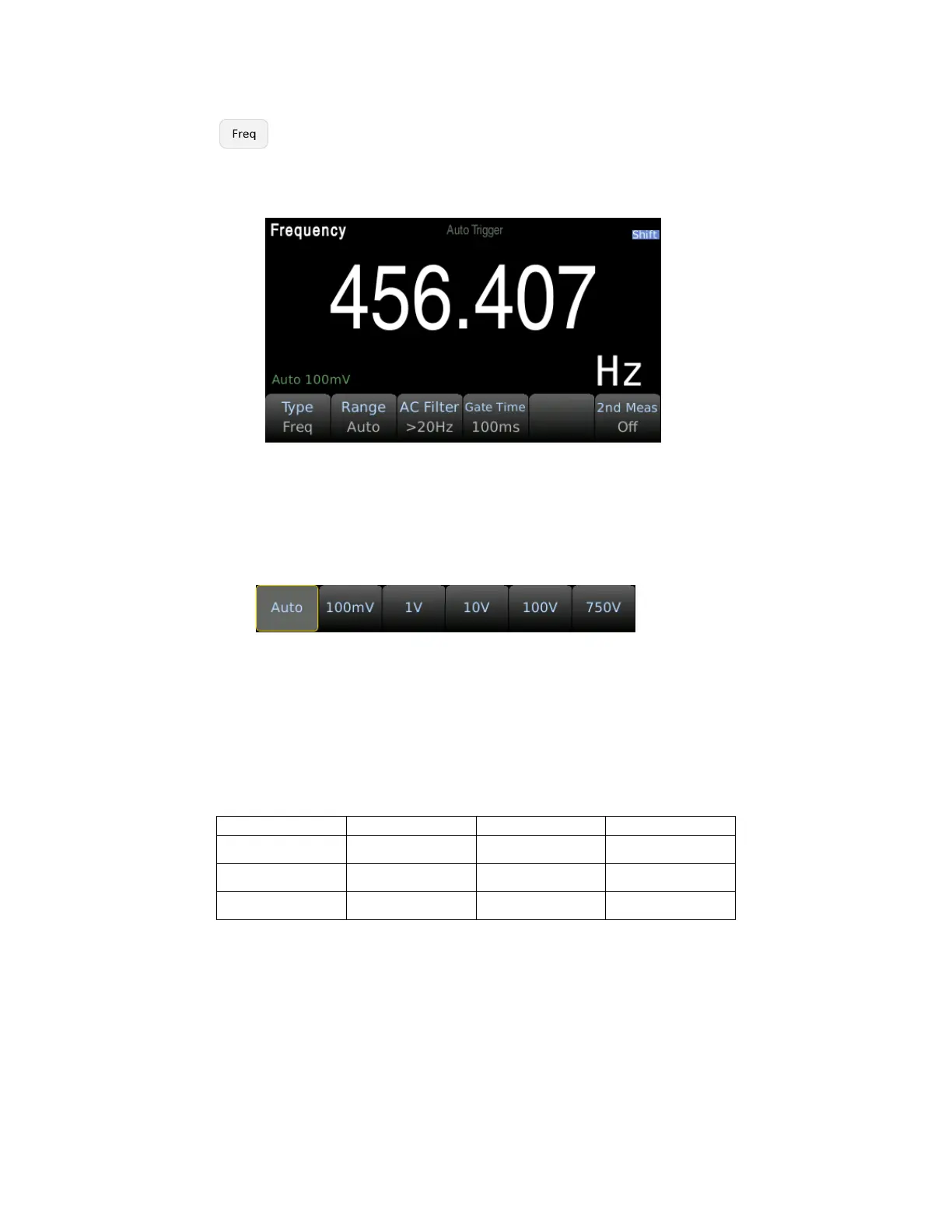
Step 2: Press the button to enter the frequency measurement.
Use the Type softkey to select frequency or period measurement. Freq is the frequency measurement
and Period is the period measurement.
Step 3: Range adjustment
Press Range and select the range. Auto range (Auto) can automatically select the appropriate range for
measurement based on the input signal. The auto range is adjusted upwards to 110% of the existing
range and down to 10% of the existing range.
Step 4: AC Filter Selection.
The instrument offers three filter options of 3Hz, 20Hz and 200Hz. The filter you choose should be the
highest filter which is less than the frequency of your test signal. For example, if the input signal is
300Hz, the stable data can be obtained using the 200 Hz filter.
Step 5: Speed selection.
Different filters have different test speeds, so choosing the right measurement speed based on the
filter can result in more accurate test results or faster test speeds.


 To Next Page