Transmission of titration data into the target application (Instrument Window, tab Target Application)
14
Operating manual English
7.2 Transmission of data into the target application
7.2.1 From Data Logging
You may transmit the data later on into your target application, by selecting the designated data in the tab
Data Logging. Then press the button “To Target Application“.
7.2.2 Online from instrument
If the data should be transmitted directly „online“, set a checkmark at “Online transmission of data“ in the
tab Target Application.
The cell format “Figure“ for the column “Titr. Volume“ and “Standard“ for the other columns is chosen.
7.3 Example of analysis
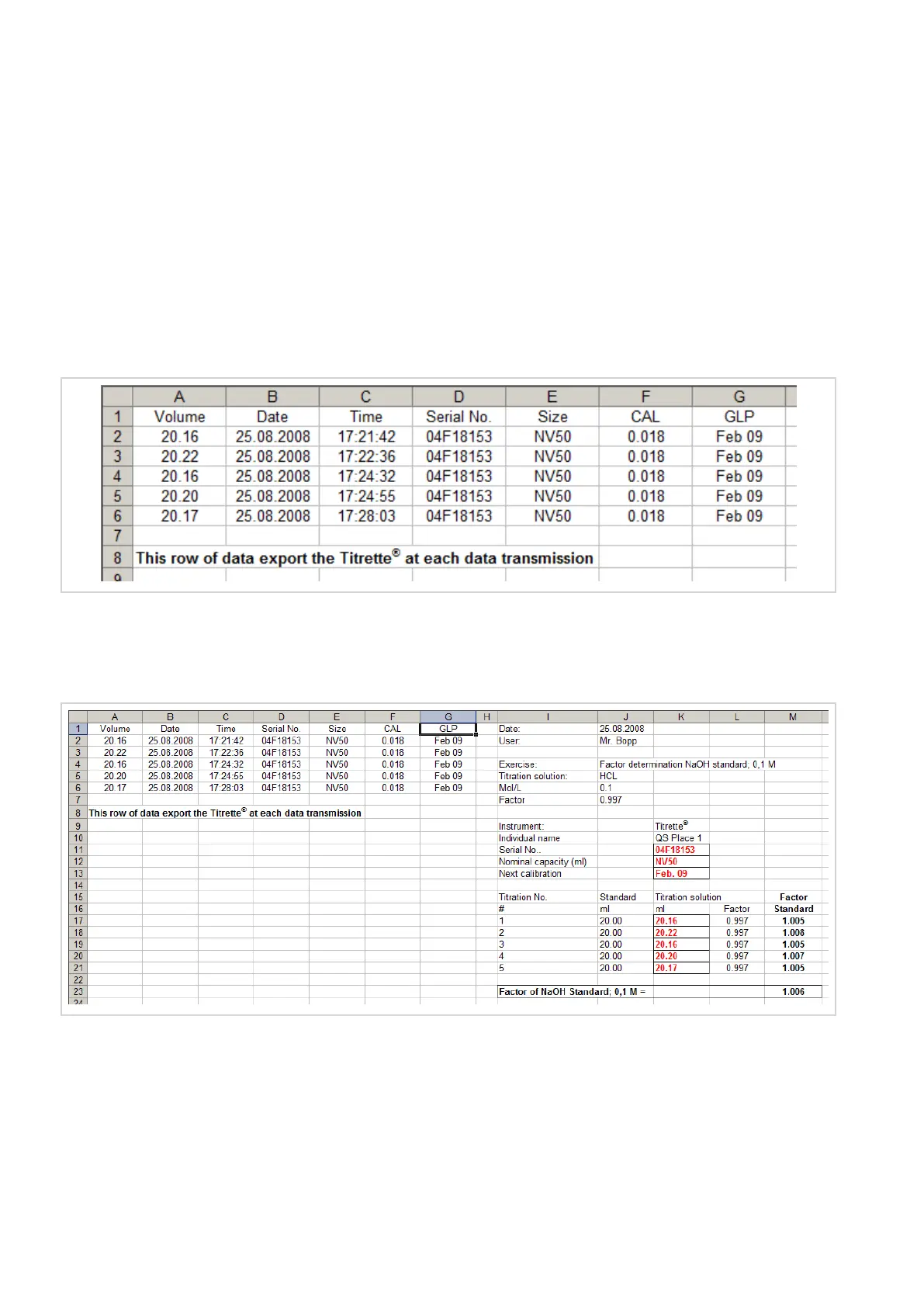
Please find the transferred data on the left hand side and an example of a titration application on the right
hand side. The transmitted data, e.g., serial No., nominal capacity, next calibration and the titration value are
copied with reference to the original field place into the framed fields.


 To Next Page
 Loading...