Operating manual English
7
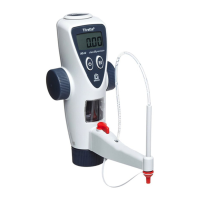
4 Start programm
a. Start the program with a double-click on the icon BRAND - Titrette® on your desktop, or with Start > All
Programs > BRAND > Titrette® > Software 4.01.
b. After starting the program the BRAND – Instrument Window opens on your desktop and the BRAND – In-
strument Manager opens in a minimized view (task bar).
4.1 Instrument Window
(Tabs: Titrette®, Data Logging and Target Application)
The communication between the instrument and the PC can be controlled in the BRAND - Instrument Win-
dow. If there are several instruments connected to the PC, each instrument opens its own window. In this
window the instrument data and settings are displayed, for later applications, e.g., which COM-port is used
by the burette (COM1, COM2, …), etc.
If the “Transferred Data“ does not match the “Stored Data“ during reconnection the differing field will show
a red background.
4.2 Instrument Manager
The window Instrument Manager is needed when several instruments are connected. To open one or more
Instrument Windows mark them in the list and press the button “Open instrument window”. Double-click
on the highlighted line will also open the Instrument Window. Open Instrument Windows are marked by
green lines in the instrument list. Using the buttons below you can add or remove instruments in the list.
(This table is not directly editable).
4.2.1 Tool tips
Automatically displayed texts explain the functions of the buttons. You can switch off this option, choosing
“expert mode” in the Instrument Manager.


 To Next Page