9
Series 71 – Modulating Controller - Electric Actuator
Installation, Operation and Maintenance Manual
Manual Operation
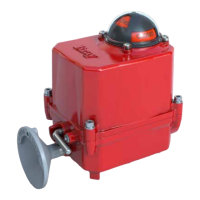
Manual operation of the actuator is performed via declutchable handwheel
The S Servo will continue to operate as if in remote mode though it
will not be able to actuate to a new setpoint until the manual mode is
disengaged See the S IOM for additional details
Command Signal Calibration
A command signal calibration routine is provided to increase accuracy by
accounting for small static defaults associated with the input circuitry It is
suggested to perform this once at commissioning prior to performing the
autocalibration routine
First select the desired input signal mode using the input pushbutton until
the appropriate LED is highlighted If -mA mode is selected disconnect
wiring from the command signal terminals If a voltage mode is selected
disconnect wiring from the command signal terminals and attached a wire
jumper between the command () and command (-) terminals
Press and release the calibration (Cal) button once the calibration LED
begins to flash rapidly Within second press and release the Input mode
button Most LEDs will turn off The Heartbeat LED will continue to operate
and the Fault LED may continue to flash
Once the LEDs turn back on the calibration is complete and the calibration
will be stored in the non-volatile memory Reconnect the command signal
wiring to the command signal terminals
WARNING
The input signal calibration routine must be run if the input signal type is changed
from a voltage mode to a current mode or vice versa
Autocalibration
Autocalibration mode is entered by pressing and holding the Autocalibration
(Cal) button for at least second Entering Autocalibration mode starts the
autocalibration sequence a series of commands performed by S Servo on
the actuator to determine the operating points During the autocalibration
sequence the S Servo should be monitored to ensure it operates
correctly The calibration LED will flash slowly to show that autocalibration
has been entered and will continue to flash at the end of travel until
autocalibration completes Upon completion of the autocalibration
sequence calibration LED will turn off
If the fault indication lights illuminate during autocalibration then the
autocalibration sequence could not be successfully completed Refer to the
troubleshooting section for more information
No other operating modes can be entered during autocalibration and
entering autocalibration mode will override any previous mode of operation


 To Next Page