6
Series 71 – Modulating Controller - Electric Actuator
Installation, Operation and Maintenance Manual
Product Settings
The product settings determine how the S Servo will respond to
commands from the process controller These must be defined and verified
before operation begins The settings that can be adjusted on the S Servo
are
• “Input” – InputCommand Signal
• “Output” – OutputFeedback Signal
All units’ ship with default settings from the factory
Feature Setting Configurable?
Input Signal -mA Yes
Output Signal -mA Yes
Failure Position Last No
Dead Band Control No
Heater Setpoint C No
Figure S Servo Default Settings
5.0 USER INTERFACE
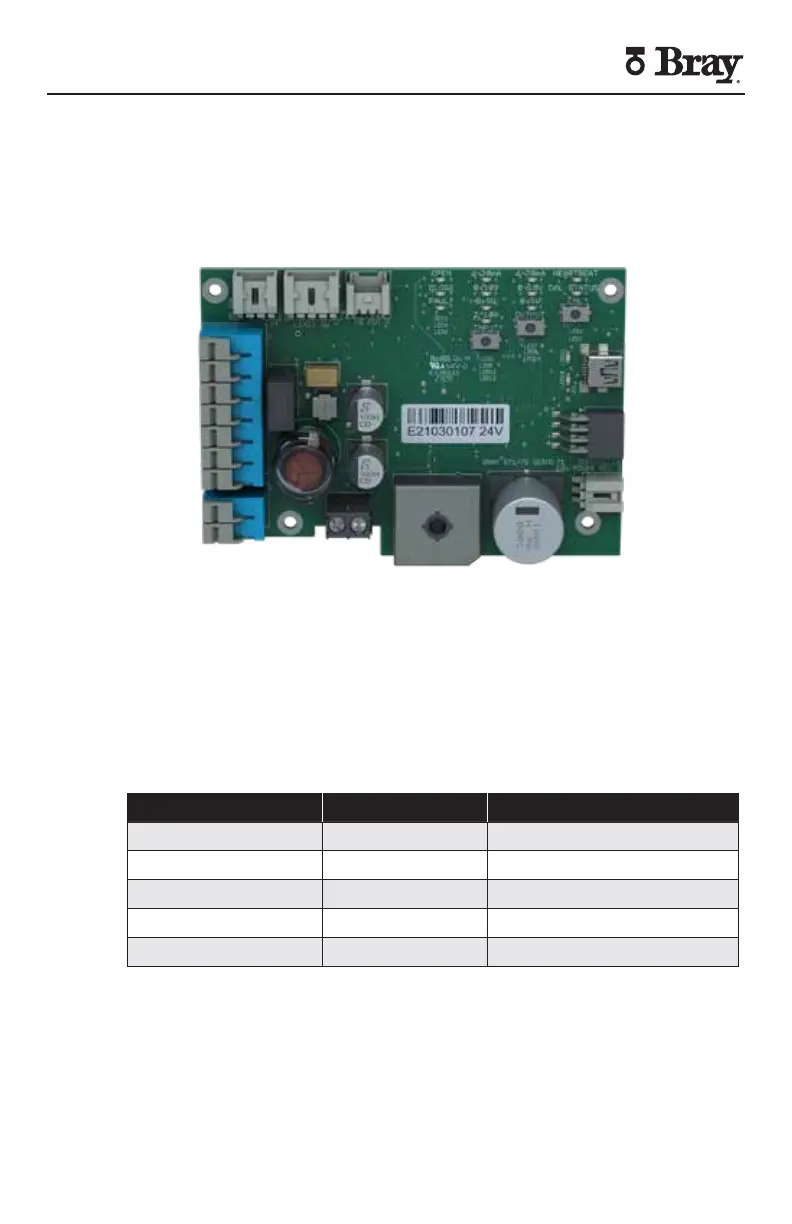
The S Servo features a rich LED-based menu that displays both
configurable settings and operational status Indicators are grouped
together based on function shown by their respective label(s) Without
any user interaction the S Servo will display the factory default product
settings valve status and fault status
Figure V S Servo


 To Next Page