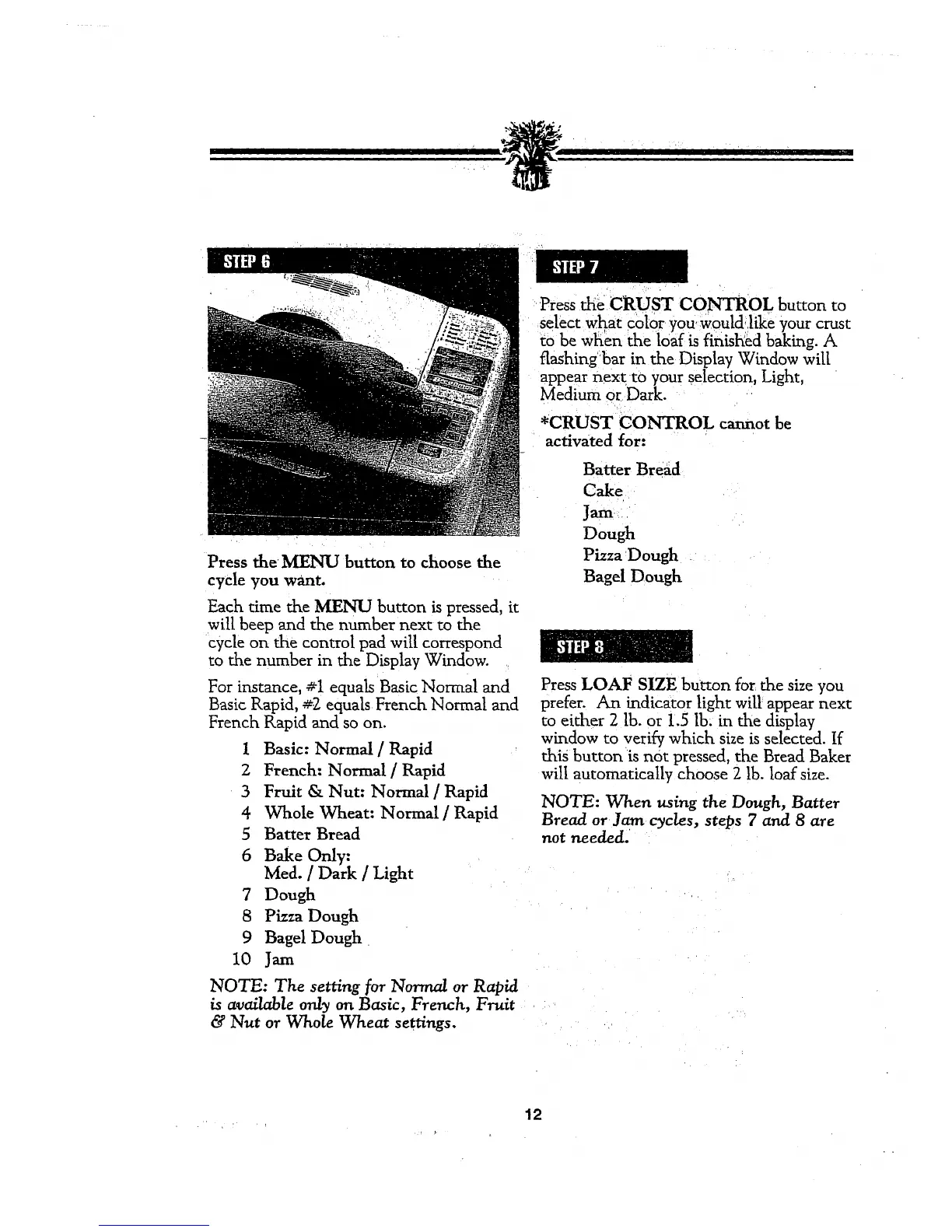
Press the MENU button to choose the
cycle you want.
Each time the MENU button is pressed, it
will beep and the number next tothe
cycle on the control pad will correspond
to the number in the Display Window.
For instance, #1 equals Basic Normal and
Basic Rapid, #2 equals French Normal and
French Rapid and so on.
1 Basic: Normal / Rapid
2 French: Normal / Rapid
3 Fruit & Nut: Normal / Rapid
4 Whole Wheat: Normal / Rapid
5 Batter Bread
6 Bake Only:
Med. / Dark / Light
7 Dough
8 Pizza Dough
9 Bagel Dough
10 Jam
NOTE: The setting for Normal or Rapid
is available only on Basic, French, Fruit
& Nut or Whole Wheat set_ngs.
Press the CRUST CONTROL button to
select what color you woul&like your crust
m be when the loaf is finisKed baking. A
flashing bar in the Display Window will
appear nextto your selection, Light,
medium or Dark.
*CRUST CONTROL cannot be
activated for:
Batter Bread
Cake
Jam
Dough
Pizza Dough
Bagel Dough
Press LOAF SIZE button for the size you
prefer. An indicator light will appear next
to either 2 lb. or 1.5 lb. in the display
window to veri_ which size is selected. If
this button is not pressed, the Bread Baker
will automatically choose 2 lb. loaf size.
NOTE: When using the Dough, Batter
Bread or Jam cyc/es, steps 7 and 8 _tre
not needed'
12



 To Next Page